Skip to content

    Every feature

    Everything PlotWrite does for your LitRPG serial.

    From the Claude or ChatGPT plan you already pay for to stat sheets as of any chapter, the canon check, the In-Between and Auto-write. Built for LitRPG, progression fantasy and cultivation serials on Royal Road.

    • No card needed
    • Cancel anytime
    • PlotWrite never charges for AI

    Works with the AI you already use

    • ChatGPT
    • Claude
    • OpenRouter
    • OpenAI
    • Anthropic
    • Google
    • LM Studio

    Your ChatGPT or Claude plan through the PlotWrite connector, your own API key, or a model running on your own computer. PlotWrite never charges for AI.

    The problem

    Long serials break in small ways. Readers catch every one.

    By chapter 80 nobody remembers every rank, skill name and debt, and a chat window remembers even less. Your Royal Road comments and reviews never forget.
    • A rank goes backwards

      Ch 9The badge in his palm was silver now.

      Ch 12Kael flashed his Bronze badge at the gate warden.

    • A rule gets broken

      Ch 10"I don't co-sign. I lend, I collect."

      Ch 12"I heard Brann co-signed your toll."

    • The dead start walking

      Ch 4The salamander queen dies in her nest.

      Ch 8The salamander queen blocks the stairs.

    PlotWrite's canon check catches all three, with both quotes side by side.

    Bring your AI

    Use the AI you already have.

    Three ways in, and you can mix them. PlotWrite never charges for AI and never marks it up.
    • No API key

      Your Claude or ChatGPT subscription

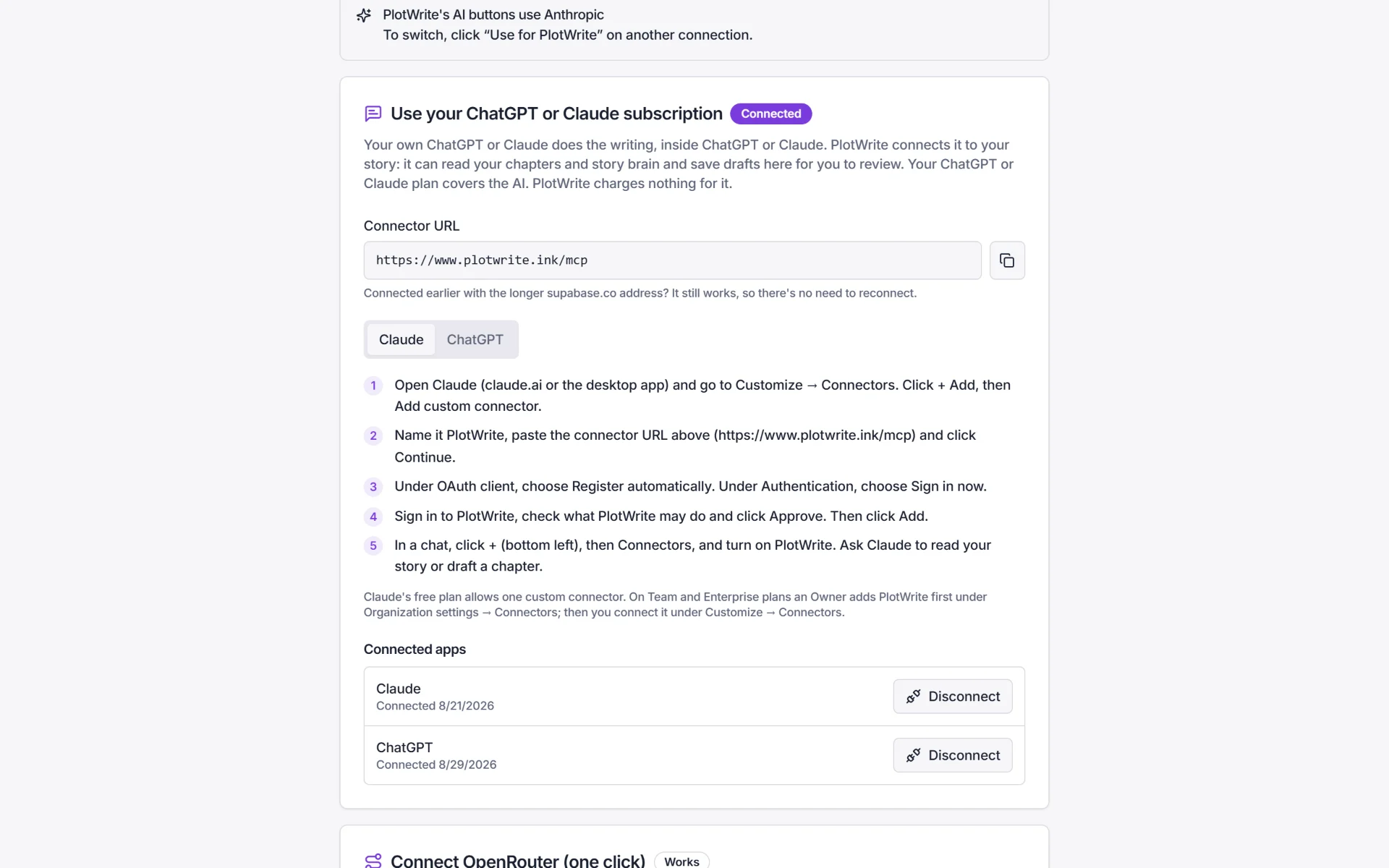
      Add PlotWrite as a connector in Claude or ChatGPT and sign in. Your plan runs the model; PlotWrite hands it your chapters and story brain. Drafts come back to PlotWrite as versions for you to accept.

      ChatGPTClaude

    • One click

      Your own key, or Connect OpenRouter

      Connect OpenRouter in one click, with no key to copy. Or paste an API key from OpenAI, Anthropic, Google, OpenRouter and others. It powers Ask AI, Draft with AI and Auto-write inside PlotWrite. Keys are stored encrypted, and you pay your provider directly.

      OpenRouterOpenAIAnthropicGoogle

    • Local

      Run it on your computer

      Point PlotWrite at LM Studio and use a model on your own machine. AI requests go from your browser to your computer, so there's no AI bill. Background jobs such as Auto-write need a cloud connection.

      LM Studio

    How connecting Claude works

    1. Add a custom connector

      In Claude, open Customize → Connectors, choose Add custom connector and paste the PlotWrite URL from your settings.

    2. Sign in to PlotWrite

      Claude asks you to sign in. Check what PlotWrite may do and approve it.

    3. Write

      Ask Claude for the next chapter. It reads your story brain and saves the draft to PlotWrite for you to accept.

    ChatGPT works the same way on plans that can add custom connectors. Claude's free plan allows one custom connector.

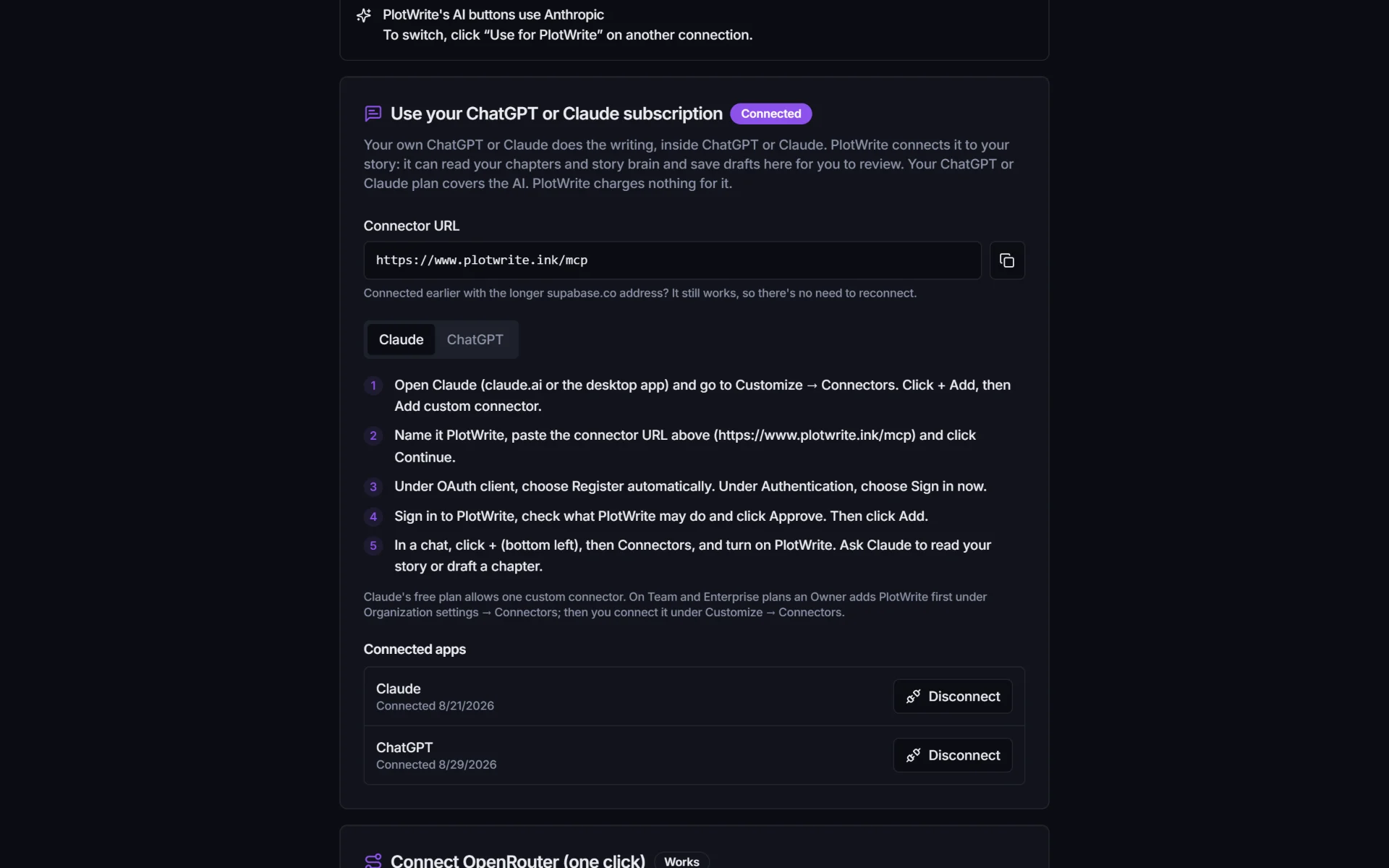
    PlotWrite's AI connections: the connector URL to paste into Claude or ChatGPT, step-by-step instructions, and the connection marked Connected.

    Features

    Everything a long serial needs to stay straight.

    A memory for your story, a checker that reads every chapter against it, and AI that drafts in your voice only when you say so.

    Story brain

    A wiki of your world that knows which chapter it is.

    Every character, place, item, skill, class and faction gets its own page, Obsidian-style, and every fact remembers the chapter it became true.
    • Facts timed by chapter. "Silver rank from ch 9" never leaks back into chapter 5, so you can see your story as it stood at any chapter.
    • [[Links]], a graph and a timeline, and every fact shows the chapter it came from.
    • Built from your chapters on your AI, and approved by you.
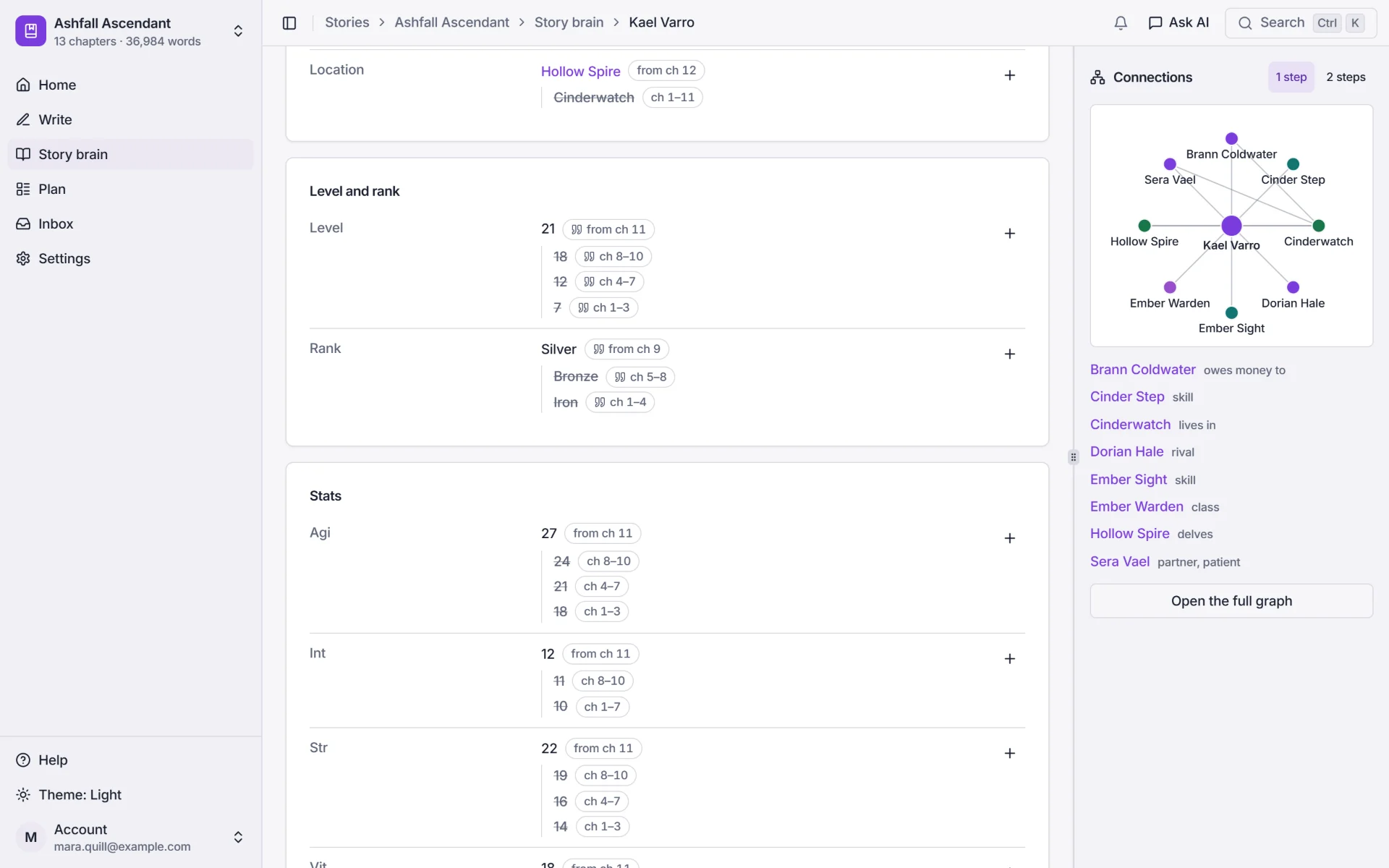
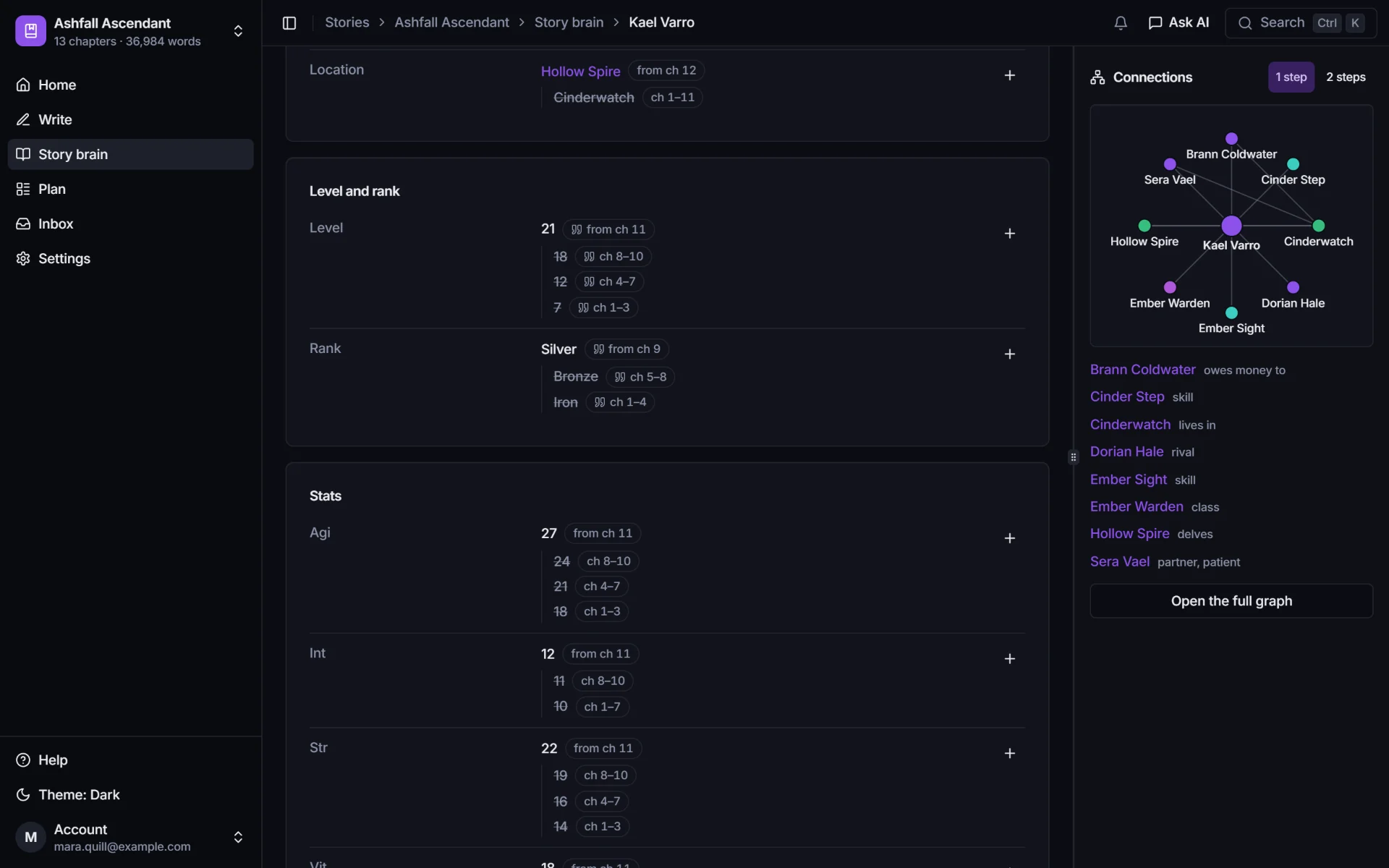
    Kael Varro's page in the story brain, with history: level 21 from chapter 11 (18 in chapters 8 to 10, 12 in 4 to 7, 7 in 1 to 3) and rank Silver from chapter 9 (Bronze in 5 to 8, Iron in 1 to 4).
    A graph of Kael's connections: Sera Vael, Brann Coldwater, Dorian Hale, Hollow Spire, Cinderwatch and his skills.

    Stat sheets and the facts timeline

    The status window your readers saw, as of any chapter.

    Levels, ranks, stats, skills, classes and titles are facts timed by chapter, so a character's sheet is always the one that was on the page.
    • Pull up a sheet as it stood at chapter 11 and see what changed since the chapter before.
    • Every number shows the chapter it came from, with its full history: Iron, then Bronze, then Silver.
    • When a level or rank goes the wrong way in a later chapter, the canon check flags it.
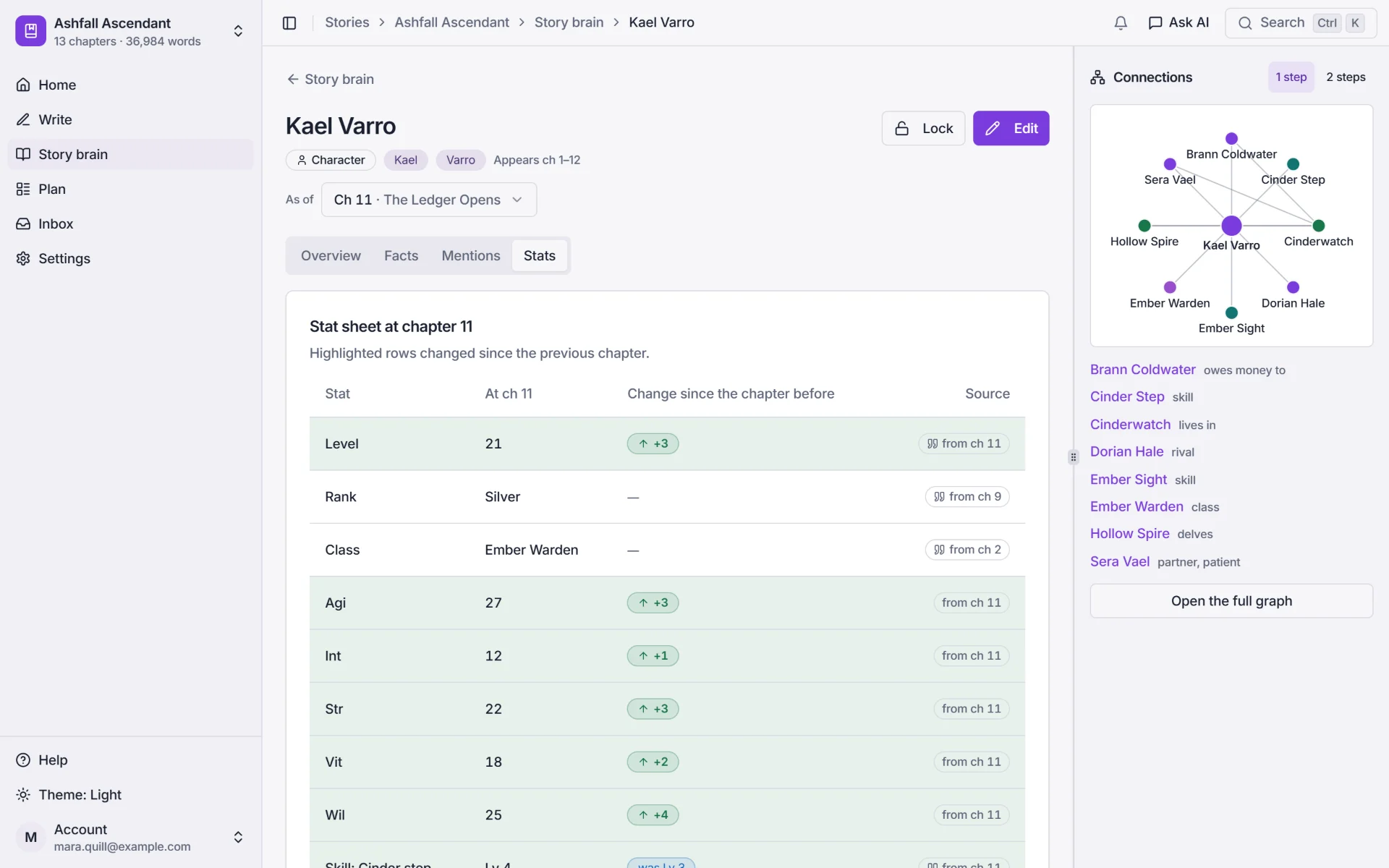
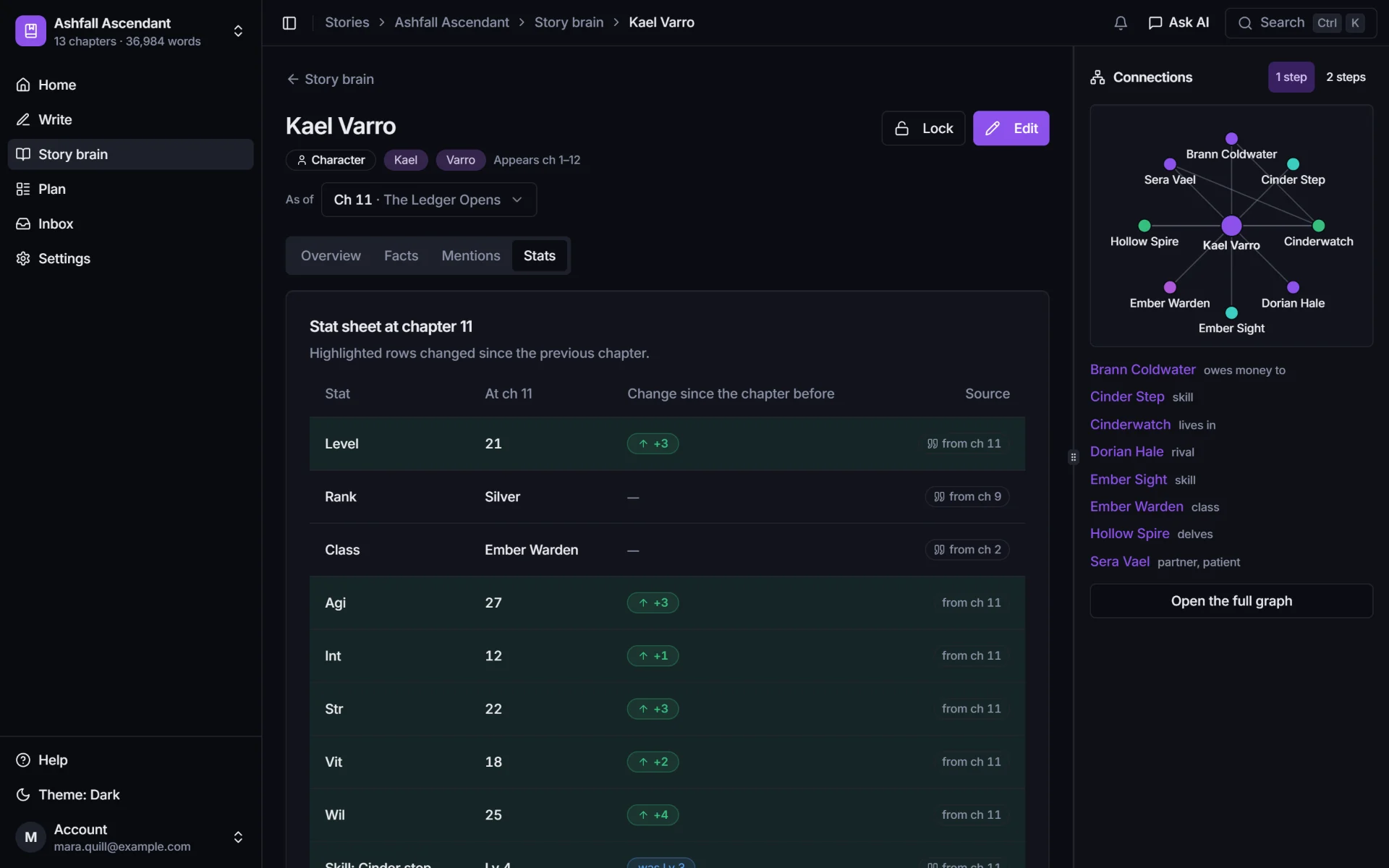
    Kael Varro's stat sheet at chapter 11: level 21 (up 3), rank Silver, class Ember Warden, AGI 27 (up 3), INT 12 (up 1), STR 22 (up 3), VIT 18 (up 2), WIL 25 (up 4).

    Canon check and Inbox

    Catches contradictions before the comment section does.

    The canon check reads each chapter against what was true at that point: a rank going backwards, a dead character walking, a broken System rule.
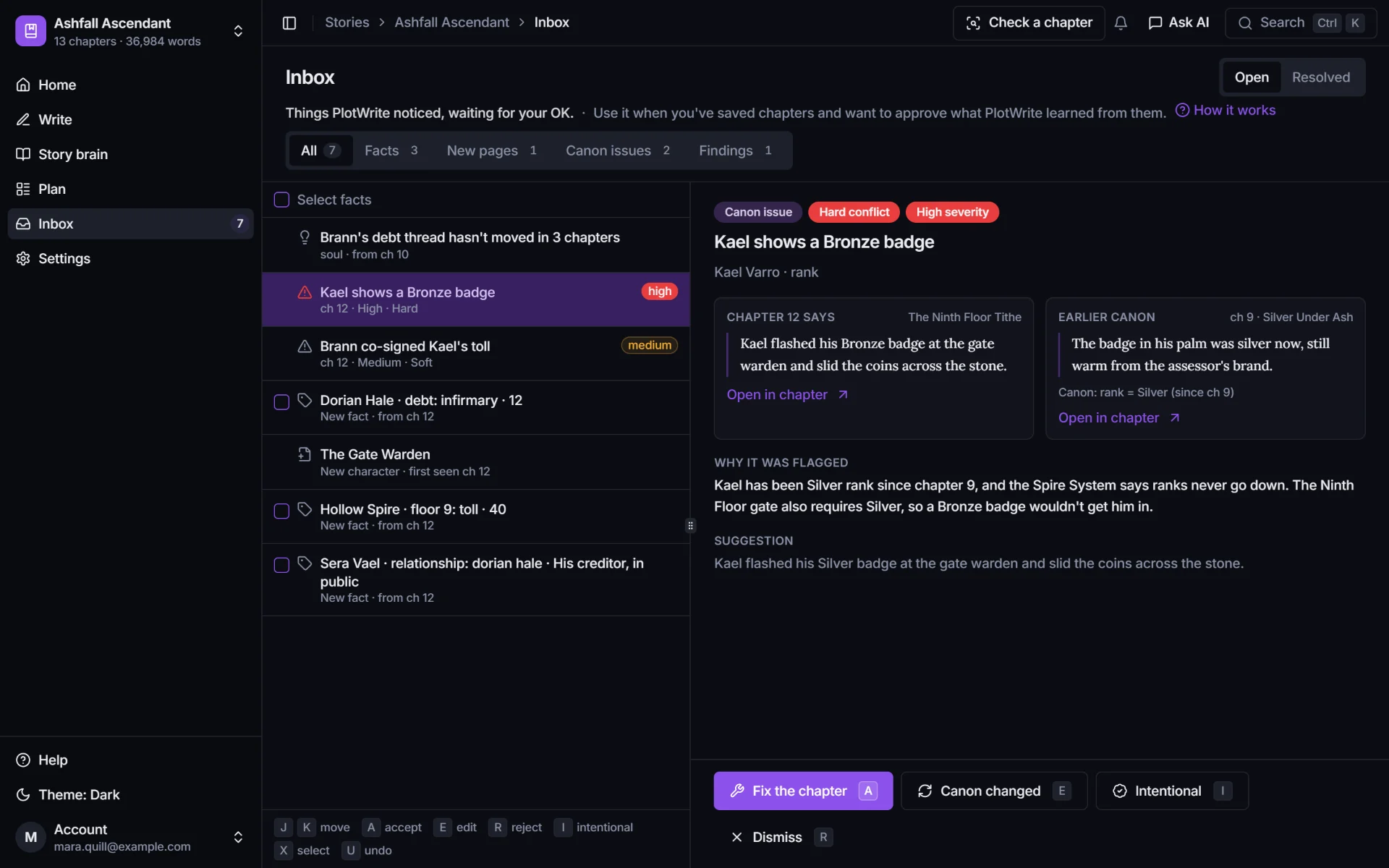
    • Both quotes side by side: what this chapter says, and the earlier canon it contradicts.
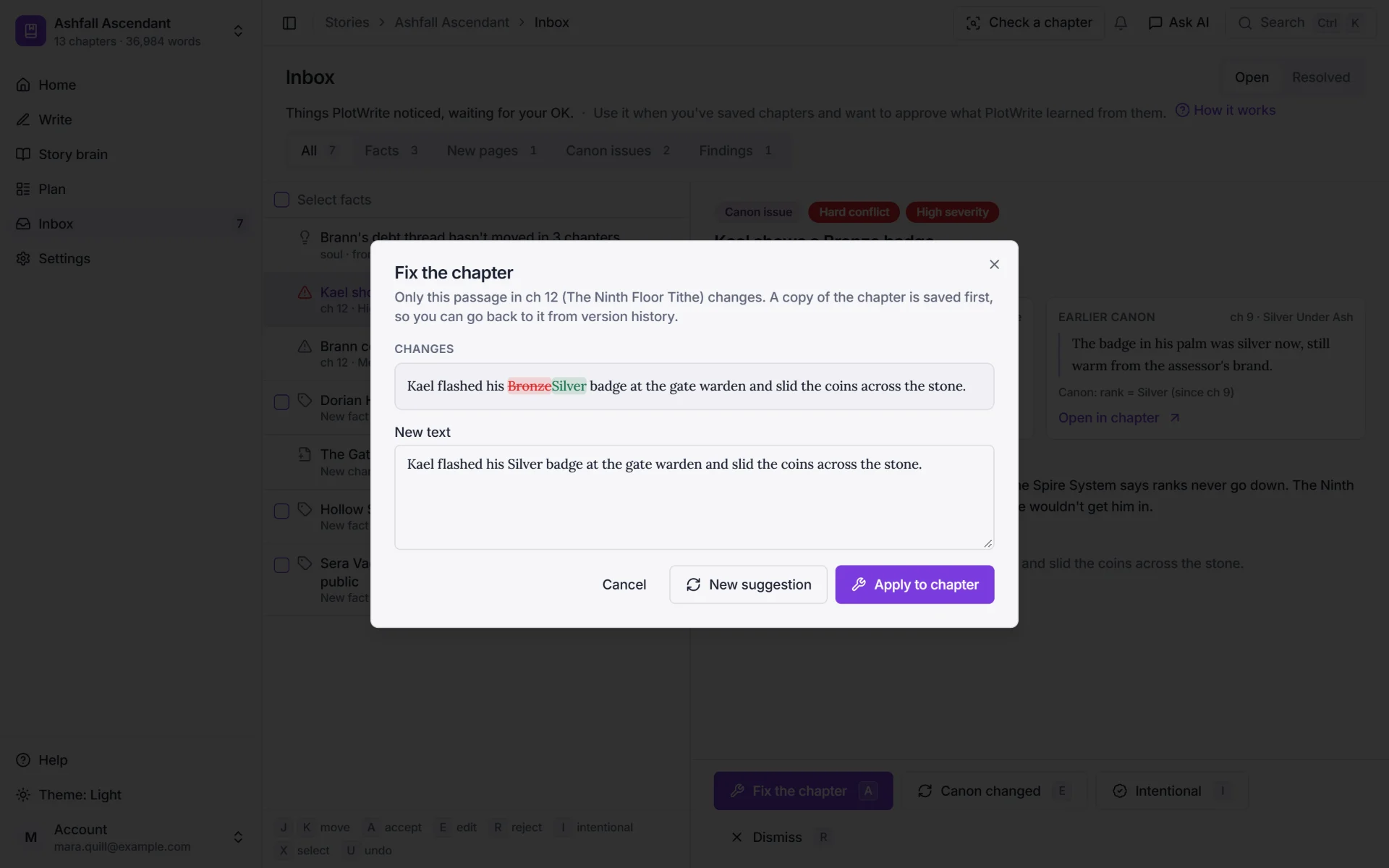
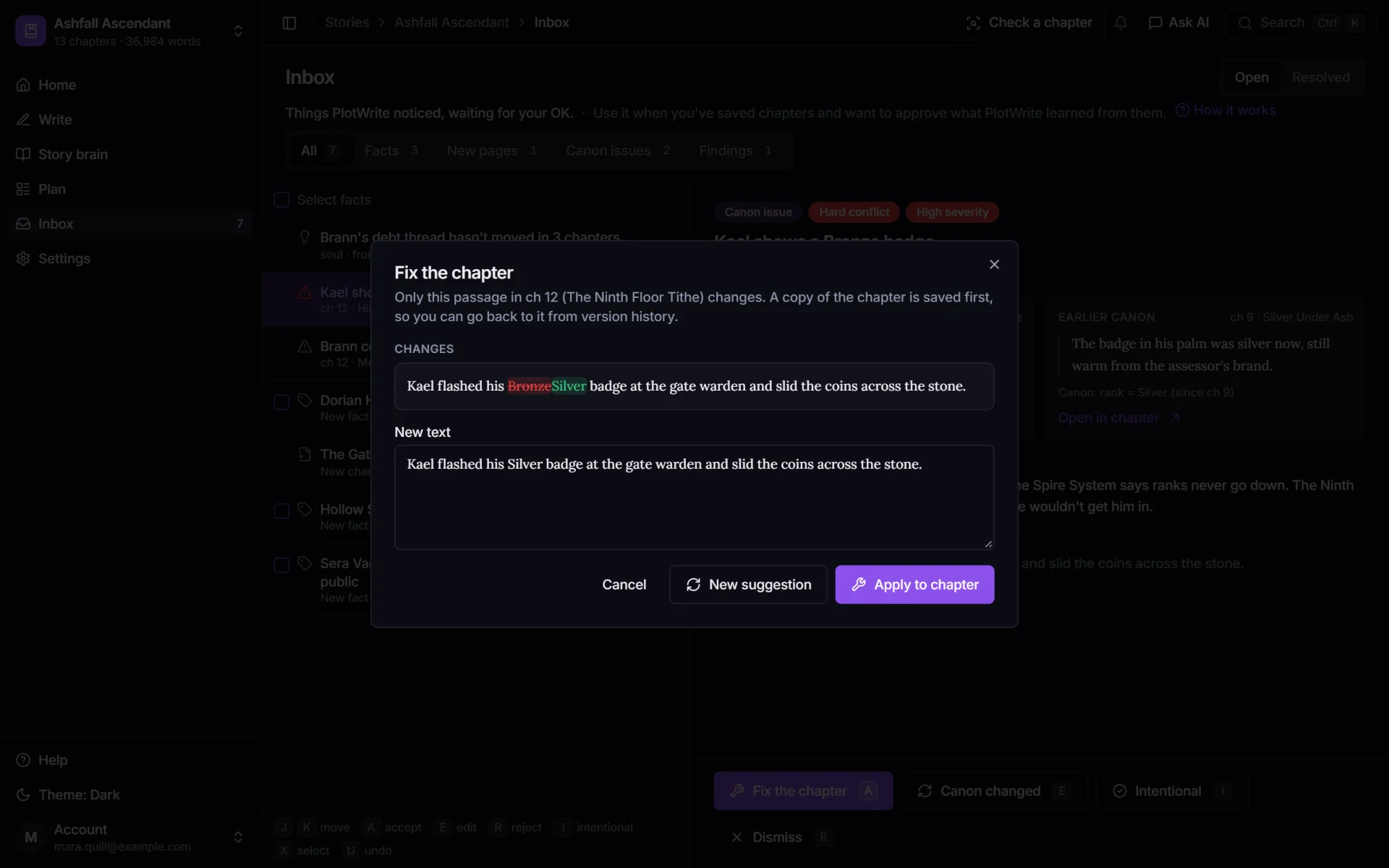
    • One-click fixes are previewed as a change before a single word is touched.
    • The AI proposes; you decide. New facts wait in your Inbox, and nothing becomes canon without your approval.
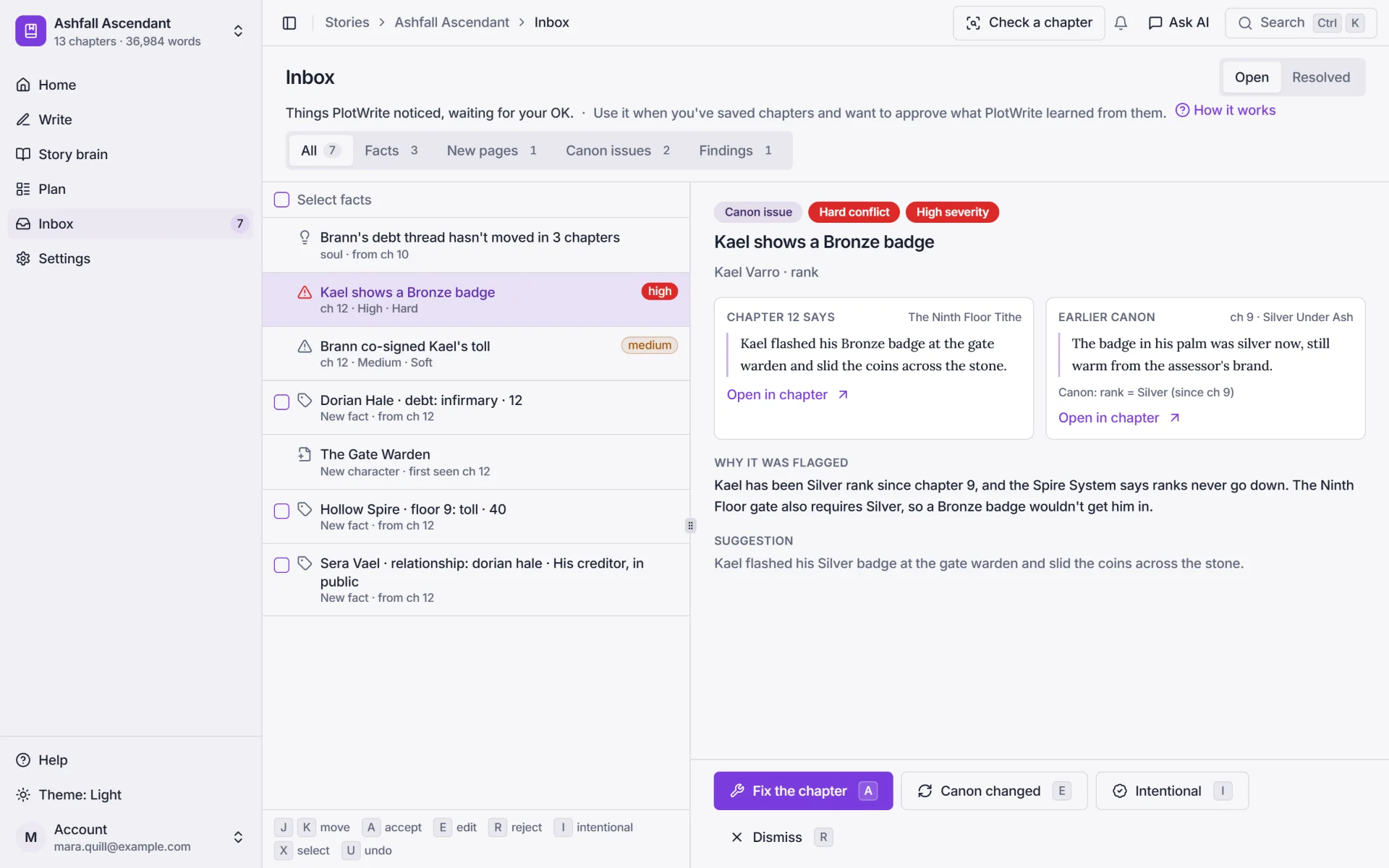
    The Inbox with a high-severity canon issue: chapter 12 says Kael flashed his Bronze badge, while earlier canon from chapter 9 says the badge in his palm was silver now.
    The previewed fix: Bronze is struck out and Silver put in its place, before anything changes in the chapter.

    The In-Between

    A story is getting from A to B. The in-between is where it lives.

    In progression fantasy, the power climb, the rivalry, the slow-burn romance and the main quest all move a little every chapter. PlotWrite shows every thread across your chapters, helps you plan the beats from A to B, and tells you when one goes quiet.

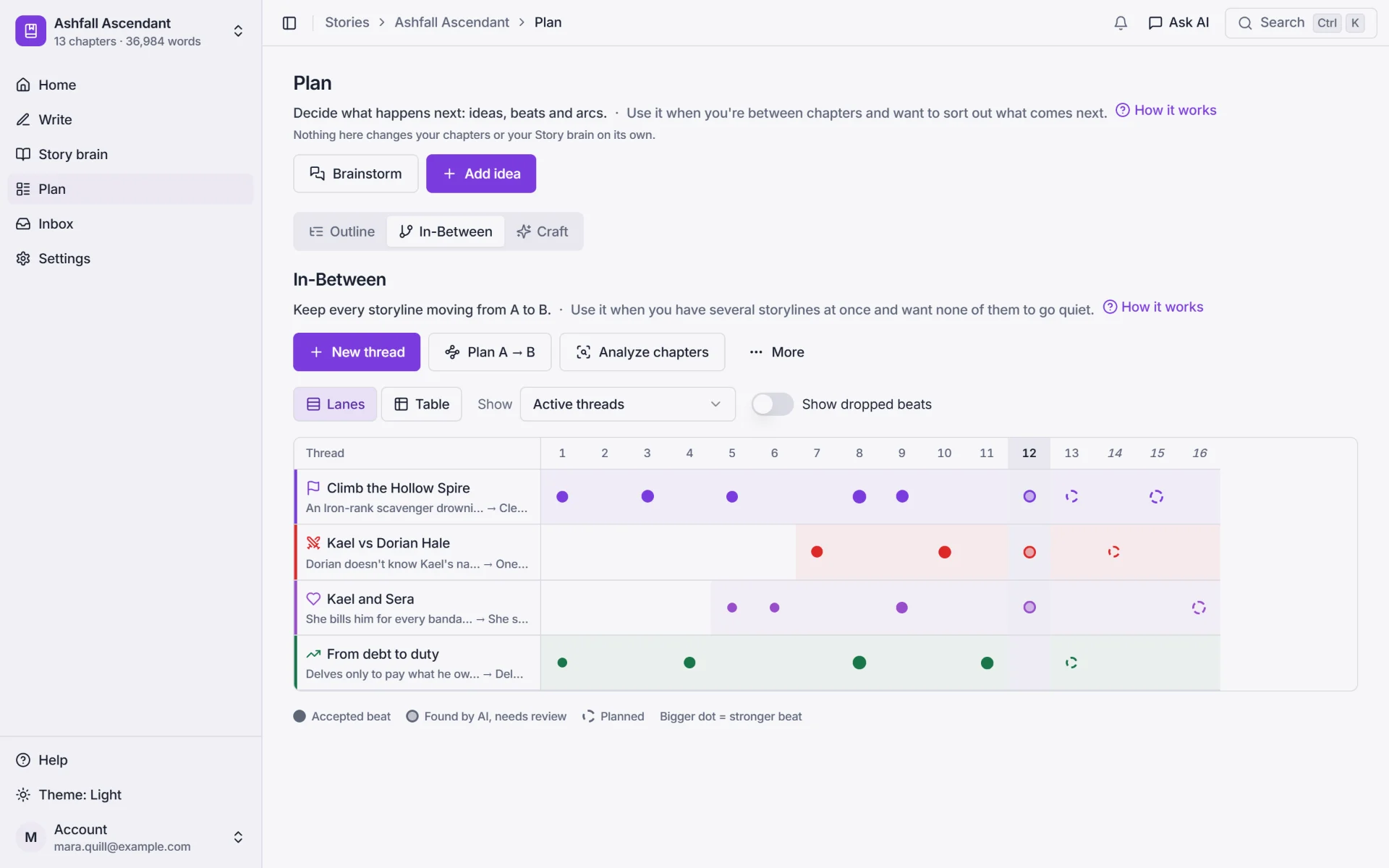
    • Every thread across every chapter, lane by lane.
    • Plan the in-between: the beats that get a thread from A to B.
    • A nudge in your Inbox when a thread goes quiet.
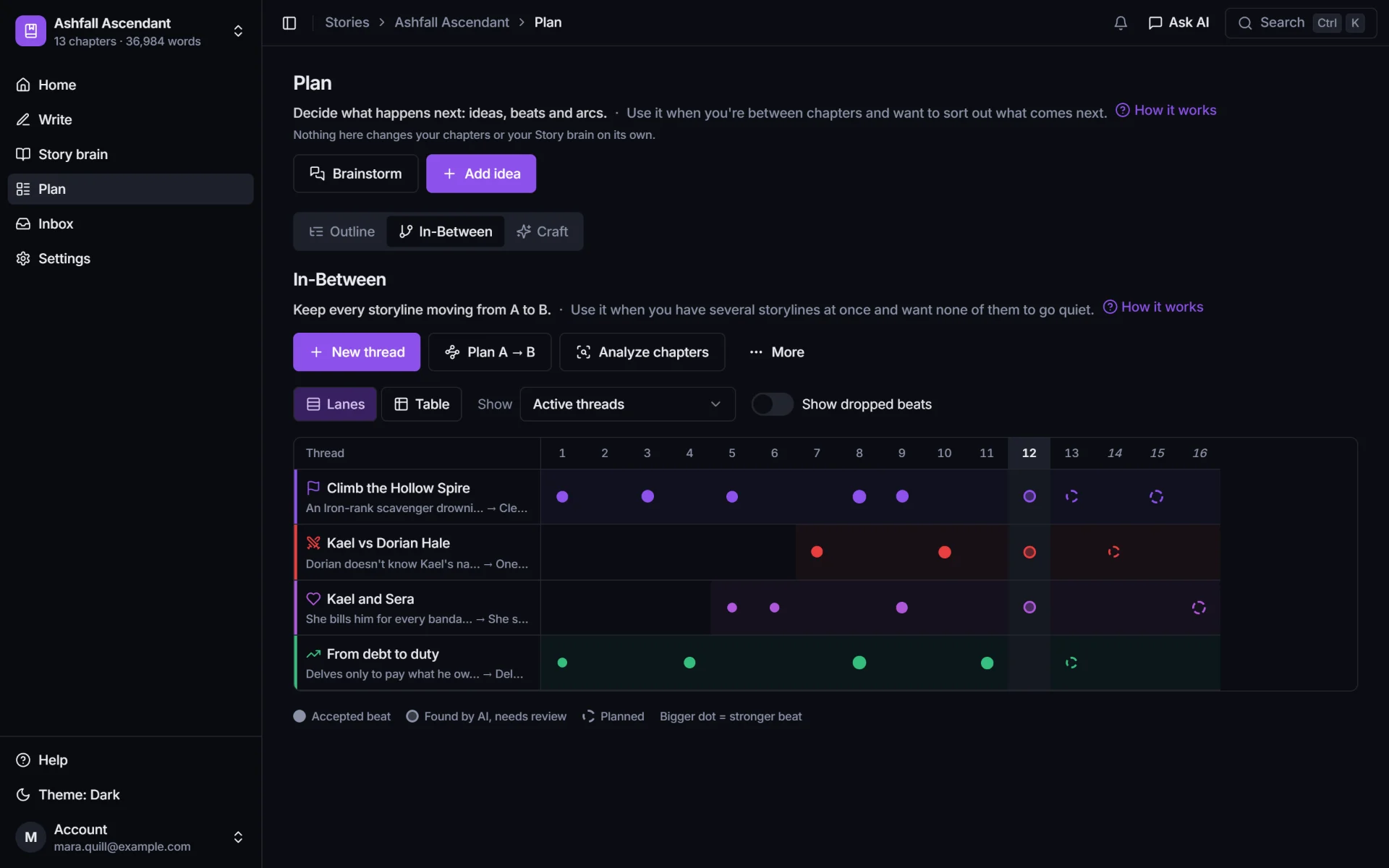
    The In-Between swimlanes: four threads (Climb the Hollow Spire, Kael vs Dorian Hale, Kael and Sera, From debt to duty) across chapters 1 to 16, with a dot for each chapter that moved them and dashed rings for planned beats.
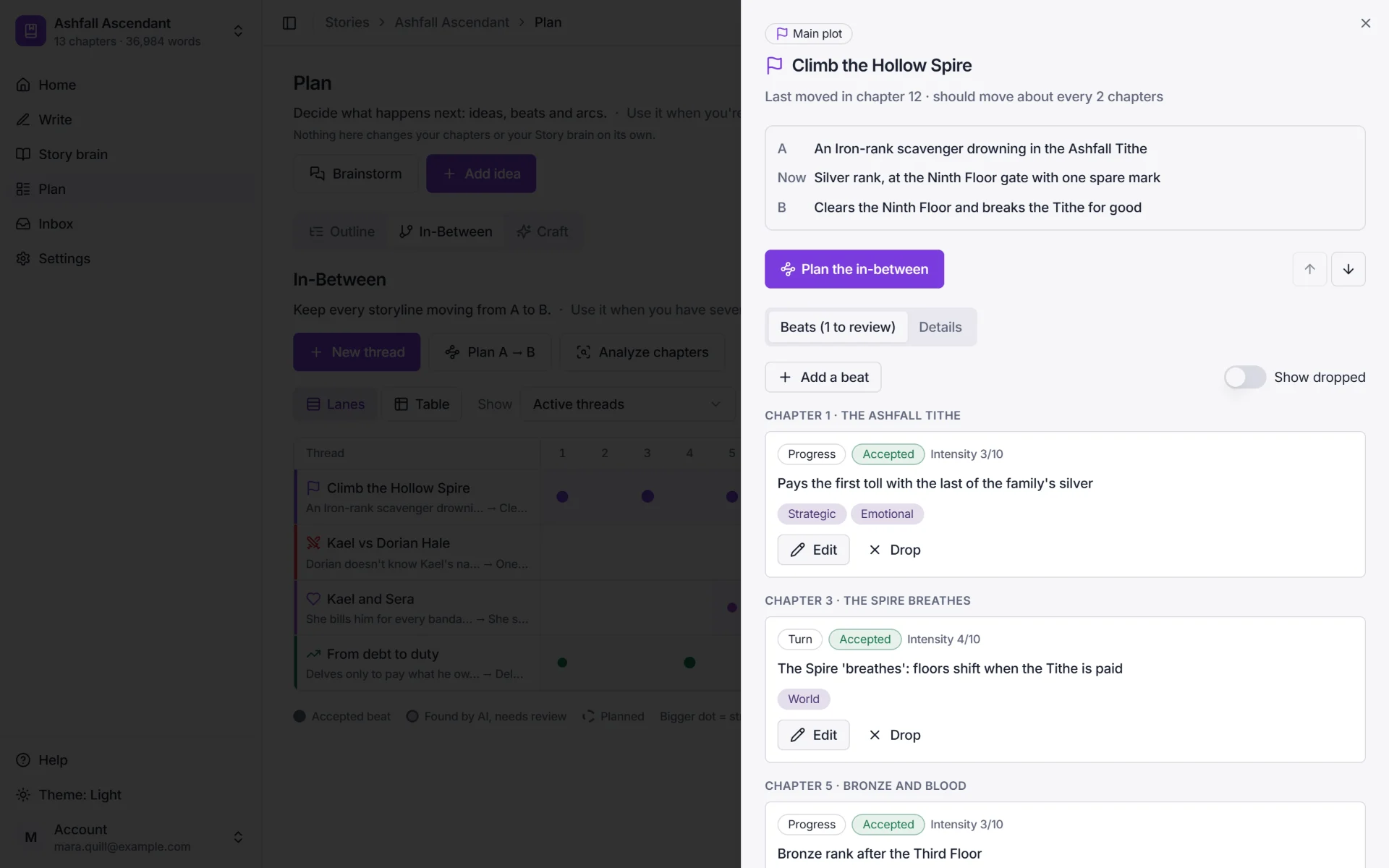
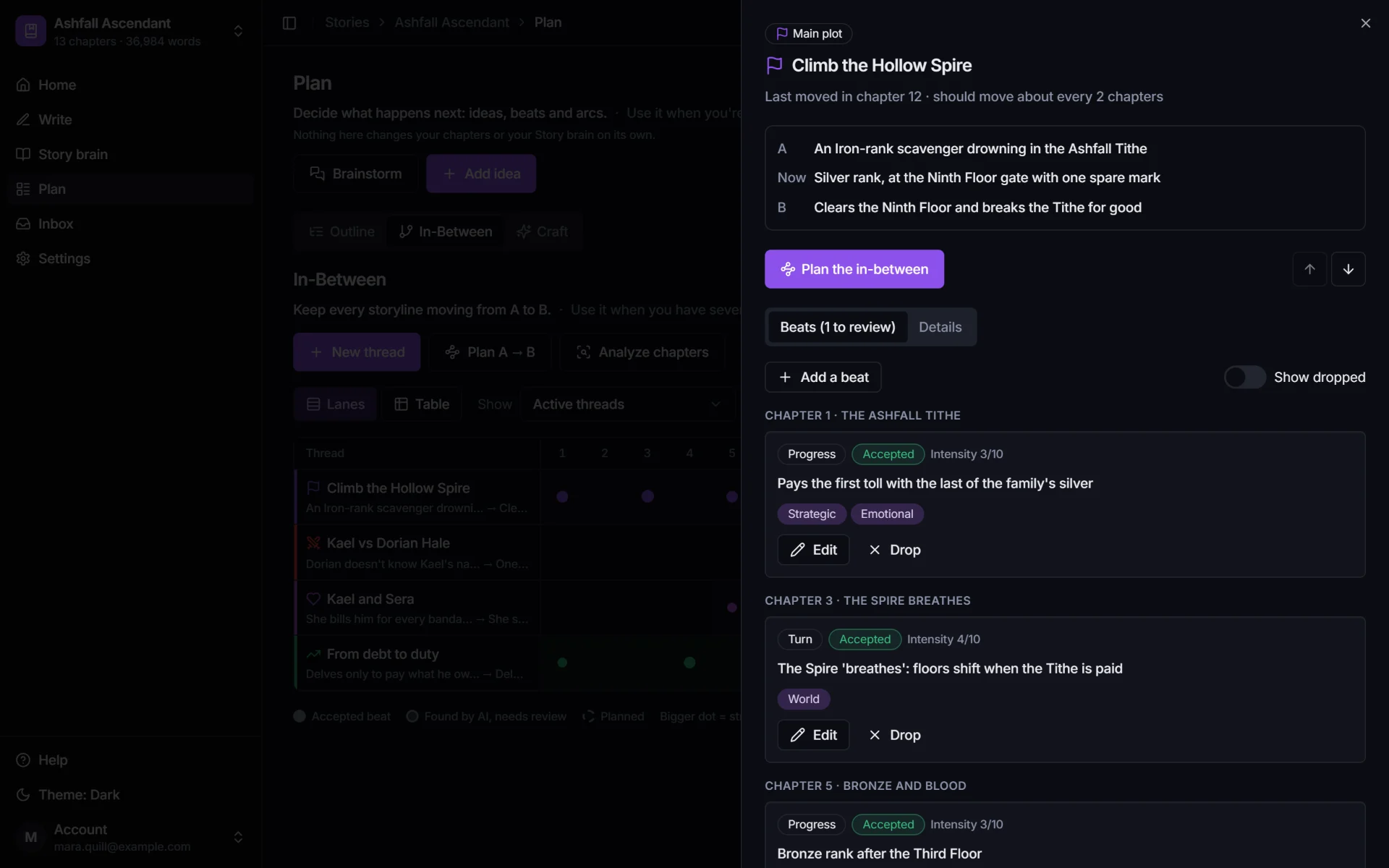
    One thread, Climb the Hollow Spire: A, an Iron-rank scavenger drowning in the Ashfall Tithe; now, Silver rank at the Ninth Floor gate; B, clears the Ninth Floor and breaks the Tithe. It last moved in chapter 12 and should move about every 2 chapters.

    Draft with AI

    Drafts you approve, one step at a time.

    Plan the beats, approve them, and draft in your voice, inside PlotWrite or from your Claude or ChatGPT chat.
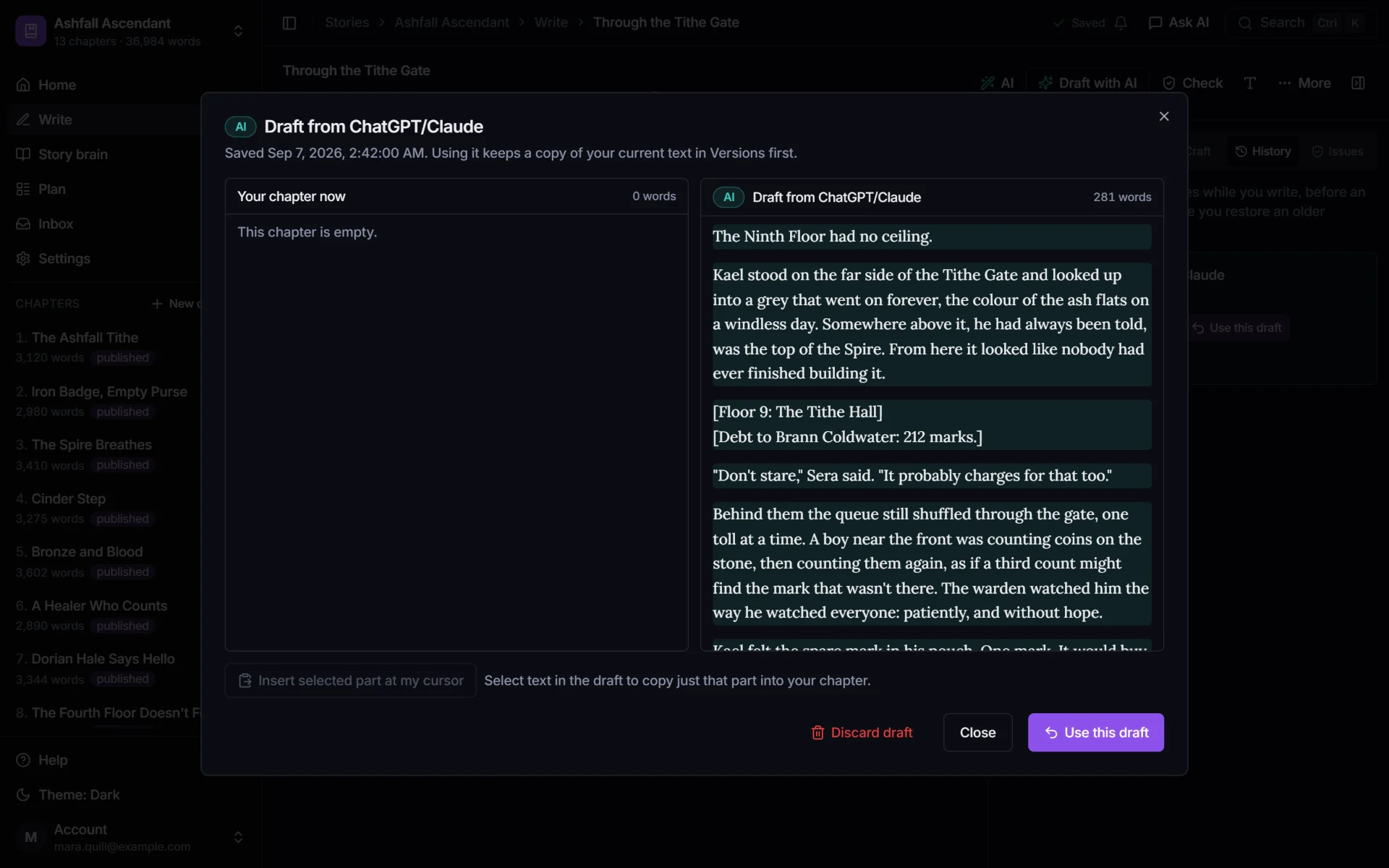
    • Drafts from Claude or ChatGPT land here as versions, side by side with your chapter.
    • Every request reads your story brain as it stood at this chapter, so the draft knows Kael is Silver rank.
    • Nothing enters your manuscript until you click Accept, and every change is kept in version history.
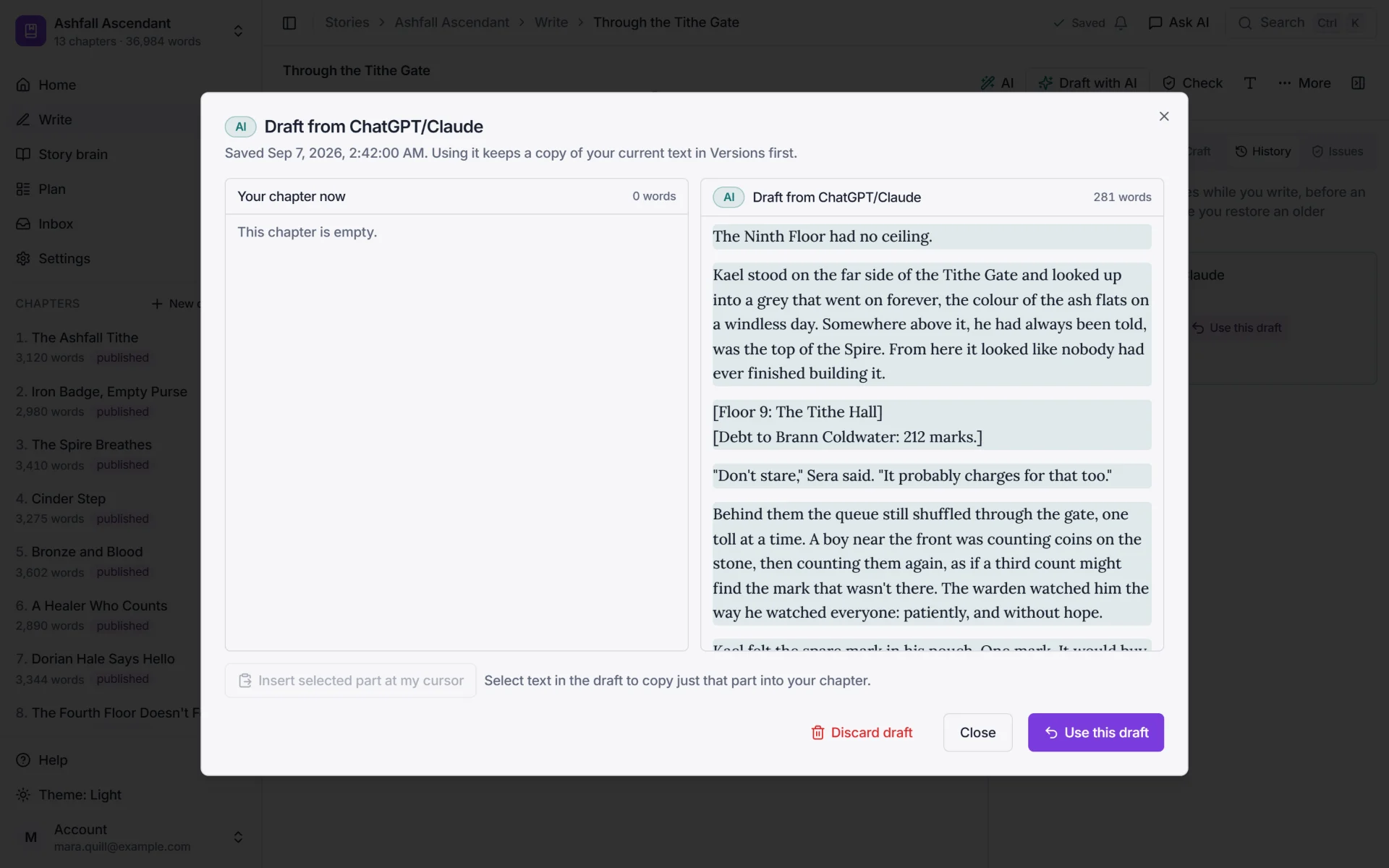
    A draft of chapter 13 saved from Claude, shown next to the empty chapter, with Use this draft and Discard draft.
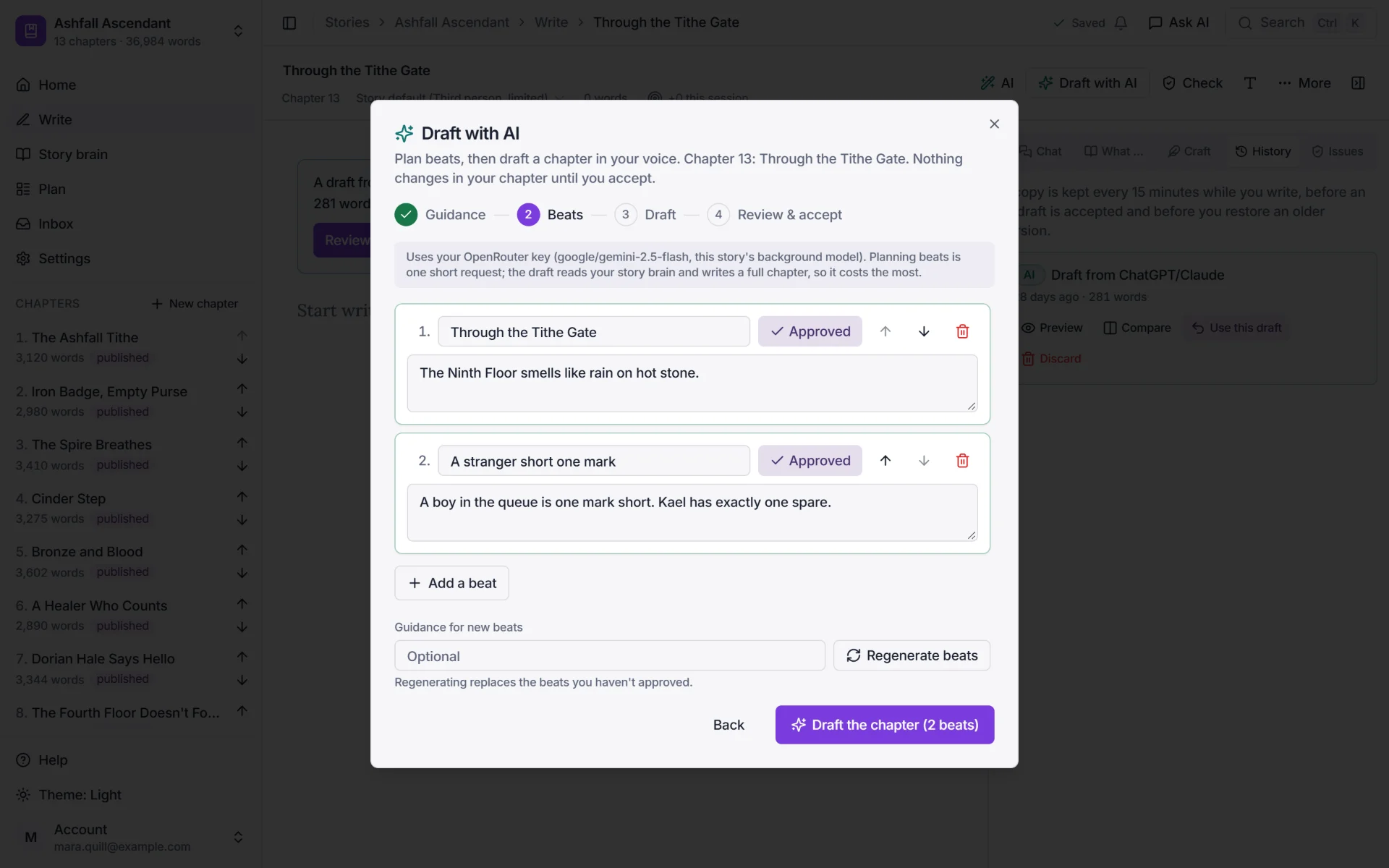
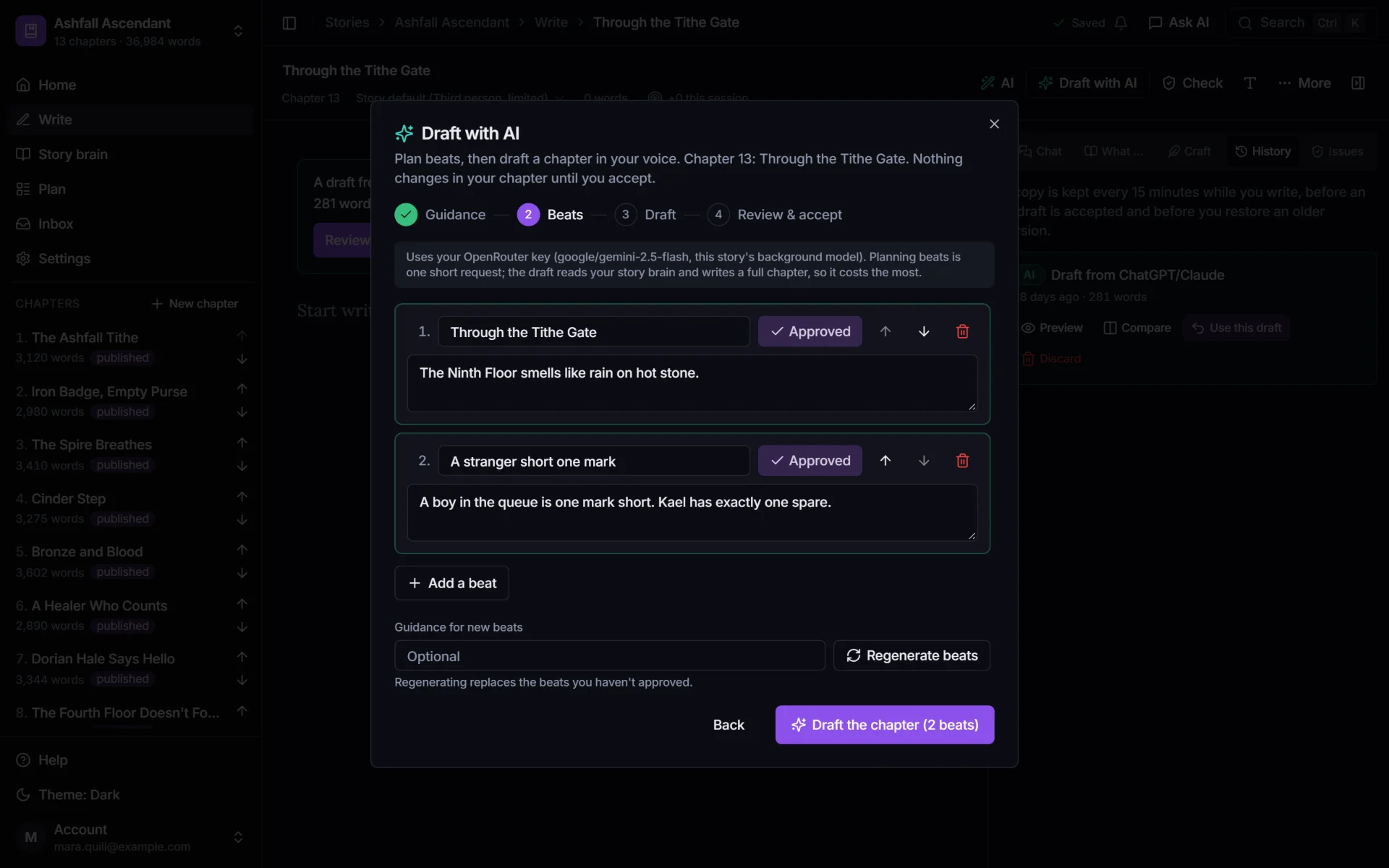
    Draft with AI: guidance, beats, draft, and review and accept, with two approved beats for chapter 13.

    Auto-write

    Give it the premise and the in-between. It drafts the run.

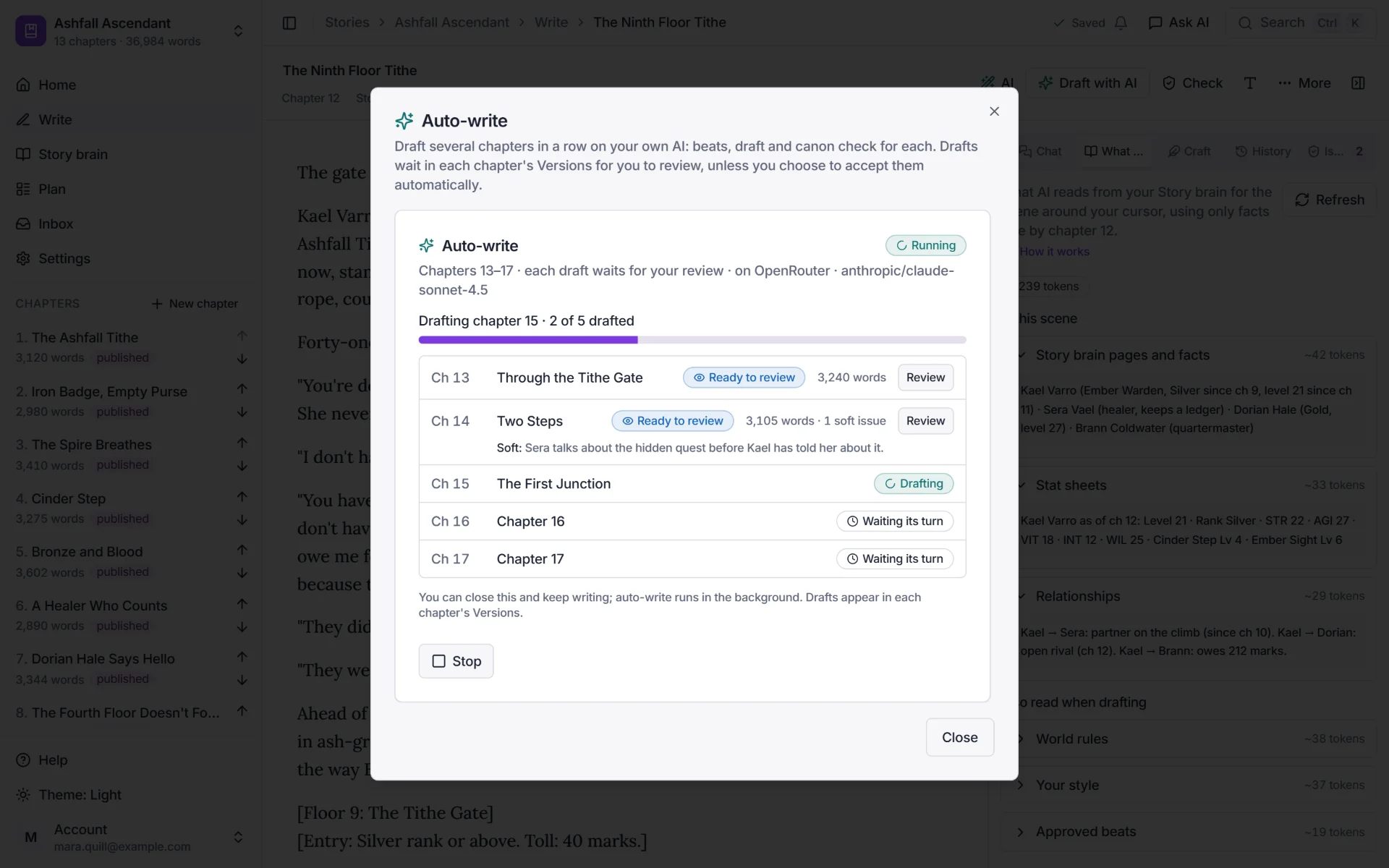
    Pick up to 30 chapters. For each one, Auto-write plans the beats from your threads and story brain, drafts in your Style DNA and runs the canon check.
    • Each draft waits in its chapter's Versions for your review. Or switch on auto-accept, and drafts that pass the canon check go straight in.
    • Pauses on a hard canon issue, like a level going down, so chapter 15 never builds on a broken chapter 14.
    • Runs in the background on your API key or OpenRouter, with the words, tokens and rough cost shown before you start.
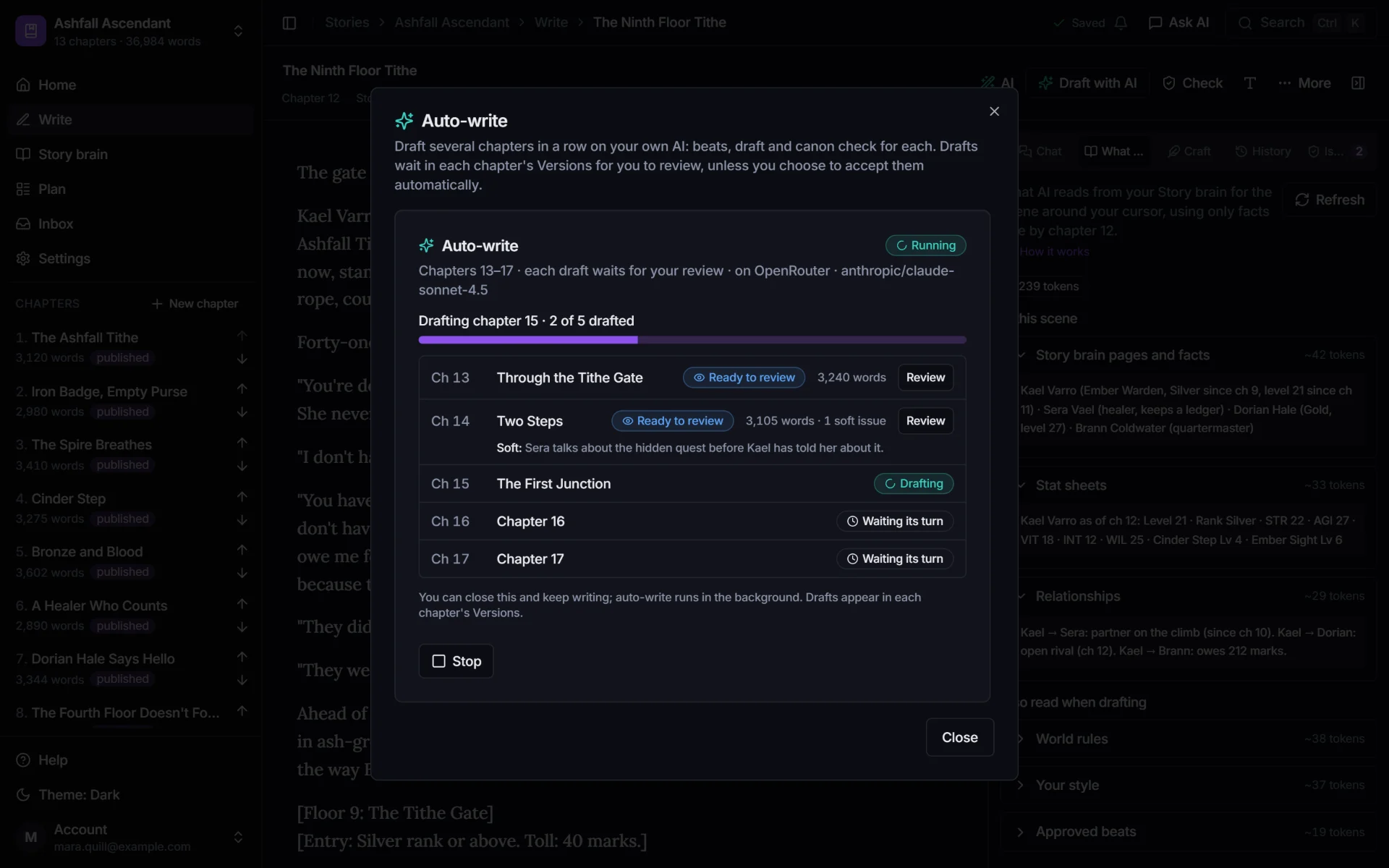
    Auto-write drafting chapters 13 to 17: chapters 13 and 14 are ready to review (3,240 and 3,105 words, one soft canon issue), chapter 15 is drafting, and 16 and 17 wait their turn.

    Style DNA

    Sounds like you, every time.

    Style DNA is your voice: point of view, tense, rhythm and your own rules, learned from your chapters on your own AI.
    • Your rules in your words, like "System messages go in square brackets". Lock the ones that must never break.
    • An avoid list for the words and habits you never want to see. New AI text is checked against it before you accept it.
    • Hard lock makes every draft, rewrite and chat suggestion follow it. On the Architect plan.
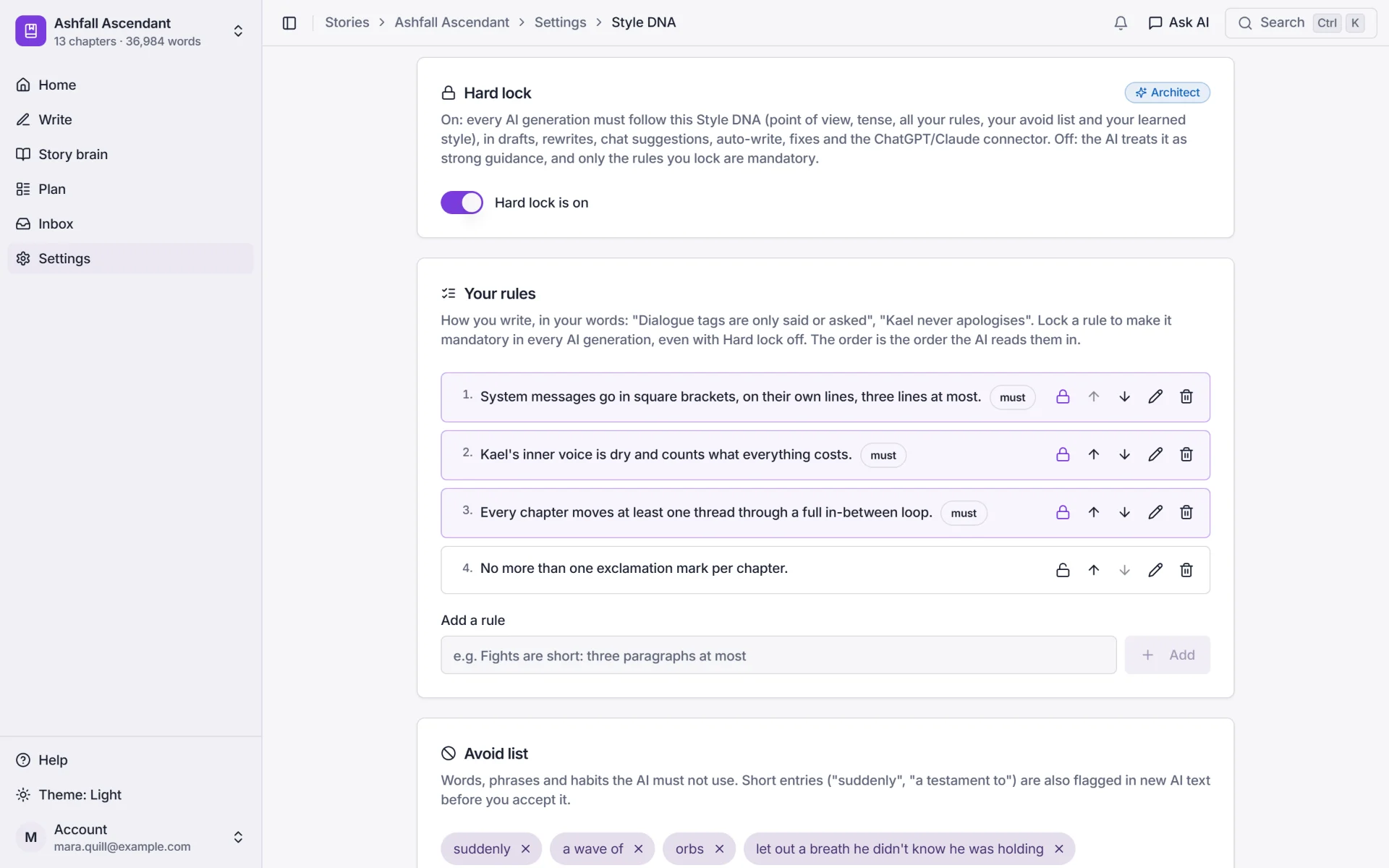
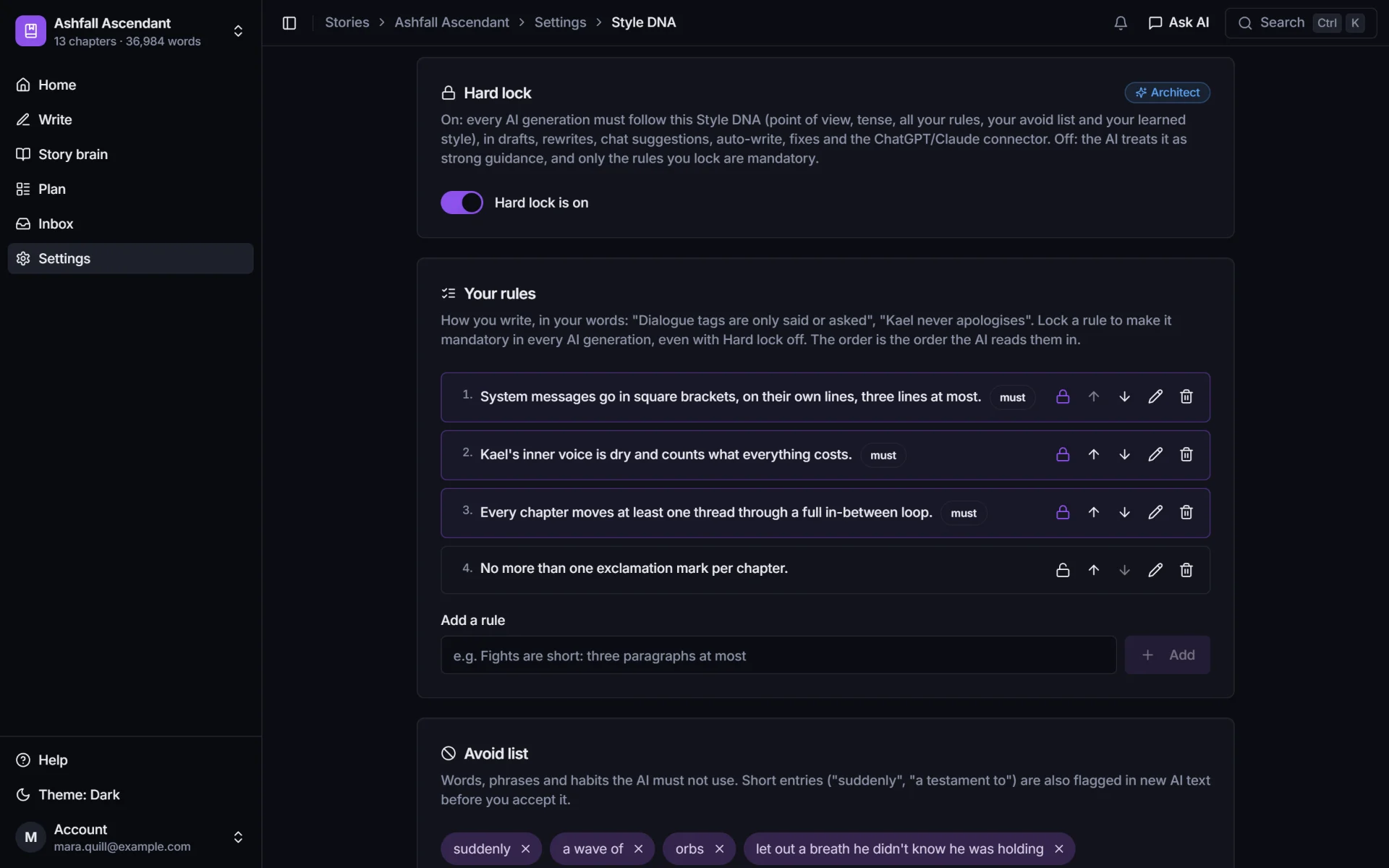
    Style DNA settings with Hard lock on, three locked rules marked must, and an avoid list including suddenly and a wave of.

    Craft tools

    Make the level-up and the betrayal land.

    Three tools for the big moments, on your own AI. The decisions you make with them feed planning and drafting.
    • Reaction map: who witnesses a moment, how each of them reacts, and what it changes between them.
    • Resonance plan: the emotional curve across an arc's scenes, and where its key moment sits.
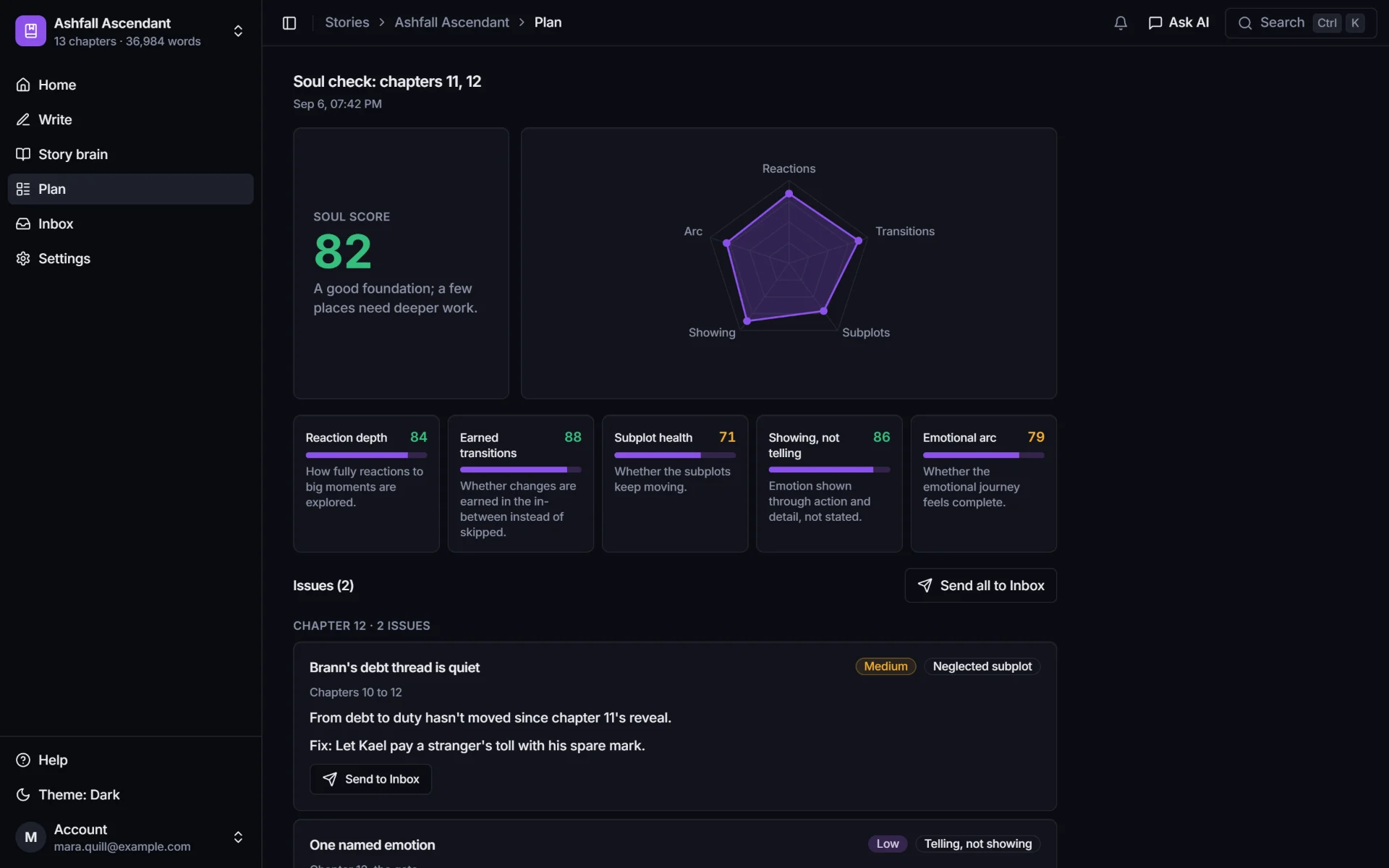
    • Soul check: a score for one to five chapters, and where they go flat, with fixes you can send to your Inbox.
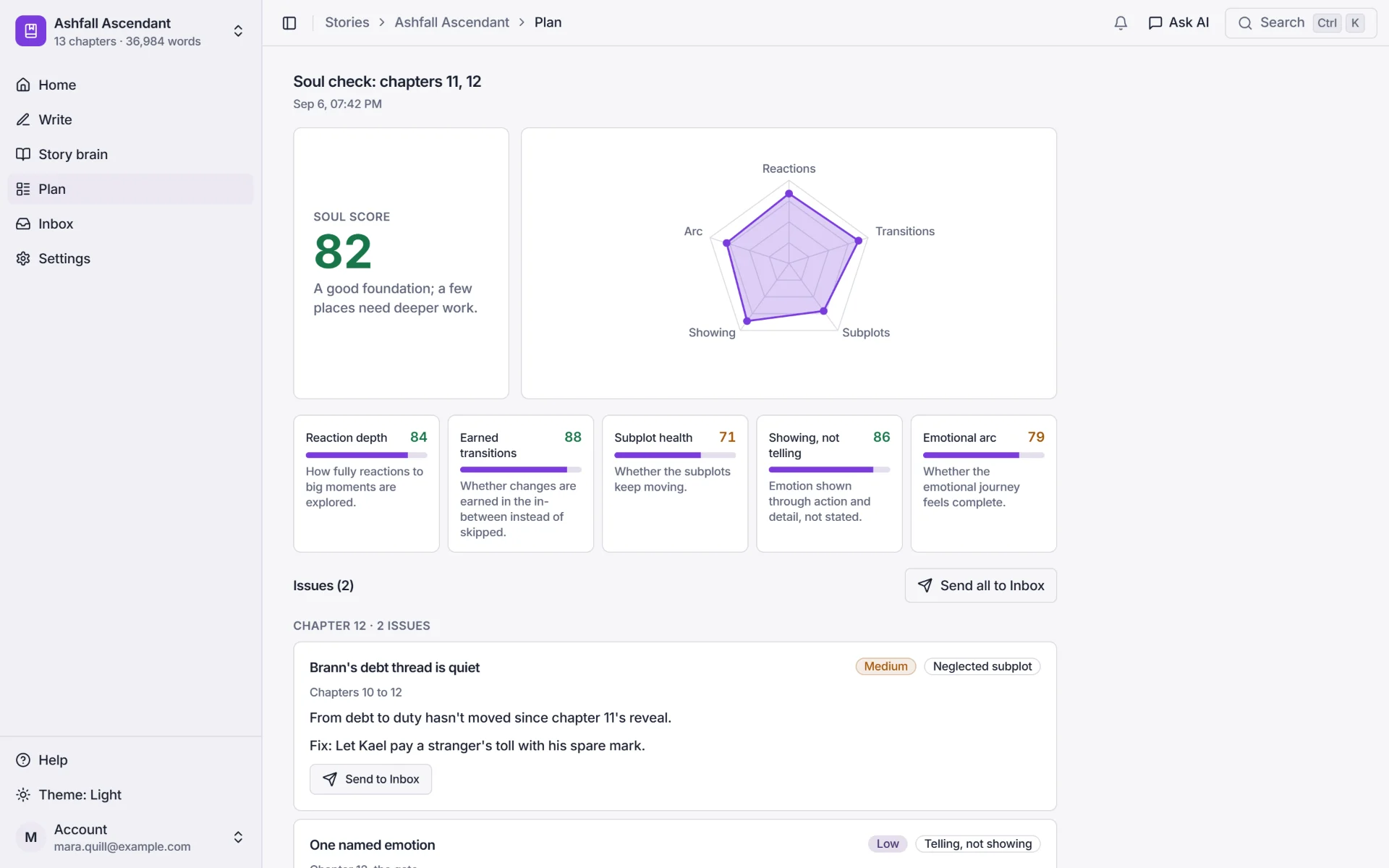
    A Soul check on chapters 11 and 12: soul score 82, a chart of five dimensions, and scores for reaction depth 84, earned transitions 88, subplot health 71, showing not telling 86 and emotional arc 79.

    Plan and brainstorm chat

    Plan the next arc with a chat that knows your story.

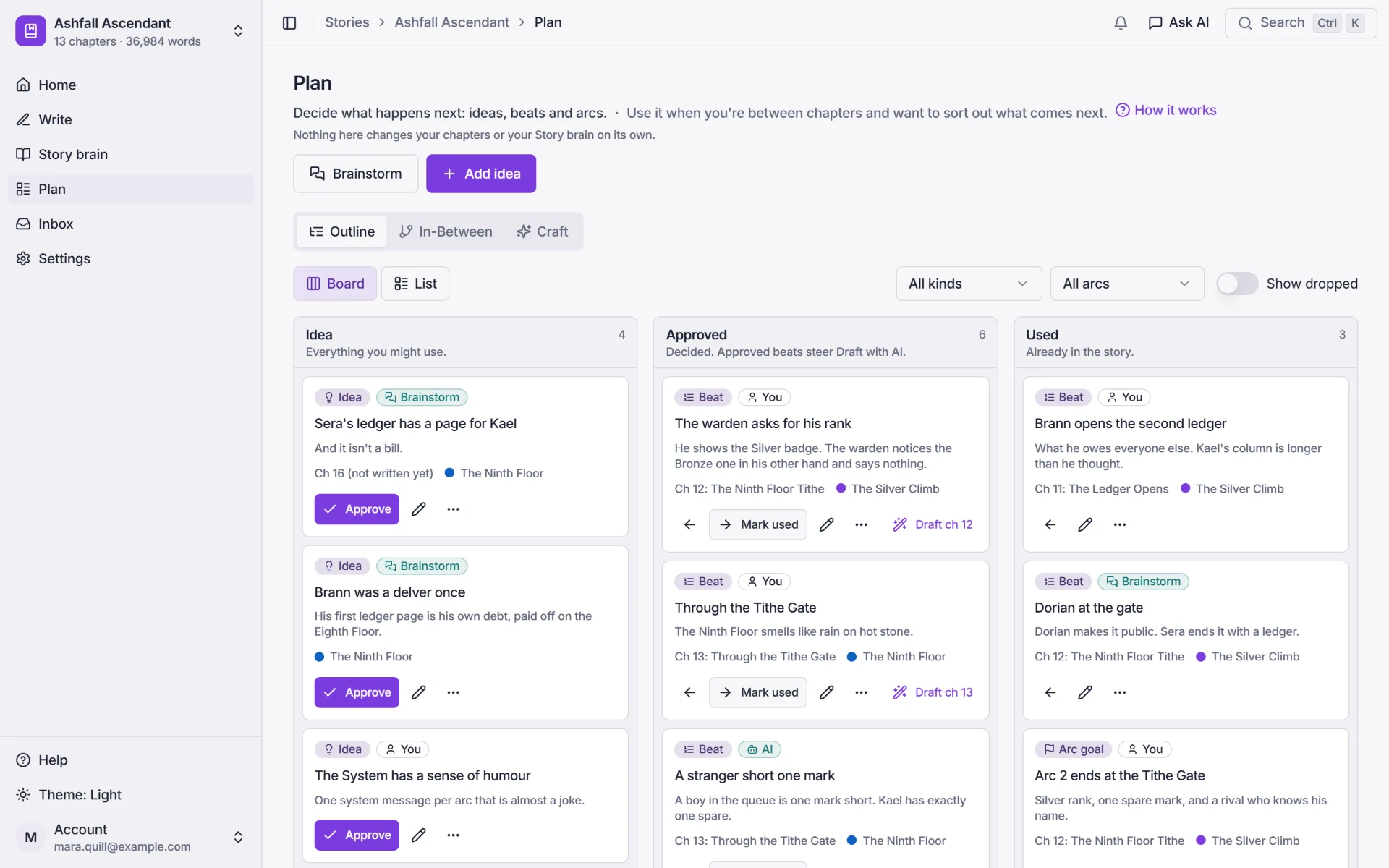
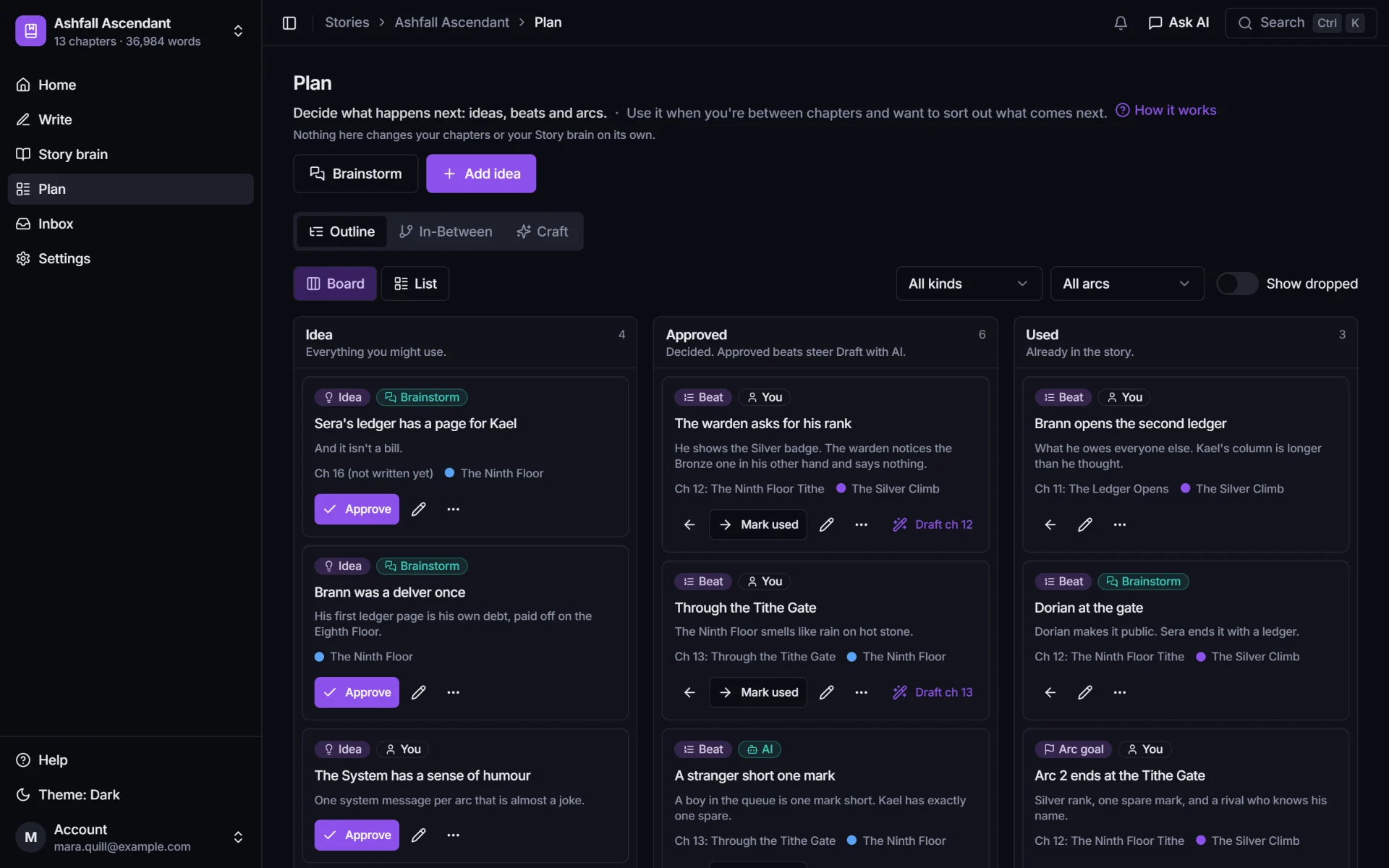
    Ideas, beats and arc goals on a board or an outline, and a brainstorm chat that has read your story brain and your plan.
    • Tie each beat to a chapter and an arc, and move it from Idea to Approved to Used.
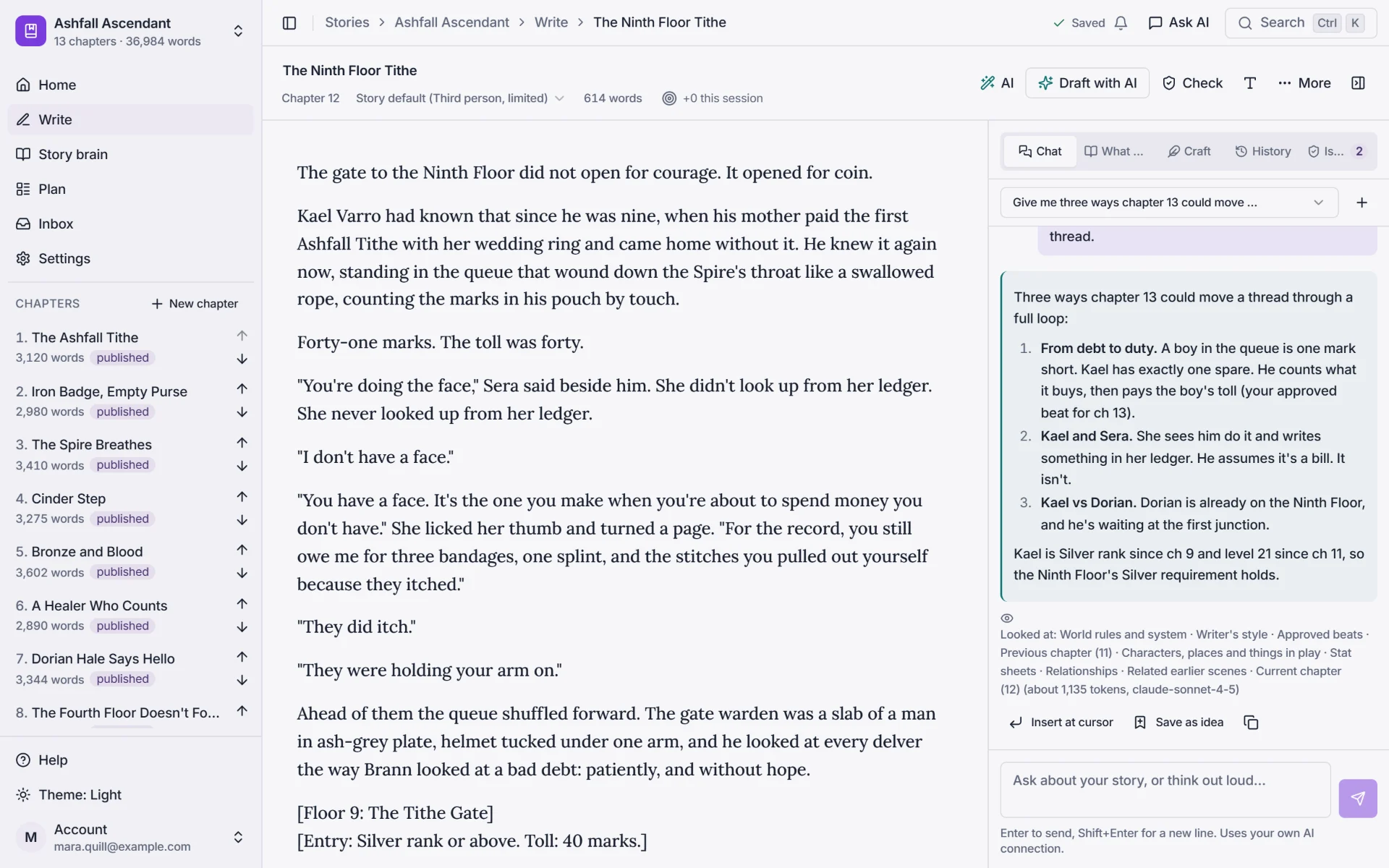
    • The chat sits beside your chapter too, and answers from your story: who owes whom, what rank, which thread is quiet.
    • Its ideas save to Plan, never straight to canon or your manuscript.
    The Plan board in three columns, Idea, Approved and Used: beats like The warden asks for his rank and A stranger short one mark, each tied to a chapter and an arc.
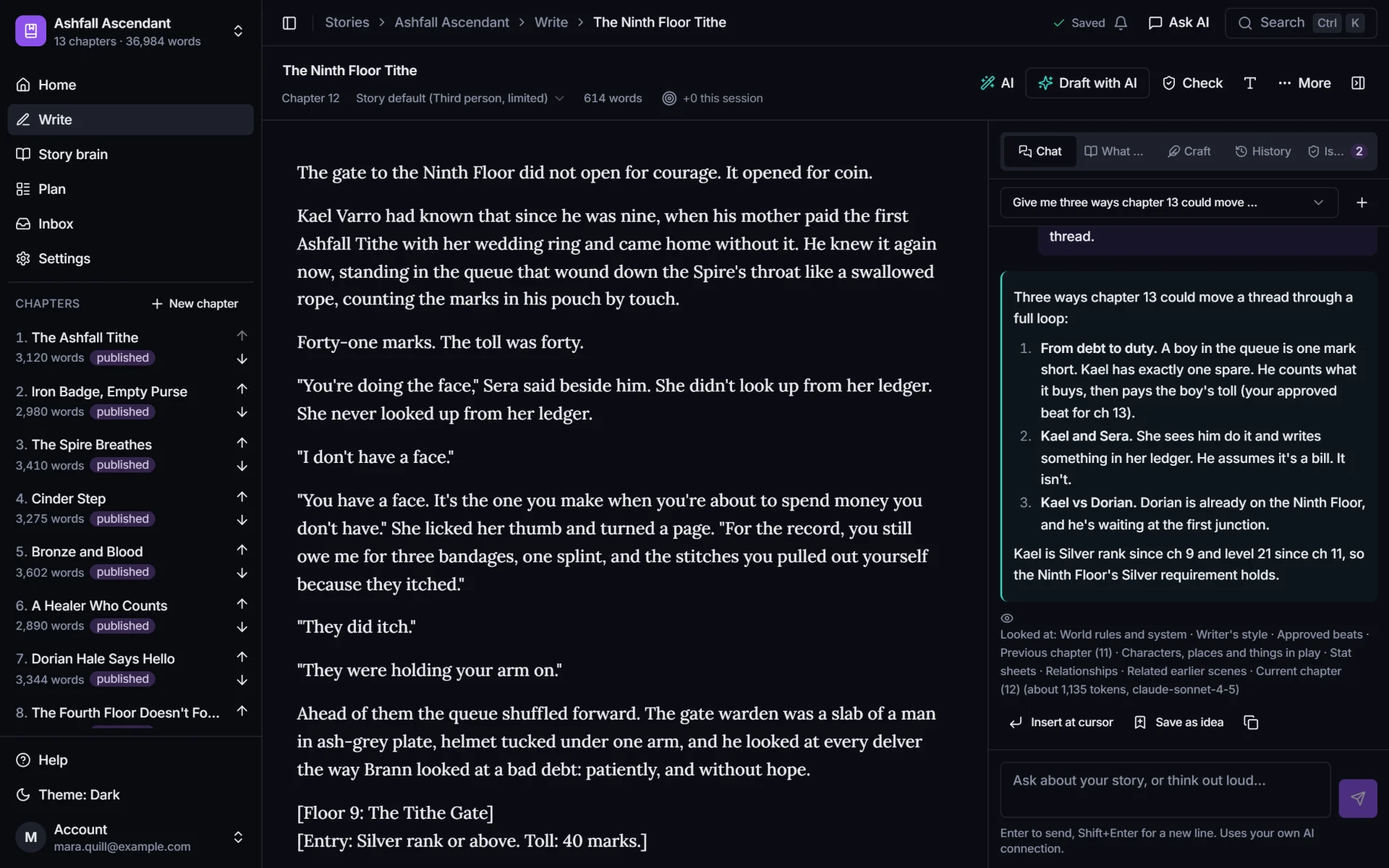
    The chat beside the editor suggests three ways chapter 13 could move a thread, and lists what it looked at in the story brain.

    Story home and the writing loop

    Open your story, and it tells you what to do next.

    Every story starts on one screen: your next step, the writing loop, and where your storylines stand.
    • One next step, picked from where your story is: plan the next chapter, check the last one, or review what's waiting.
    • The writing loop (Plan, Write, Check, Review) with live counts for the chapter you're on.
    • Storylines in motion: when each thread last moved, so none of them goes quiet between releases.
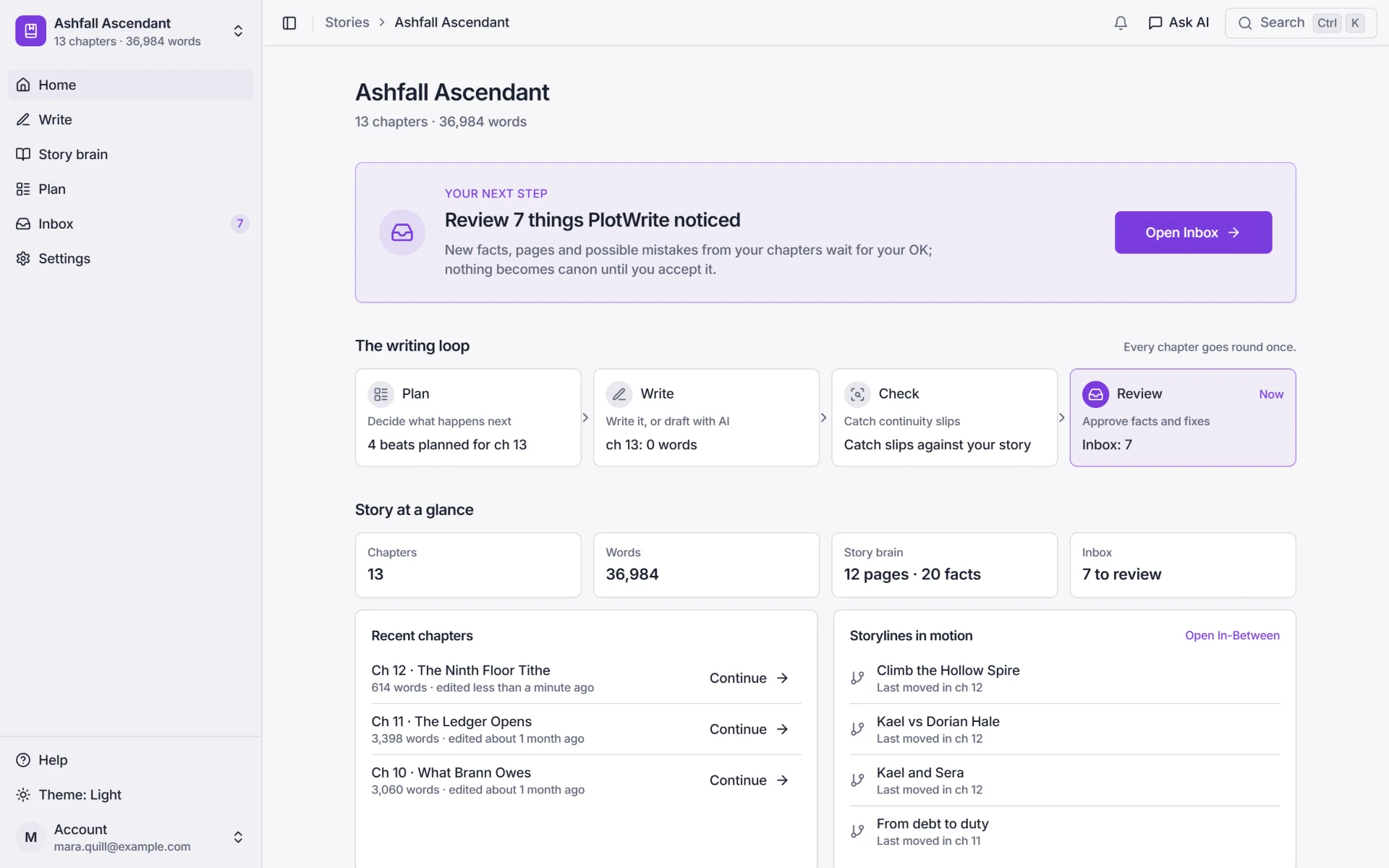
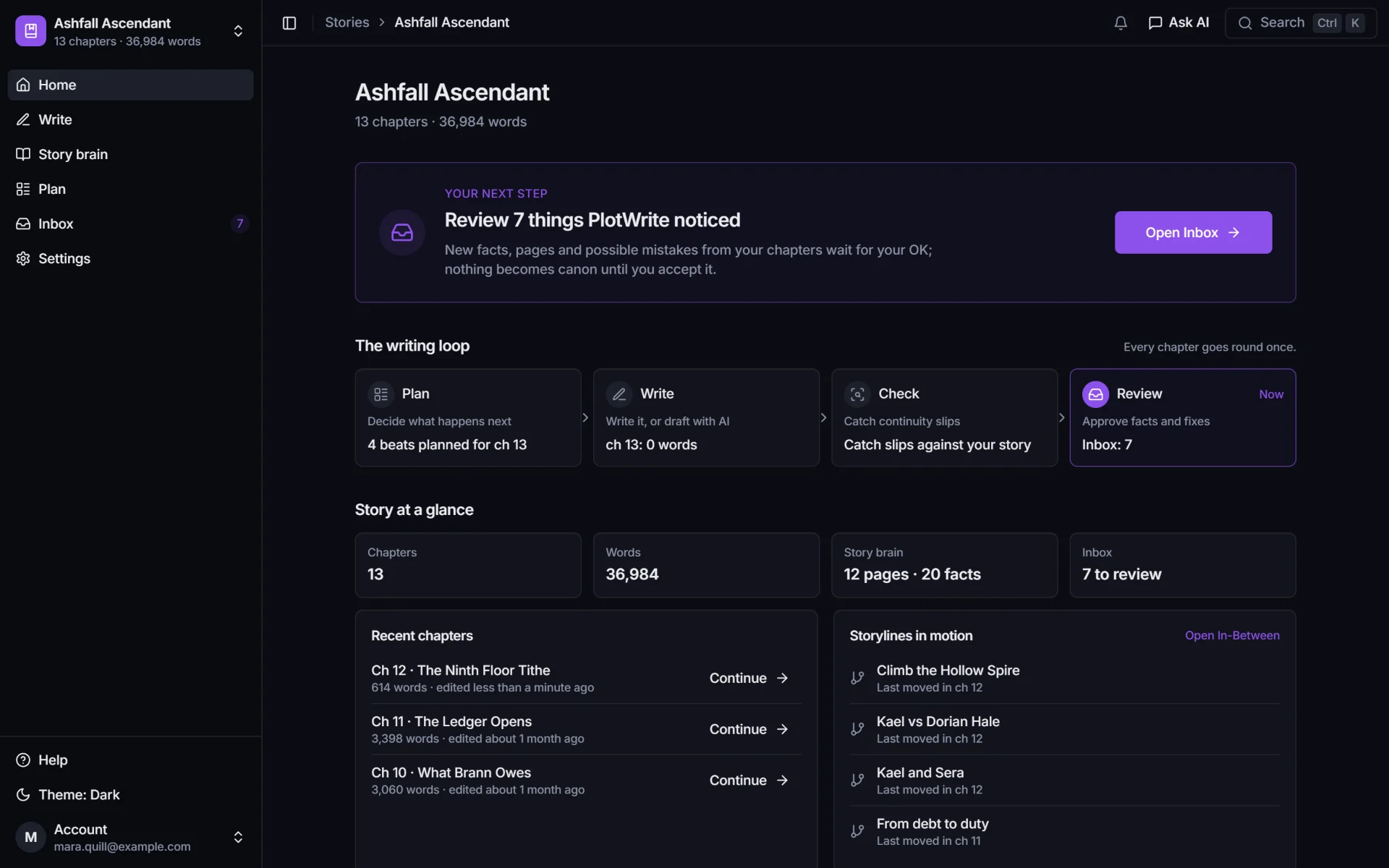
    Story home for a LitRPG serial: your next step, review 7 things PlotWrite noticed, then the writing loop of Plan, Write, Check and Review, and the story at a glance with 13 chapters and 12 story brain pages.

    Import, export and backups

    Bring your chapters in. Take them anywhere.

    Already 80 chapters into your serial? Bring them with you, and keep your words yours.
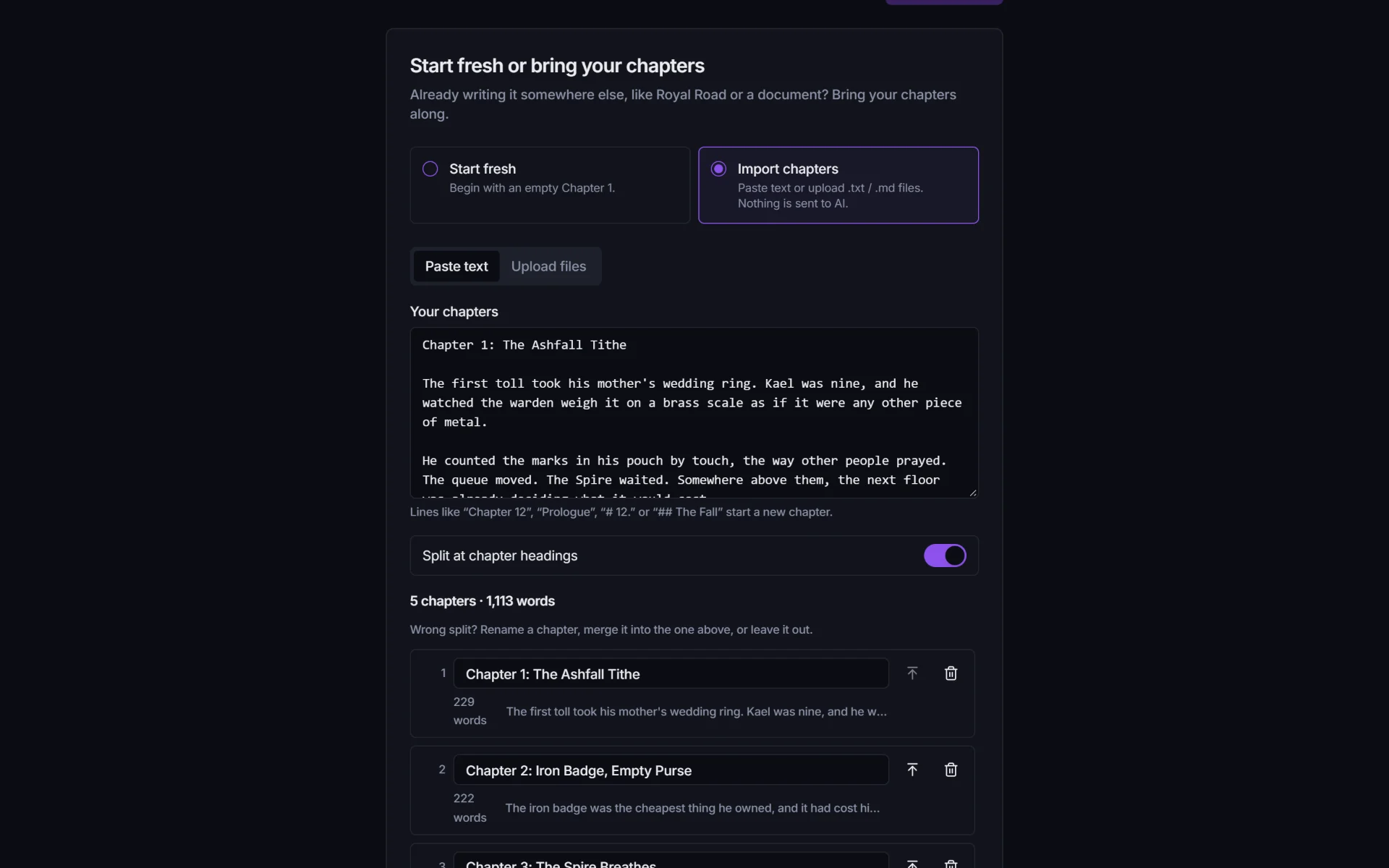
    • Paste or upload the chapters you've already posted (.txt or .md). PlotWrite splits them at the chapter headings.
    • Export chapters as .txt or .md, free on every plan, even after your trial.
    • Story bible export and full project backups on the paid plans. PlotWrite never uses your story to train AI.
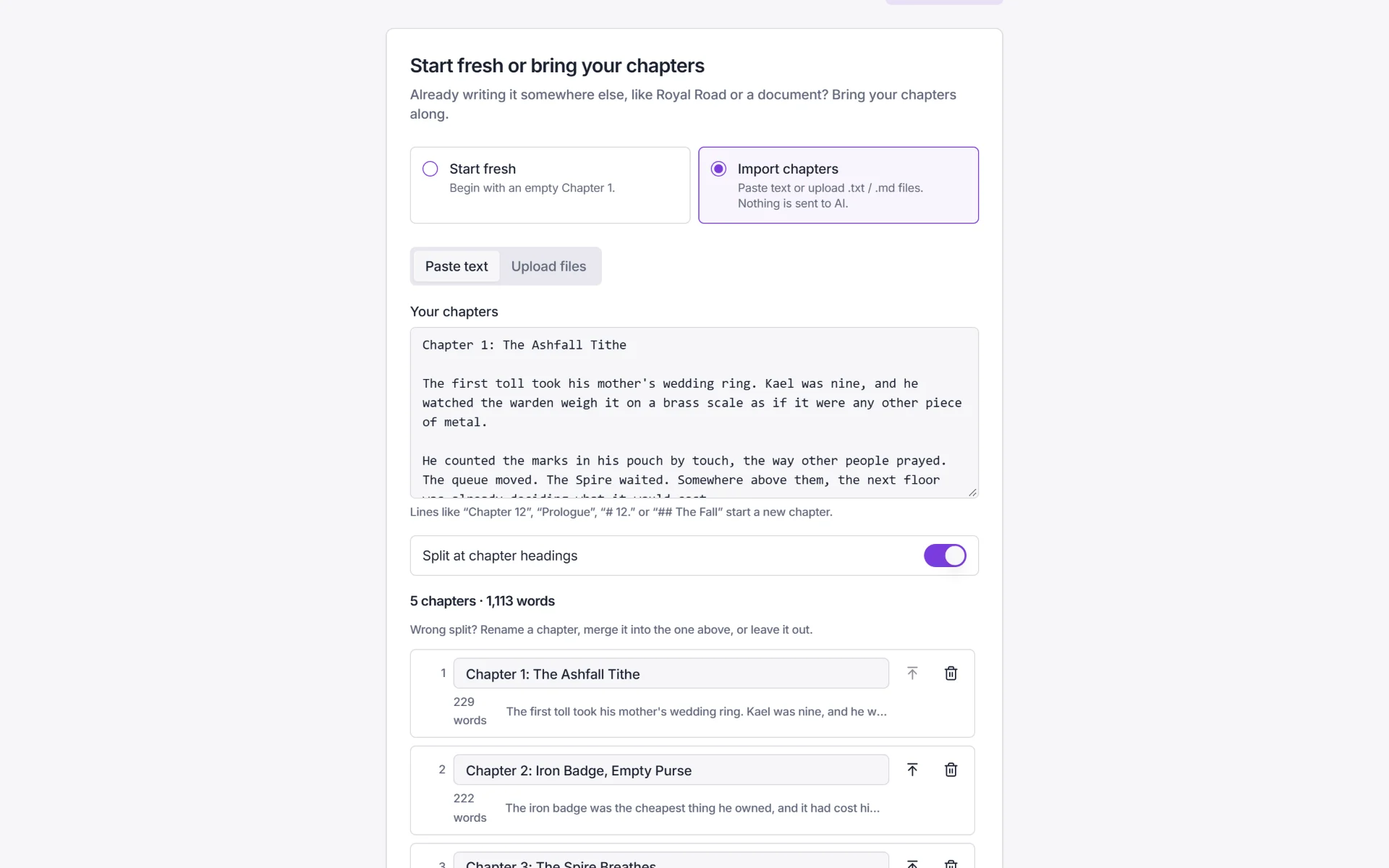
    New story: five pasted chapters split at their headings, with word counts, ready to import.
    • 7 daysFree trial, no card

    • FreeChapter export on every plan

    • NeverTrains AI on your story

    • $0AI markup. You pay your AI directly

    Bring your AI. PlotWrite brings the memory.

    • Your ChatGPT or Claude plan, your key, or your own computer
    • A story brain that knows every chapter
    • Nothing becomes canon without your approval
    • No card needed
    • Cancel anytime
    • PlotWrite never charges for AI

    Questions about plans, keys or the connector? Read the FAQ