Skip to content

    For system apocalypse authors

    The System's rules, every survivor's class, and what's left of the world, by chapter.

    PlotWrite is writing software for system apocalypse serials. It reads the chapters you've written and keeps the System's rules, each survivor's class, tier and skills, and the state of every town and safe zone as facts timed by chapter. Before you post, it checks the new chapter against all of it.

    The AI that reads your story, not the AI that writes it.

    • No card needed
    • Cancel anytime
    • PlotWrite never charges for AI
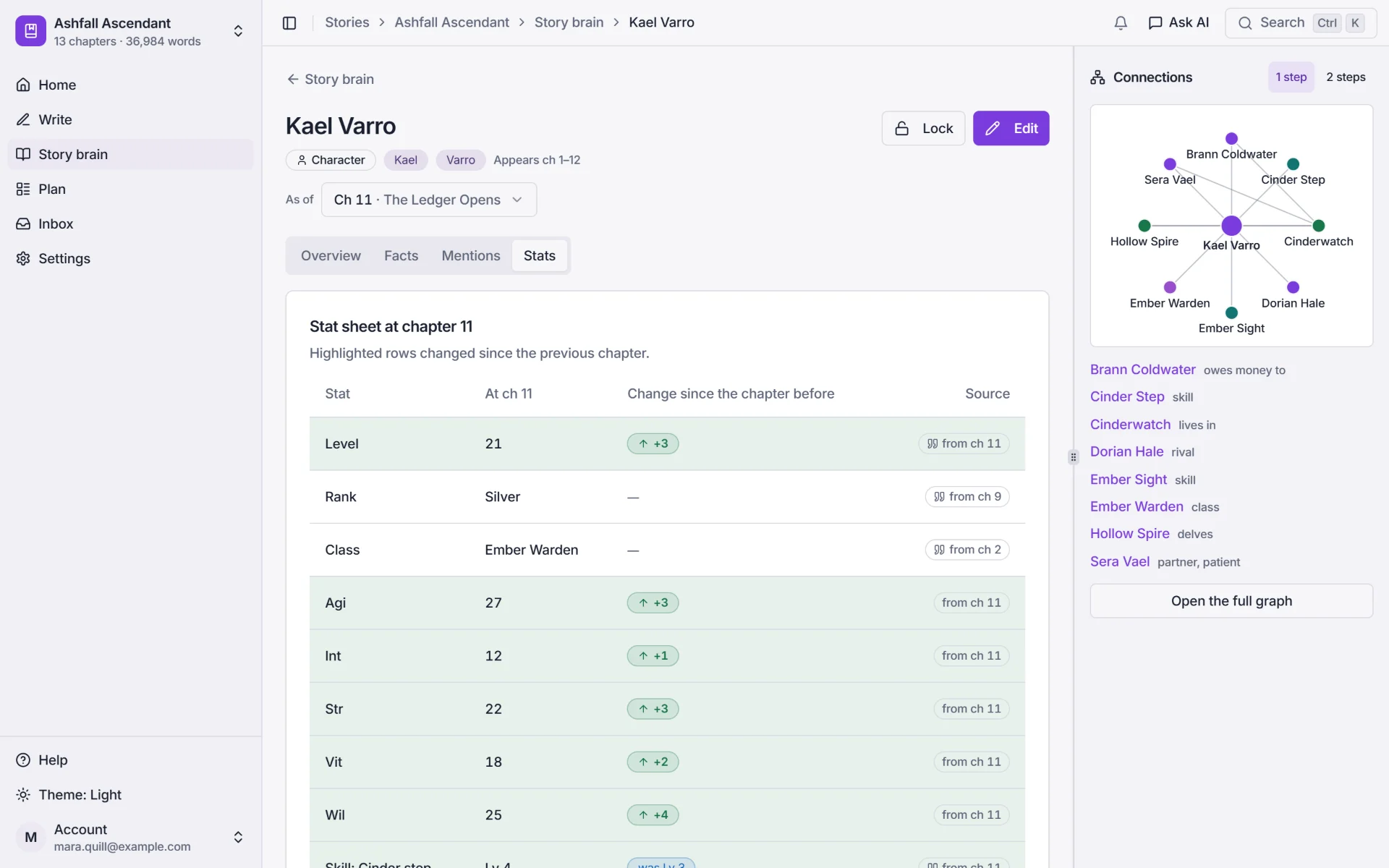
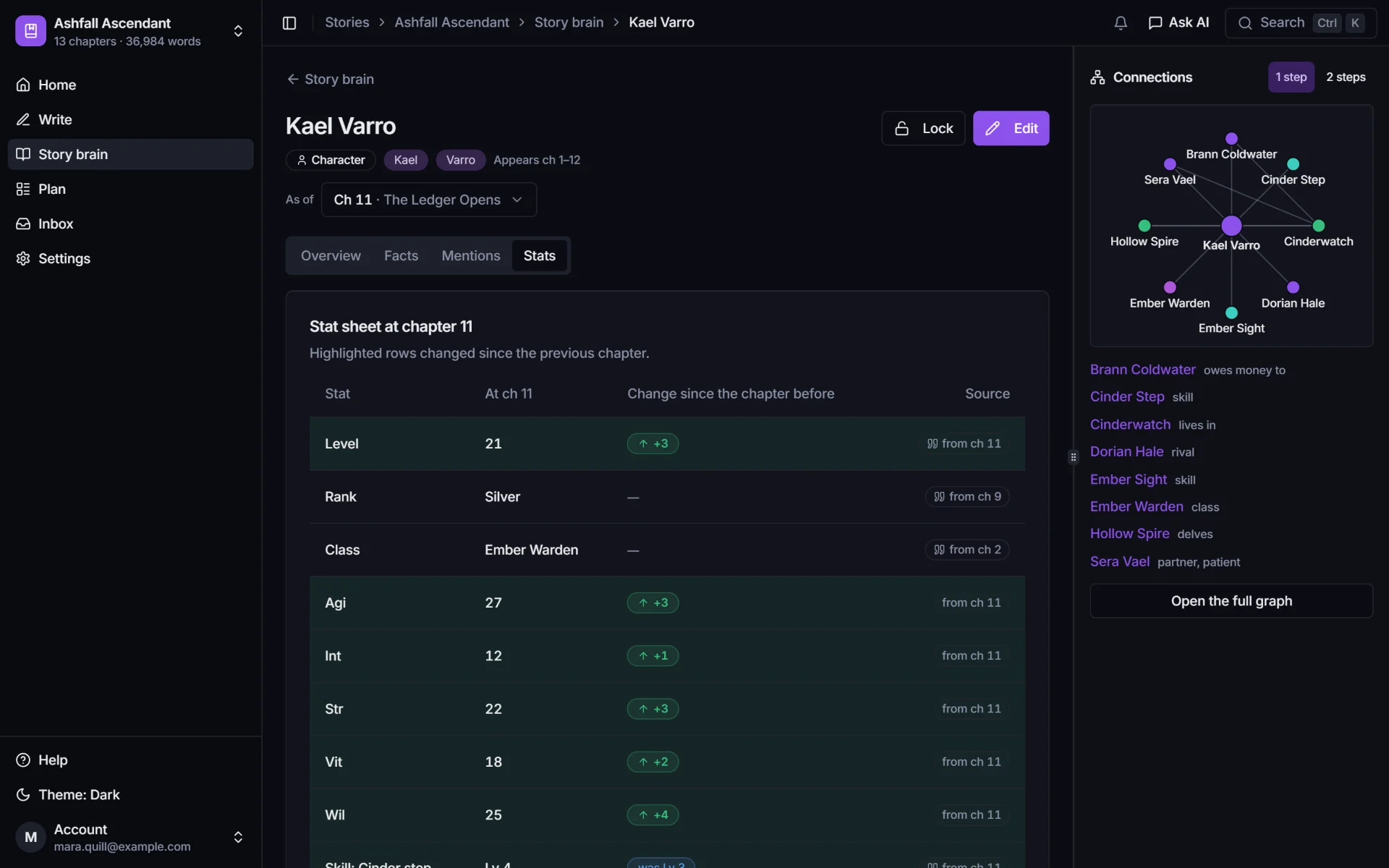
    Kael Varro's stat sheet at chapter 11: level 21 (up 3), rank Silver, class Ember Warden, AGI 27 (up 3), INT 12 (up 1), STR 22 (up 3), VIT 18 (up 2), WIL 25 (up 4), each with the chapter it came from.

    Screens from PlotWrite running on a made-up sample serial, Ashfall Ascendant, whose ranks go Iron, Bronze, Silver. Classes and tiers are kept the same way, under your System's own names.

    The problem

    Where does a system apocalypse serial break?

    System apocalypse readers treat every System message as a rule. They remember the tier cap, the wave schedule and which cities fell, and they say so when a chapter forgets.
    • The System breaks its own rule

      The System announced a rule in the first arc. Later a fight needs an exception, and nobody on the page notices the System bent.

      Ch 3[Class selection is final. Classes cannot be changed.]

      Ch 57He swapped his class to Ranger before the dungeon break.

    • The world forgets what happened to it

      A city falls in one arc and is open for trade twenty chapters later, because the plot needed a market.

      Ch 19By nightfall, nothing in Harlow was left standing.

      Ch 41They restocked at the Harlow market before heading north.

    • The tier cap moves

      Nobody could pass Tier 2 before the second wave. Then the rival shows up at Tier 3 with a week to go, and readers start counting days.

      Ch 8[No integrated being may exceed Tier 2 before Wave Two.]

      Ch 33Wave Two was a week away, and Mara had just reached Tier 3.

    Made-up examples of the slips this genre makes.

    How PlotWrite helps

    How do you keep a System's rules consistent through the apocalypse?

    Write down each rule, class and tier with the chapter it appeared, keep the world's state as it changes, and check every new chapter against all of it before you post. PlotWrite does that from the chapters you've written.

    The world as of any chapter

    A page for every survivor, city and safe zone.

    Characters, places and items each get a page in your Story brain, with what was true at every chapter. That covers who holds which class and tier, which towns still stand, who knows what, and where everyone is.

    • A survivor's full climb, with each class choice, tier and skill and the chapter it happened.
    • The town that fell in chapter 19 stays fallen until a chapter rebuilds it.
    • Ask your story "which tier was Mara at in chapter 30?" and get the answer from your own chapters.
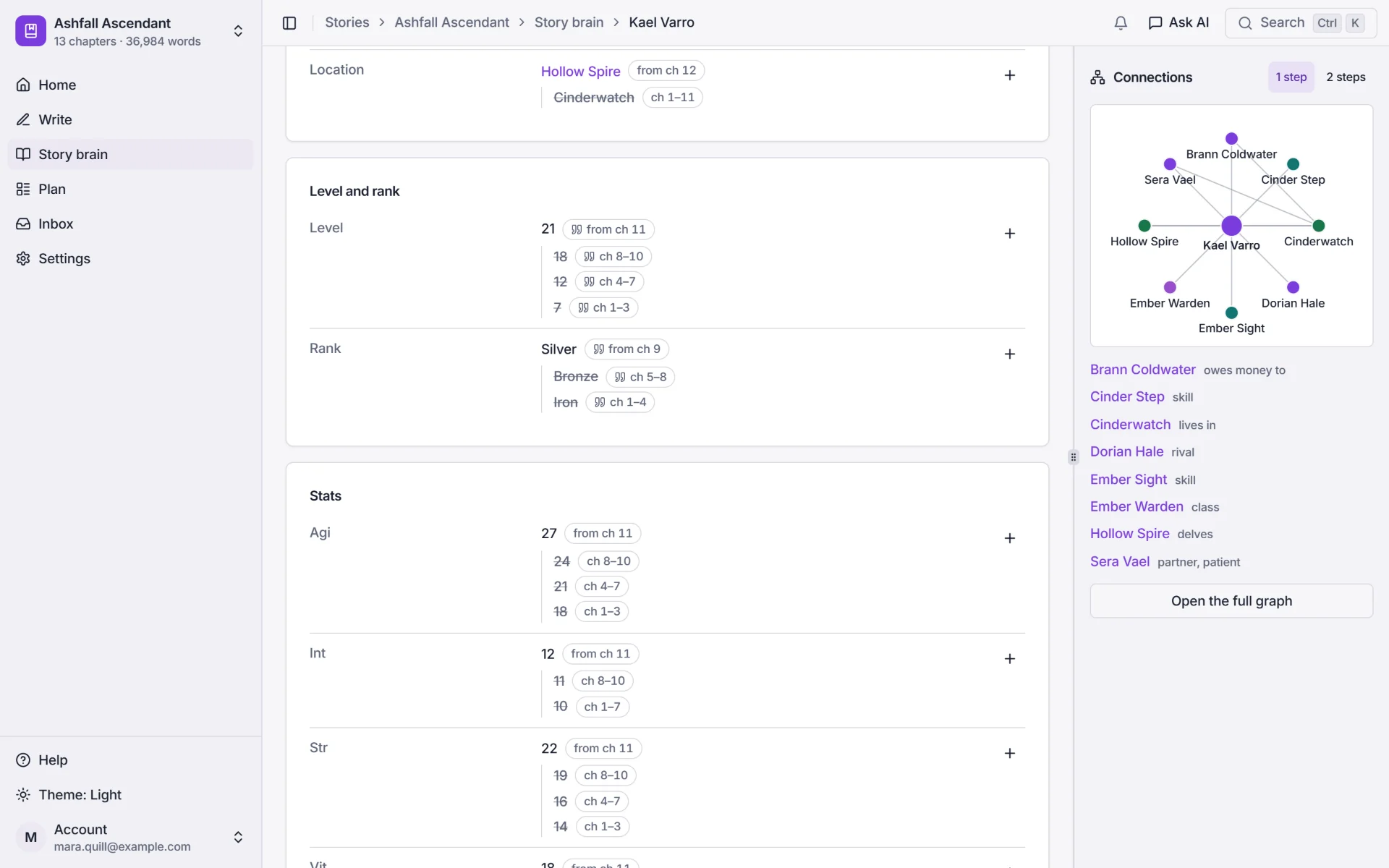
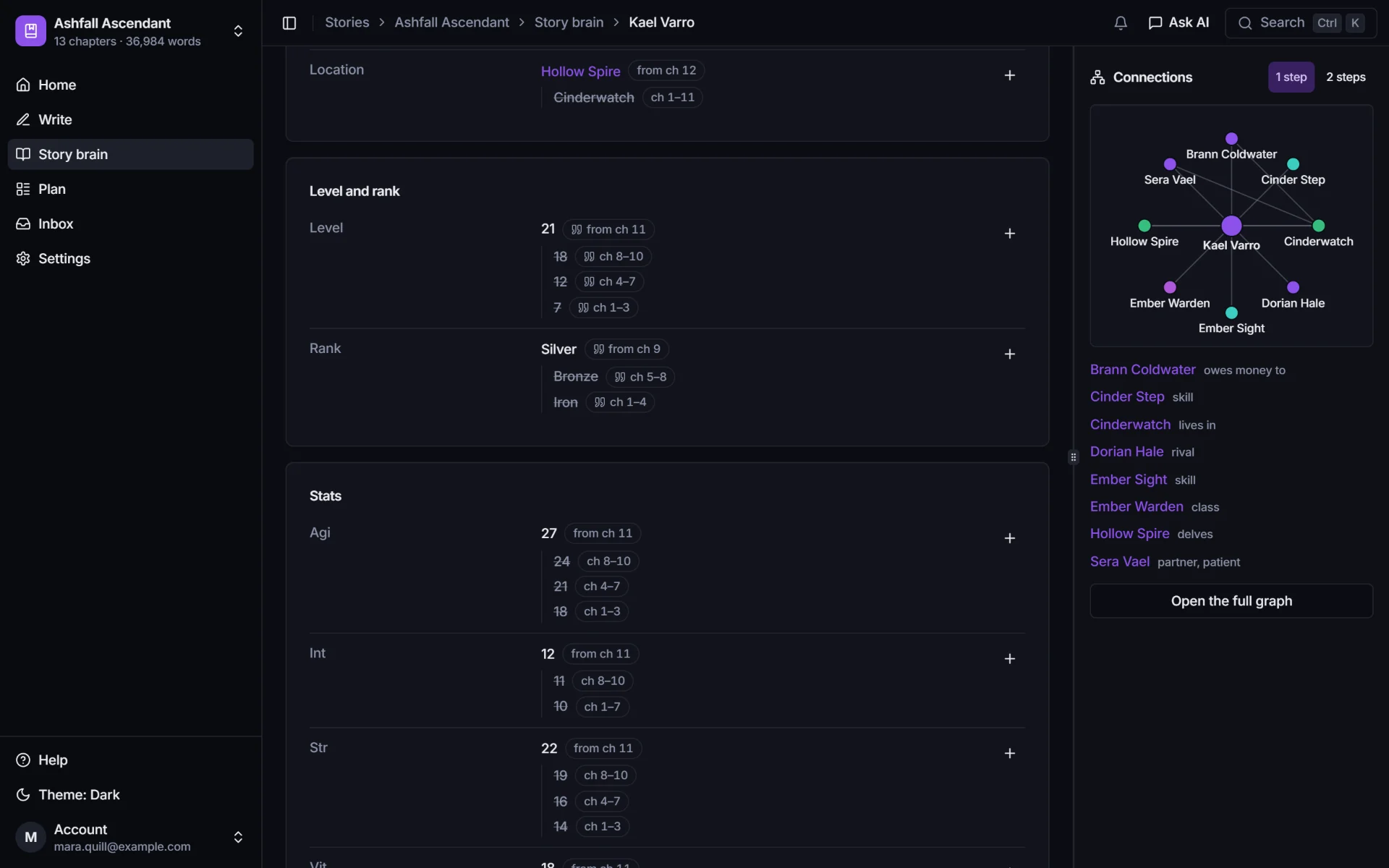
    Kael Varro's level and rank history in the story brain: level 21 from chapter 11 (18 in chapters 8 to 10, 12 in 4 to 7, 7 in 1 to 3), and rank Silver from chapter 9 (Bronze in 5 to 8, Iron in 1 to 4). Below, his stats with their own history.
    A graph of Kael's connections: Sera Vael, Brann Coldwater, Dorian Hale, Hollow Spire, Cinderwatch and his skills.

    Check chapter

    Holds every chapter to the System's word.

    Before you post, Check chapter compares the new chapter with everything before it and flags what contradicts it: a rule the System announced, a class that was locked, a city that already fell.

    • Both quotes side by side, this chapter's line and the earlier line it contradicts.
    • Fixes are previewed as a change before a word in your chapter moves.
    • Did the System lie on purpose? Mark it intentional and it stops flagging.
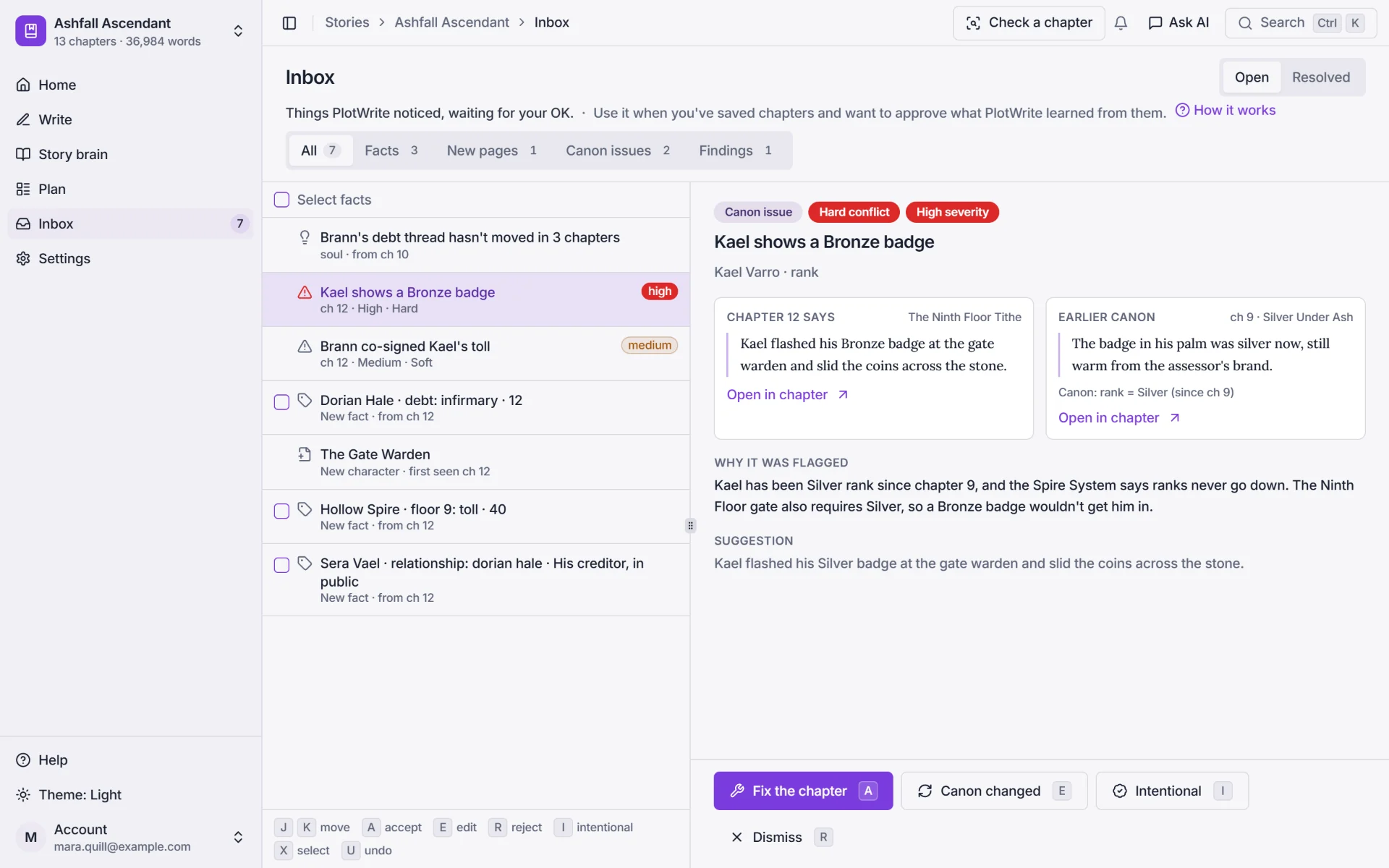
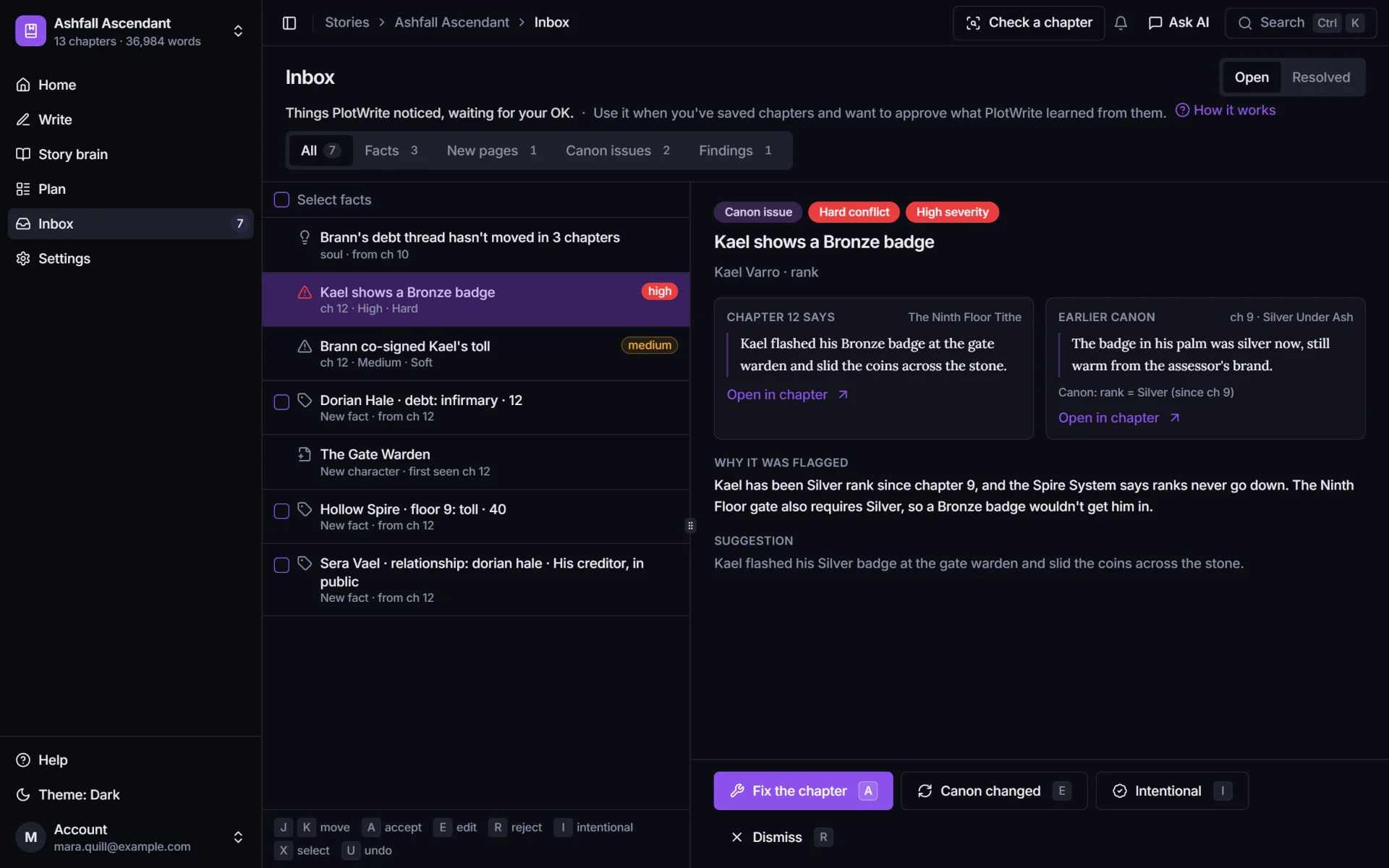
    The Inbox with a high-severity canon issue: chapter 12 says Kael flashed his Bronze badge, while earlier canon from chapter 9 says the badge in his palm was silver now.
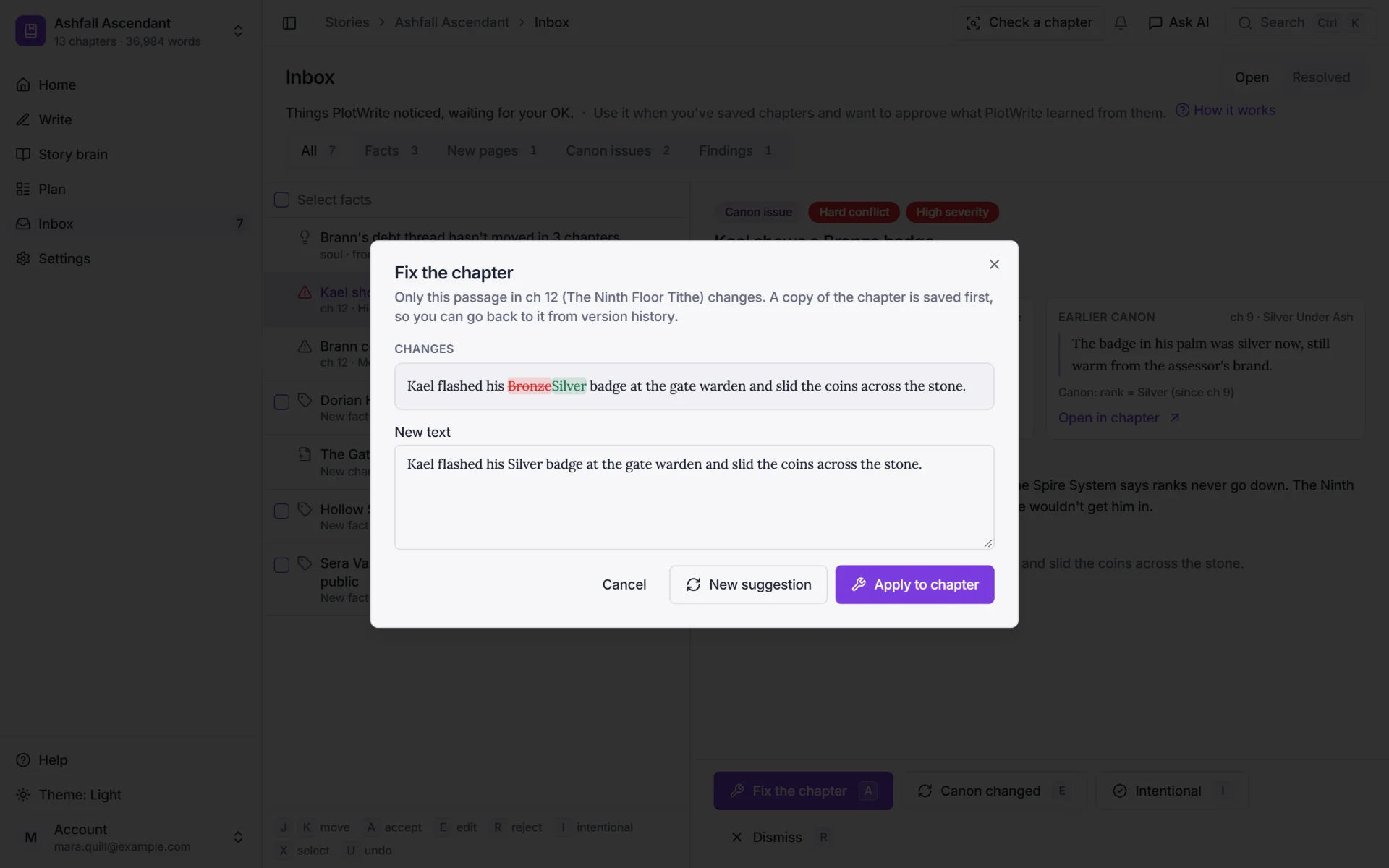
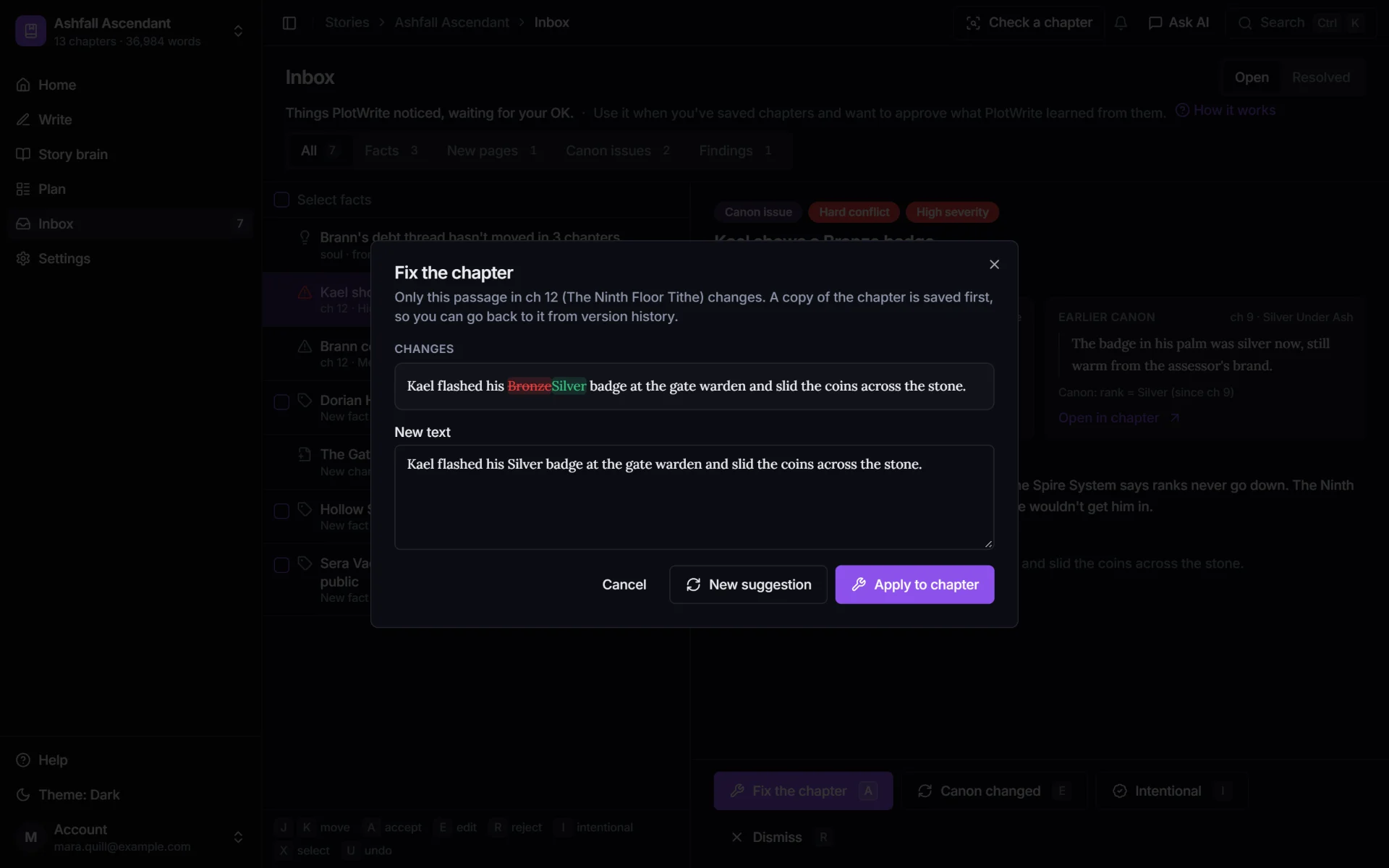
    The previewed fix: Bronze is struck out and Silver put in its place, before anything changes in the chapter.

    Plan and the In-Between

    Plan the waves, the factions and the road to the next tier.

    The next wave, the faction war and the search for family all move a little every chapter. Each one is a thread with beats you plan ahead, so no subplot goes quiet while the fights pile up.

    • Beats for the next arc on a board, each tied to a chapter, moved from Idea to Approved to Used.
    • The In-Between shows each thread across your chapters, from where it started to where it ends.
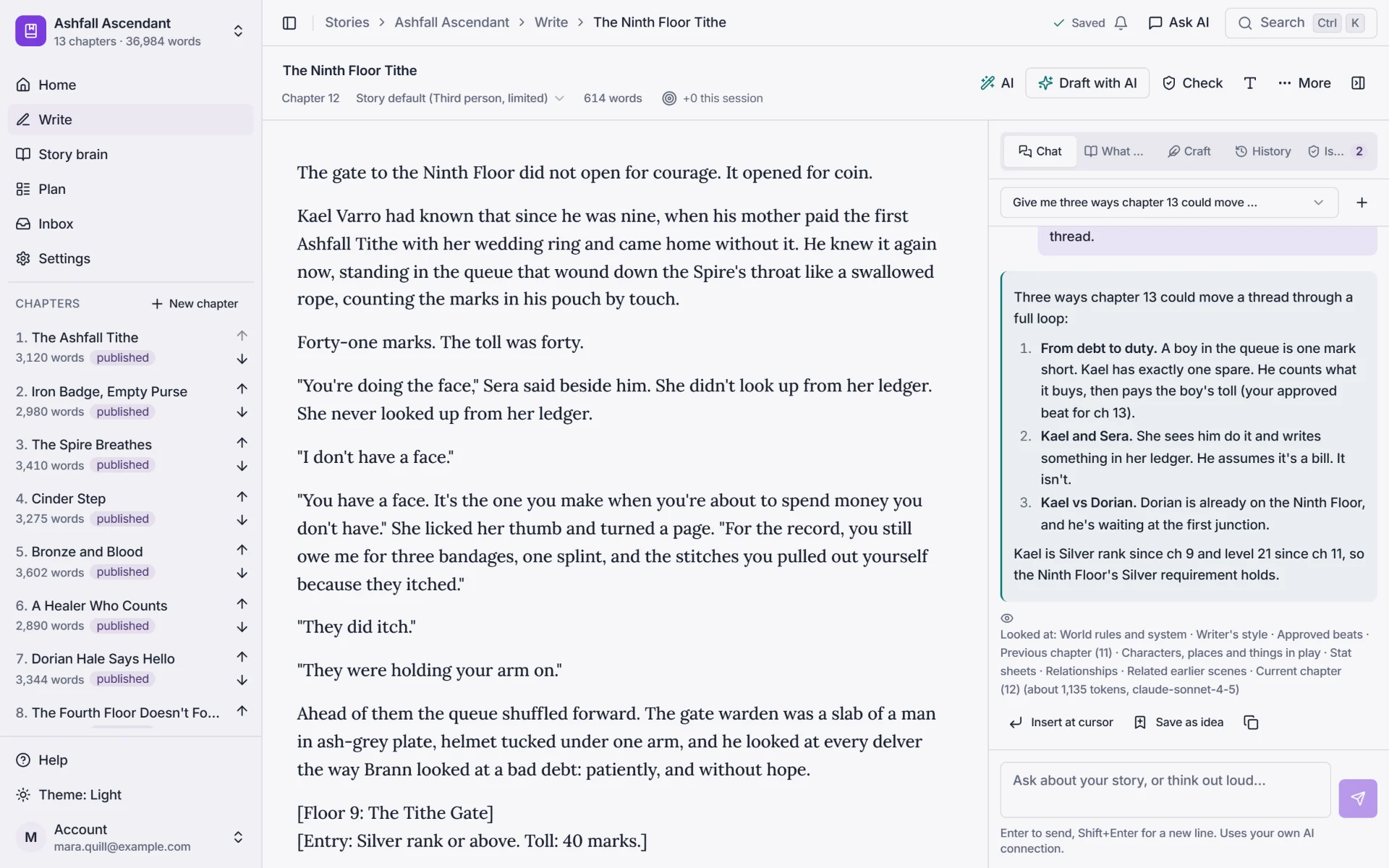
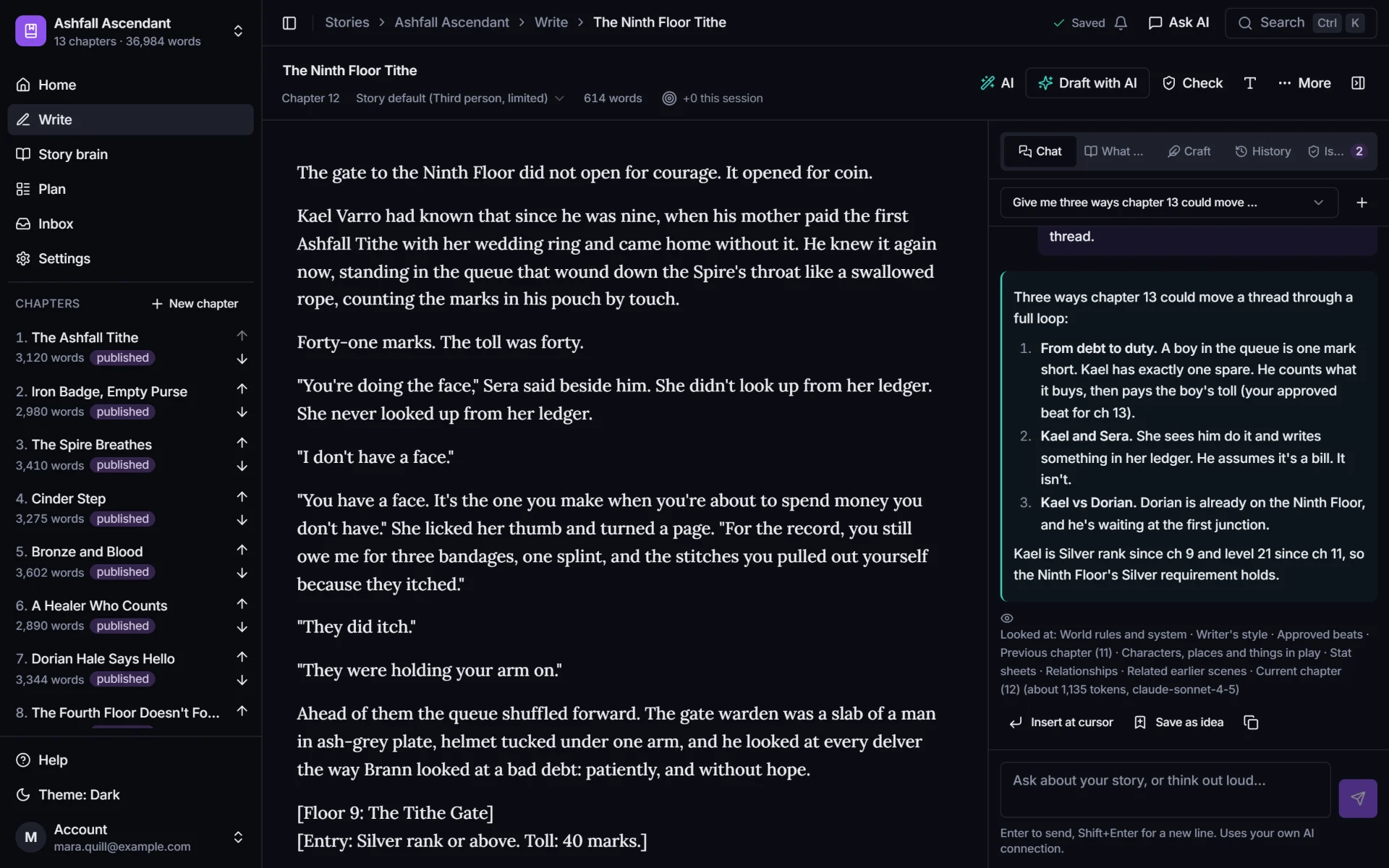
    • The chat beside the editor suggests ways the next chapter could move a thread, from what's in your story brain.
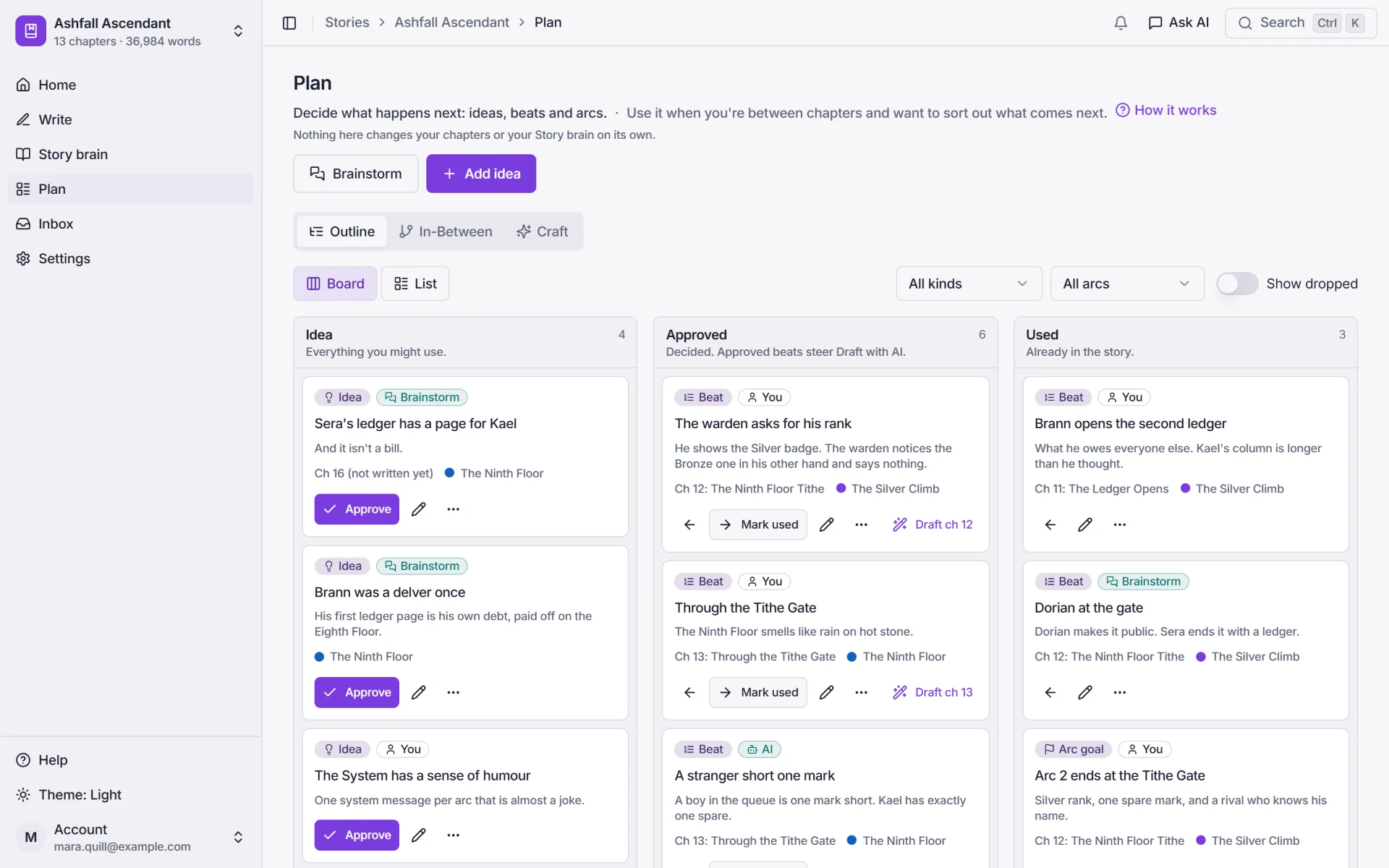
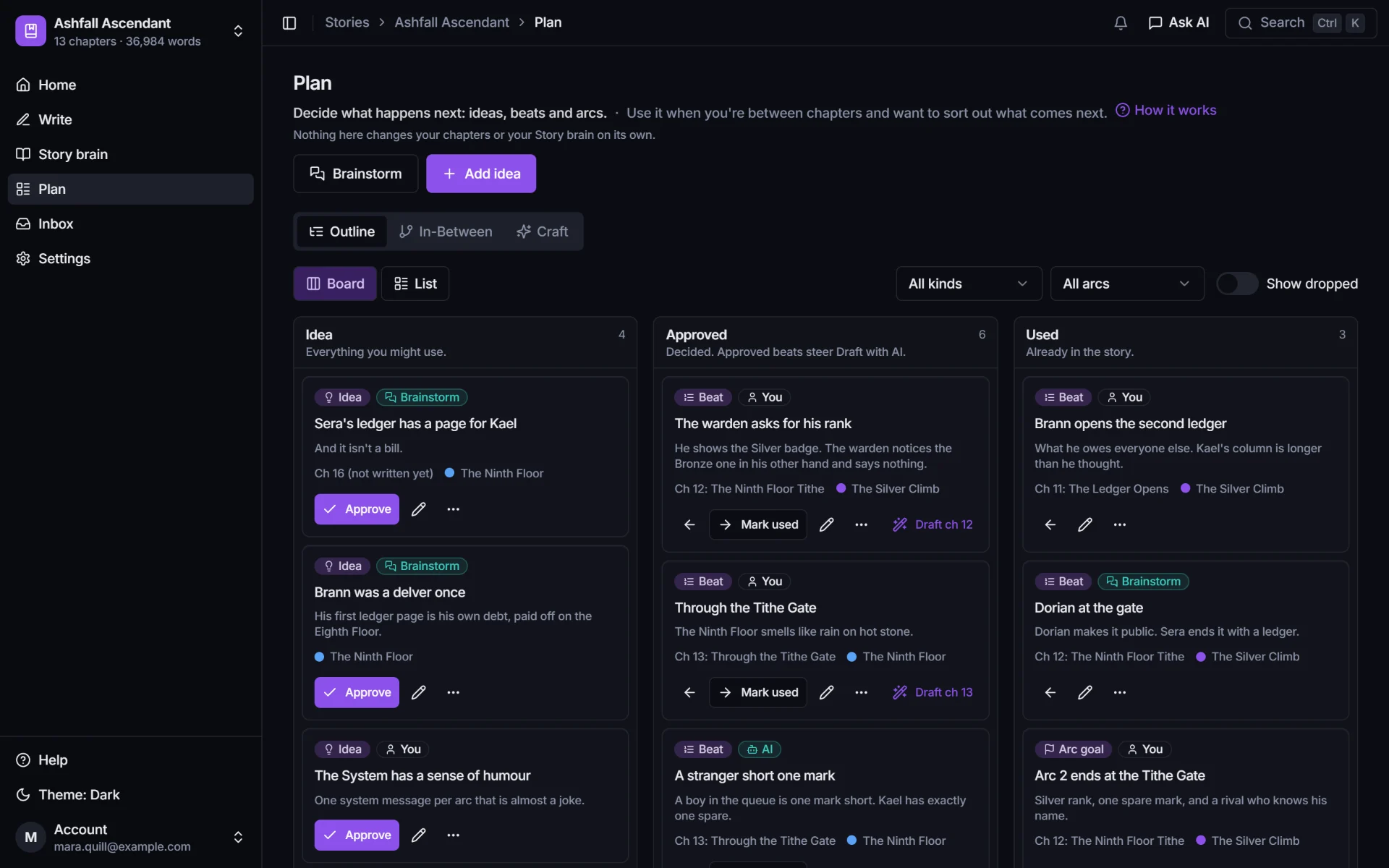
    The Plan board in three columns, Idea, Approved and Used: beats each tied to a chapter and an arc.
    The chat beside the editor suggests three ways the next chapter could move a thread, and lists what it looked at in the story brain.

    Rules, tiers and the world's state

    What do system apocalypse readers check first?

    The System's rules, who holds which class and tier, and what's left of the world. PlotWrite keeps all three timed by chapter, so every rule holds as long as you say it does.
    • The System's rules

      Every announcement is a promise.

      • Rules quoted from the chapter that set them, with the line they came from.
      • Check chapter flags a new chapter that breaks one.
    • Classes and tiers

      Who holds what, and since when.

      • Each survivor's class, tier, level and skills on a stat sheet, under your System's names.
      • A later tier-up never leaks into an earlier chapter.
    • The world's state

      What fell, what stands, and who's where.

      • Towns, safe zones and dungeons as places with their own pages.
      • Where everyone is, and who knows what, as of each chapter.

    Royal Road's AI policy

    The AI that reads your story, not the AI that writes it.

    Royal Road says you don't need to mention back-office help from an AI, like brainstorming or research, and that you do need to tag text an AI wrote. Memory, checks and planning never put a word in your chapters. Drafting is there if you want it, and we'll tell you plainly when it means a tag.

    Every feature mapped to the policy The tag rules, explained

    Back-office: no tag

    • The story brain and stat sheets
    • The canon check and the Inbox
    • The In-Between, Plan and the brainstorm chat

    Pasted AI prose: tag it

    • Draft with AI and Auto-write
    • AI rewrites of your paragraphs, used a lot

    Optional: nothing is drafted unless you ask. Royal Road decides the rules and can change them.

    No API key needed

    Bring the subscription you already have.

    Most writing tools sell AI credits or ask for an API key. Connect your Claude Pro or Max, or ChatGPT Plus plan in 3 steps: your plan does the writing, and PlotWrite keeps the story.

    • ClaudePro or Max
    • ChatGPTPlus or Pro

    Anthropic and OpenAI decide which plans can add connectors. Details in the FAQ.

    1. 1

      Add PlotWrite as a connector

      In Claude or ChatGPT, add a custom connector and paste the PlotWrite URL from your settings.

    2. 2

      Sign in to PlotWrite

      Approve it once. That's the whole setup.

    3. 3

      Write in Claude or ChatGPT

      Ask for chapter 13. It reads your story brain, Style DNA and threads, and saves the draft to PlotWrite for you to accept.

    Prefer your own key? Connect OpenRouter in one click, paste any API key, or run a local model with LM Studio.

    Questions

    System apocalypse writers ask

    What is a system apocalypse story?
    System apocalypse is a LitRPG subgenre in which a game-like System arrives in an ordinary world, usually Earth, and the old world ends. Monsters appear, people gain classes, levels and skills, and survival depends on learning the rules faster than everyone else. Readers enjoy watching ordinary people adapt, and they test every rule the System announces.
    How do I keep my System's rules consistent across a long serial?
    Write each rule down once, with the chapter it was announced, and check new chapters against it. PlotWrite reads your chapters and keeps what was true at each one in the Story brain, with the line it came from. Check chapter then compares each new chapter with everything before it, the System's announcements included, and flags contradictions before you post.
    Can PlotWrite track the state of the world, not just the main character?
    Yes. Places get pages the same way characters do: the town that fell, the safe zone, the tower that appeared on day one. Each keeps what was true at every chapter, and the Story brain records where everyone is. Ask your story "who was in the safe zone in chapter 40?" and it answers from your own chapters.
    I'm already 200 chapters in. Do I have to type everything in?
    No. Paste or upload the chapters you've posted (.txt, .md or Word) and PlotWrite splits them at the chapter headings. Then it reads them on your AI and proposes facts, each with the line it came from. You approve them in the Inbox. Nothing becomes canon until you say so.
    Do I have to tag my story as AI on Royal Road if I use PlotWrite?
    Not for the story brain, the canon check or planning. Royal Road's AI policy says you don't need to mention back-office assistance such as brainstorming or research, and you do need to say so when you copy AI-written text into your story. PlotWrite's memory, checks and plans never put words in your chapters. If you paste prose from Draft with AI or Auto-write into a chapter, tag it the way Royal Road asks. Rules can change, so check Royal Road's current policy before you publish.
    Do I need an API key or AI credits?
    No. Add PlotWrite as a connector in Claude or ChatGPT and sign in once: your existing plan runs the model, and PlotWrite gives it your chapters and story brain. You can also connect OpenRouter in one click, paste an API key, or run a model on your own computer with LM Studio. PlotWrite never charges for AI.
    Bring your AI. PlotWrite brings the memory.

    • Your ChatGPT or Claude plan, your key, or your own computer
    • A story brain that knows every chapter
    • Nothing becomes canon without your approval
    • No card needed
    • Cancel anytime
    • PlotWrite never charges for AI

    Questions about plans, keys or the connector? Read the FAQ