Skip to content

    For LitRPG authors

    Know your MC's stat sheet at chapter 47, without opening a spreadsheet.

    PlotWrite reads the chapters you've written and keeps every level, stat, skill, class and title as a fact timed by chapter. Before you post, it checks the new chapter against your System. Your attribute names, crunchy or smooth.

    The AI that reads your story, not the AI that writes it.

    • No card needed
    • Cancel anytime
    • PlotWrite never charges for AI
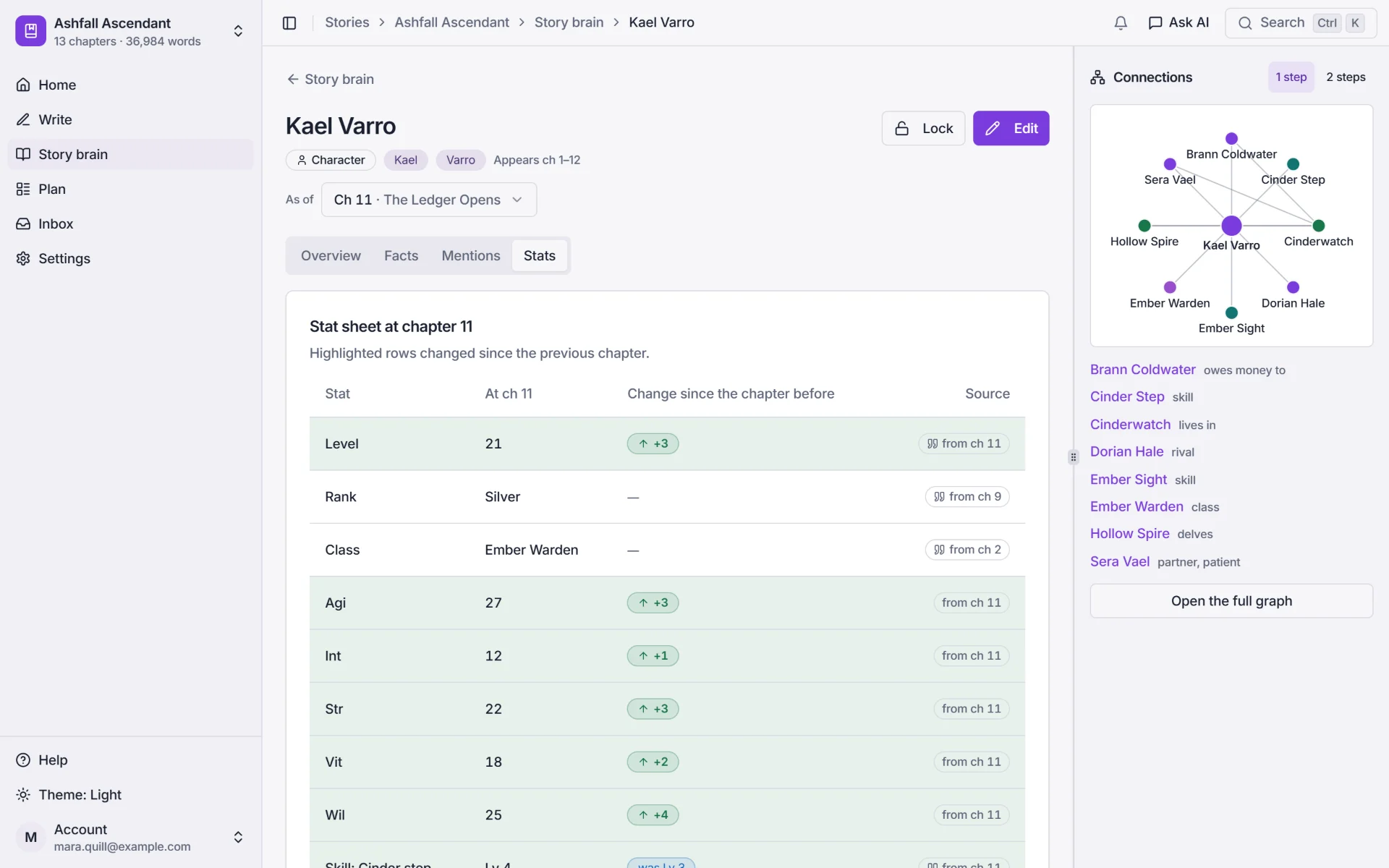
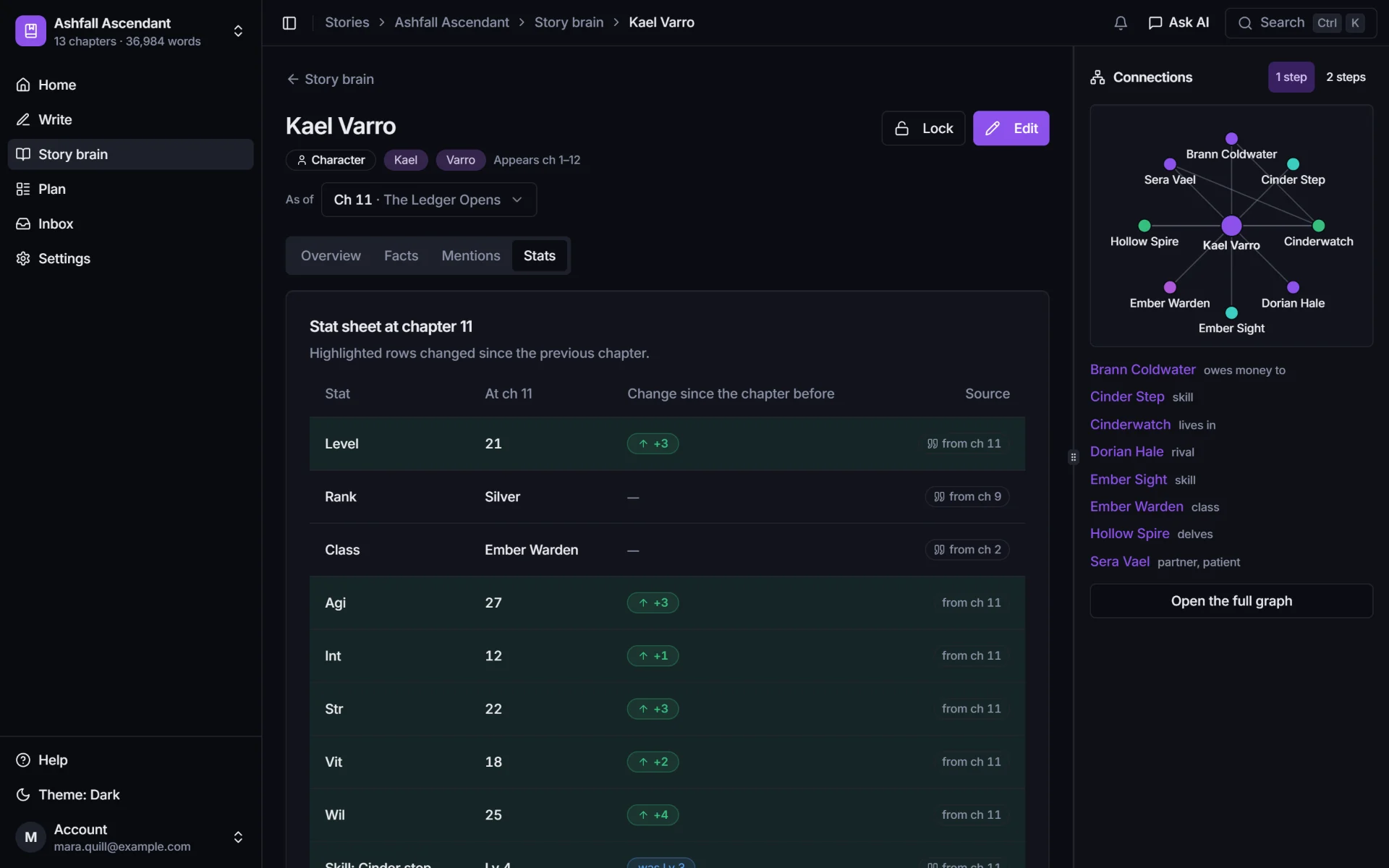
    Kael Varro's stat sheet at chapter 11: level 21 (up 3), rank Silver, class Ember Warden, AGI 27 (up 3), INT 12 (up 1), STR 22 (up 3), VIT 18 (up 2), WIL 25 (up 4), each with the chapter it came from.

    Screens from PlotWrite running on a made-up sample serial, Ashfall Ascendant, whose ranks go Iron, Bronze, Silver. Your System's stats and names are your own.

    The problem

    Three ways a LitRPG breaks, and readers see every one.

    The status screen is the one part of your story readers can check with a calculator. They do, and they say so in the comments.
    • The sheet drifts from the prose

      A mid-fight upgrade never makes it into the spreadsheet. Three chapters on, the status screen disagrees with itself.

      Ch 31[Strength 48 → 52. Unspent points: 0]

      Ch 34[Strength: 50 | Unspent points: 4]

    • A moved scene breaks the timeline

      Moving a scene in LitRPG isn't just moving prose. The level-up now lands later, and every number after it is wrong.

      Ch 18[Level 20 reached. New skill slot unlocked.]

      Ch 16She slotted her new skill before the fight.

    • A skill changes its name

      Rename a skill in your notes and forget an old chapter, and readers ask whether it's a new skill or a mistake.

      Ch 9[Skill acquired: Ember Step (Rare)]

      Ch 40He triggered Cinder Dash and crossed the room.

    Made-up examples of the slips this genre makes.

    How PlotWrite helps

    How PlotWrite keeps the numbers straight.

    A memory of your System that knows which chapter it is, a check that reads each chapter against it, and a plan for the grind between the big moments.

    Stat sheets as of any chapter

    The status window your readers saw, at any chapter.

    Every level, stat, skill, class, title and item is a fact with the chapter it became true. Pick a chapter and the sheet is the one that was on the page.

    • See what changed since the chapter before, and the full history: level 7, then 12, then 18, then 21.
    • Every number links back to the chapter and the line it came from.
    • Your attribute names, not ours. Nine custom attributes or none at all.
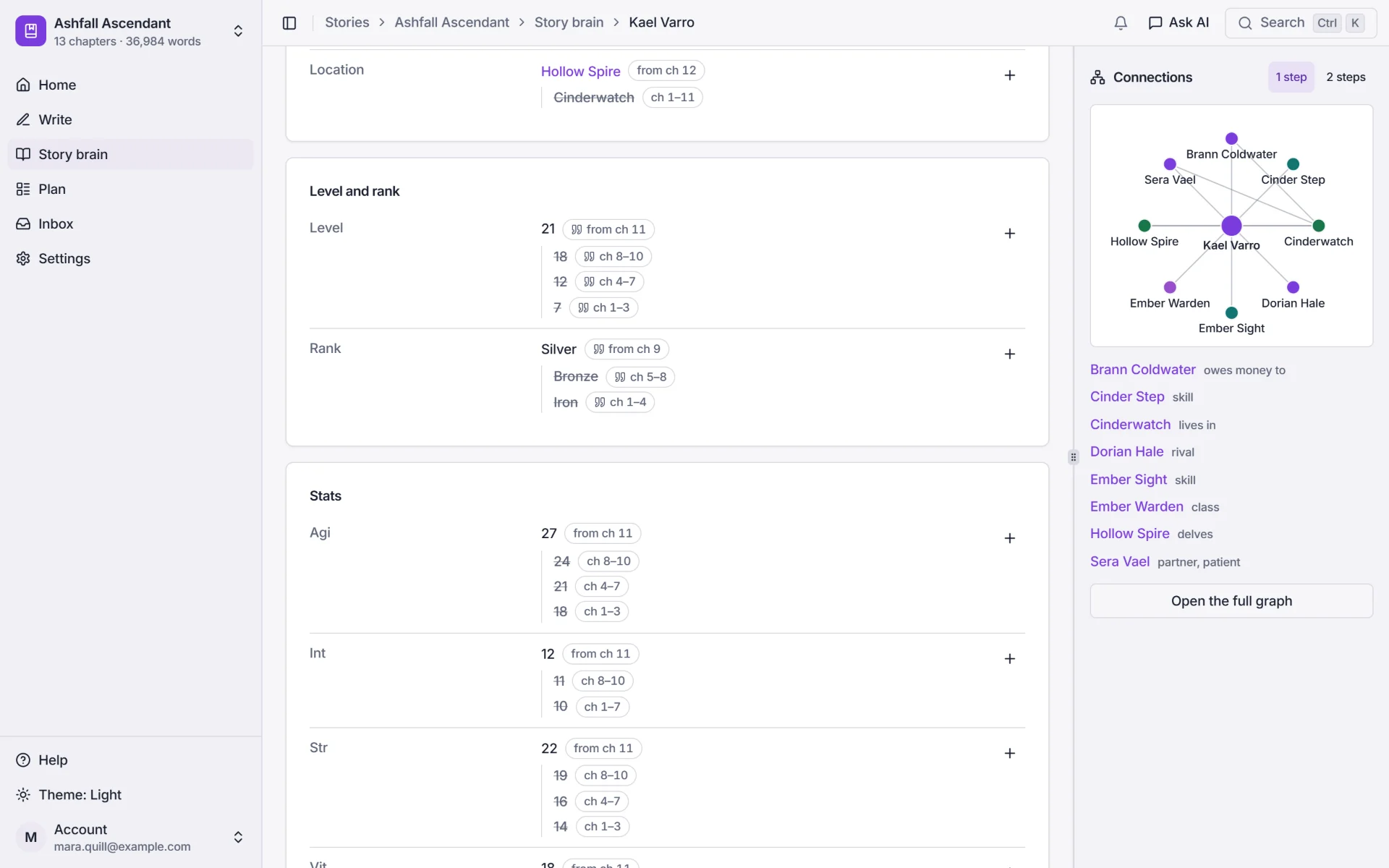
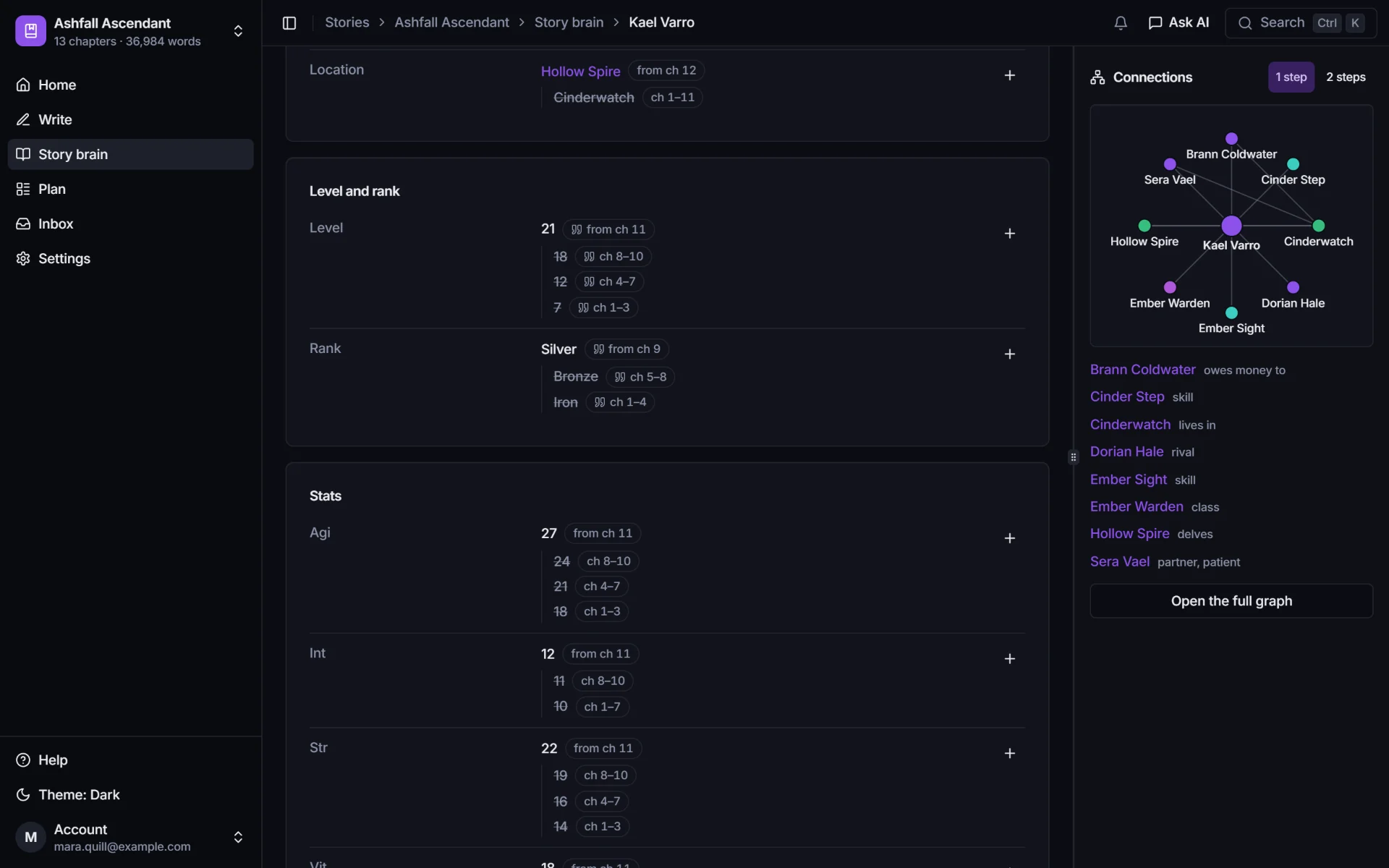
    Kael Varro's level and rank history in the story brain: level 21 from chapter 11 (18 in chapters 8 to 10, 12 in 4 to 7, 7 in 1 to 3), and rank Silver from chapter 9 (Bronze in 5 to 8, Iron in 1 to 4). Below, his stats with their own history.
    A graph of Kael's connections: Sera Vael, Brann Coldwater, Dorian Hale, Hollow Spire, Cinderwatch and his skills.

    Canon check

    Catches the broken System before the comment section does.

    Check a chapter and PlotWrite compares it with what was true at that point: a level that went down, a skill used before it was learned, a rank the gate shouldn't accept.

    • Both quotes side by side: what this chapter says, and the earlier line it contradicts.
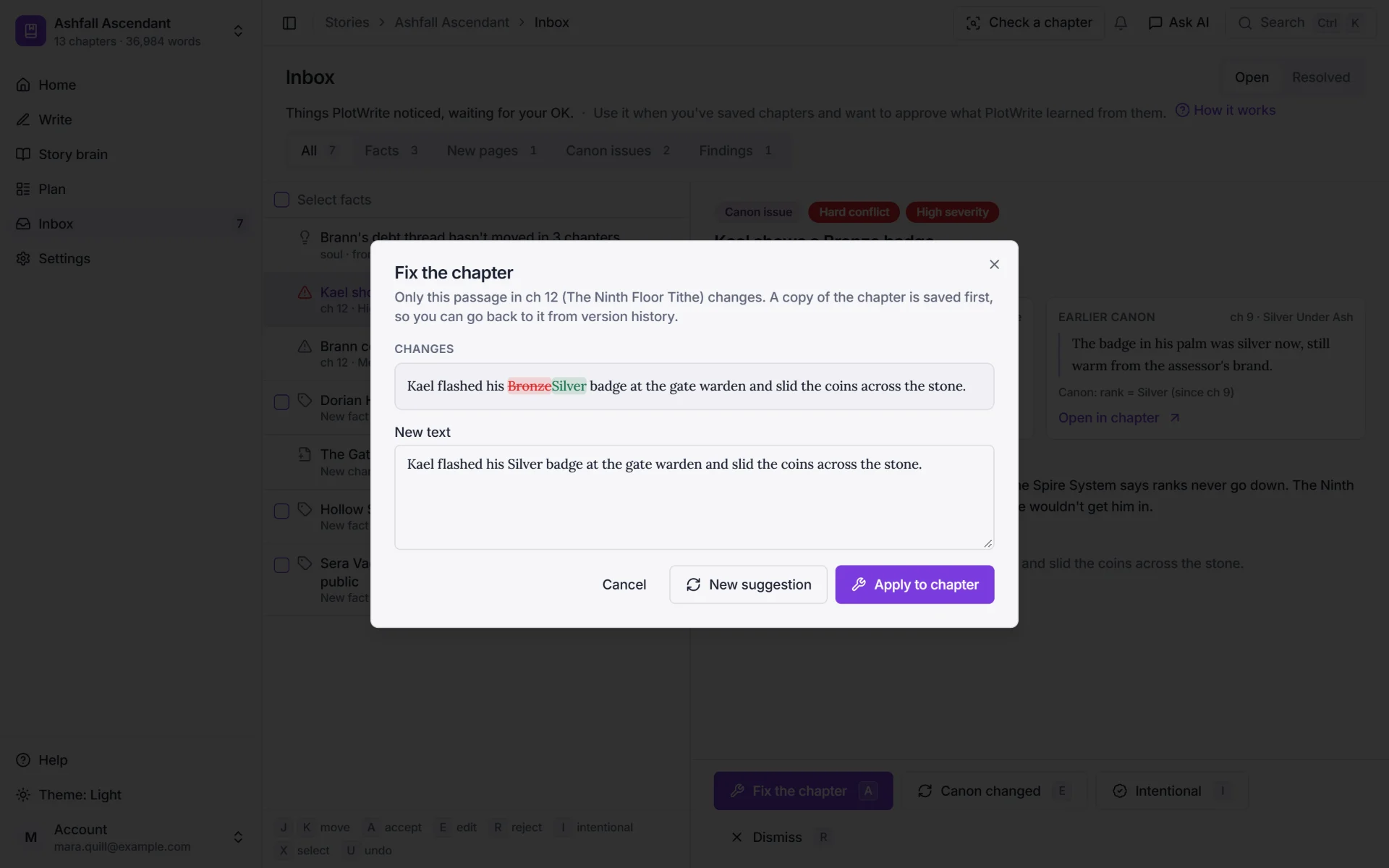
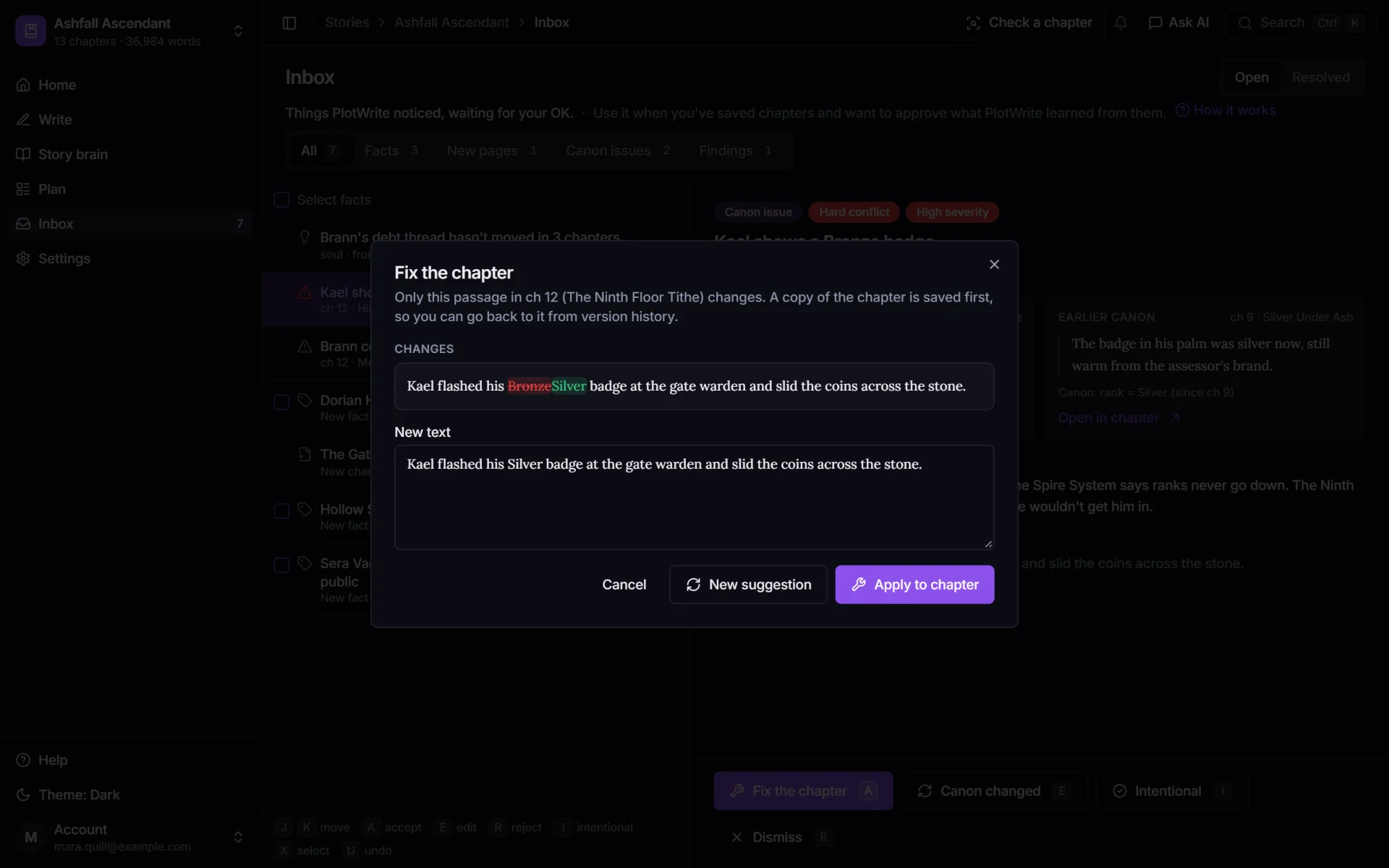
    • Fixes are previewed as a change before a word is touched.
    • Meant it? Mark it intentional (a curse, a reset, a System bug) and it stops flagging.
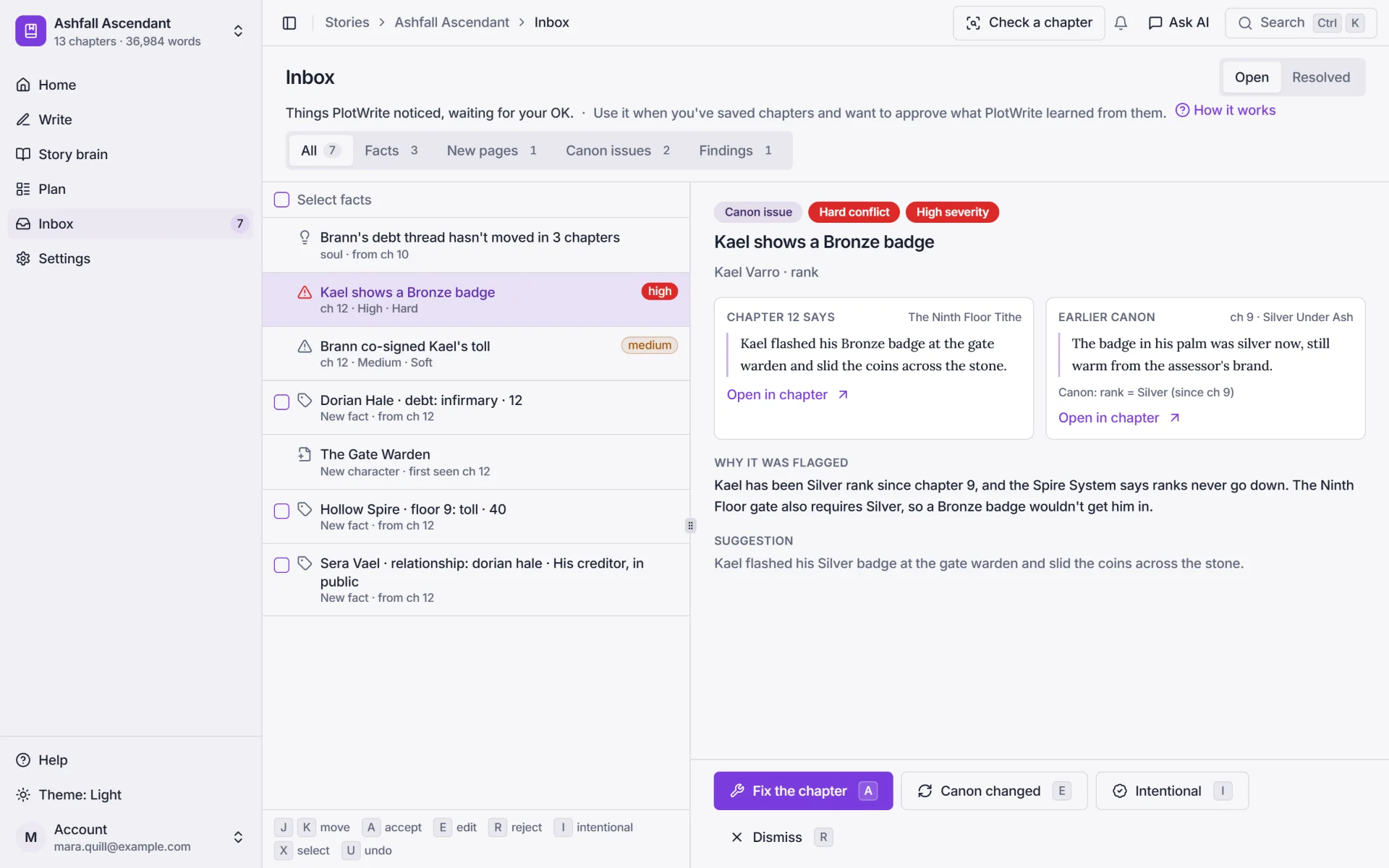
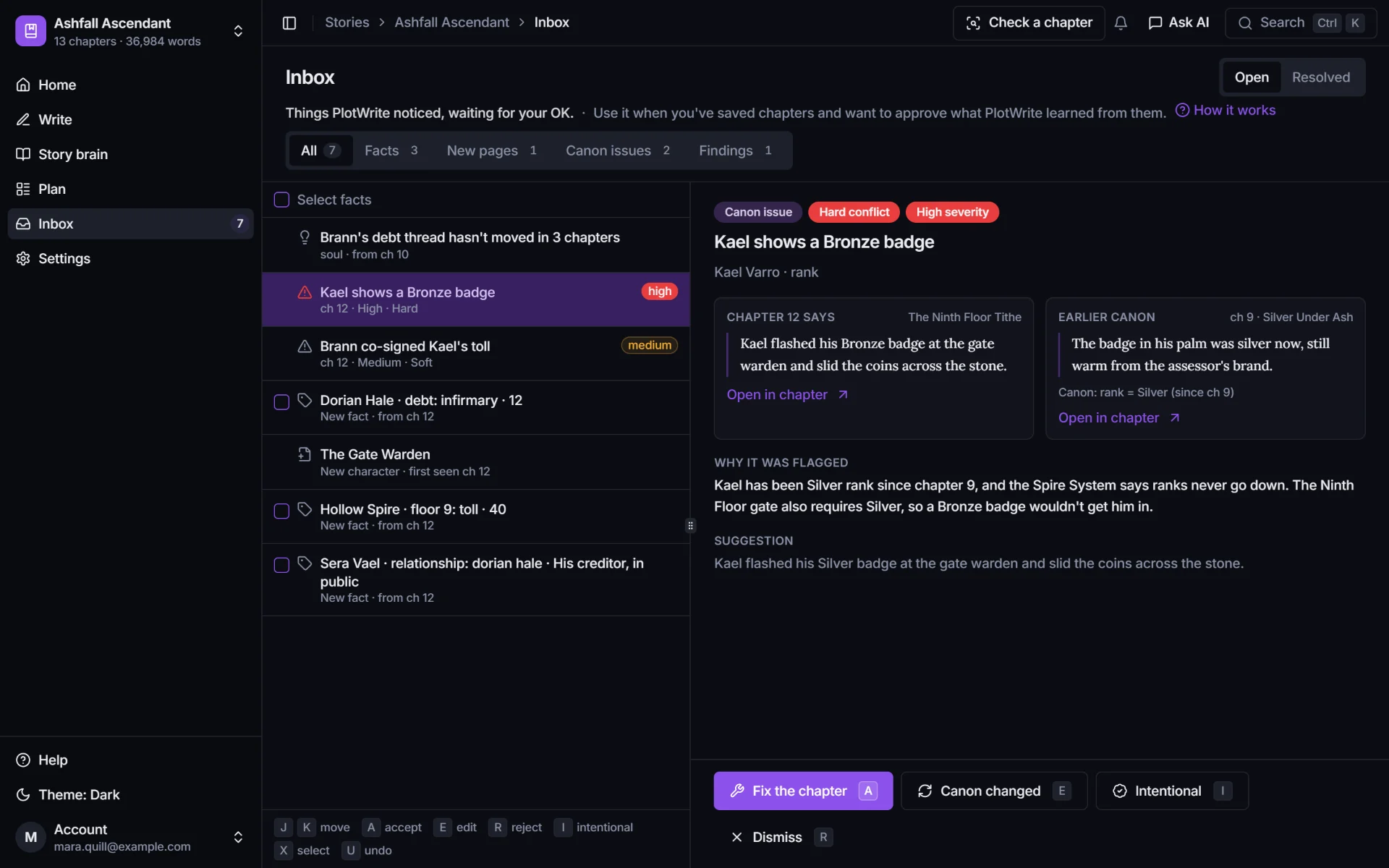
    The Inbox with a high-severity canon issue: chapter 12 says Kael flashed his Bronze badge, while earlier canon from chapter 9 says the badge in his palm was silver now.
    The previewed fix: Bronze is struck out and Silver put in its place, before anything changes in the chapter.

    The In-Between

    Plan the grind without losing the plot.

    The dungeon climb, the rival, the debt and the quest line all move a little every chapter. PlotWrite shows each thread across your chapters and plans the beats from A to B.

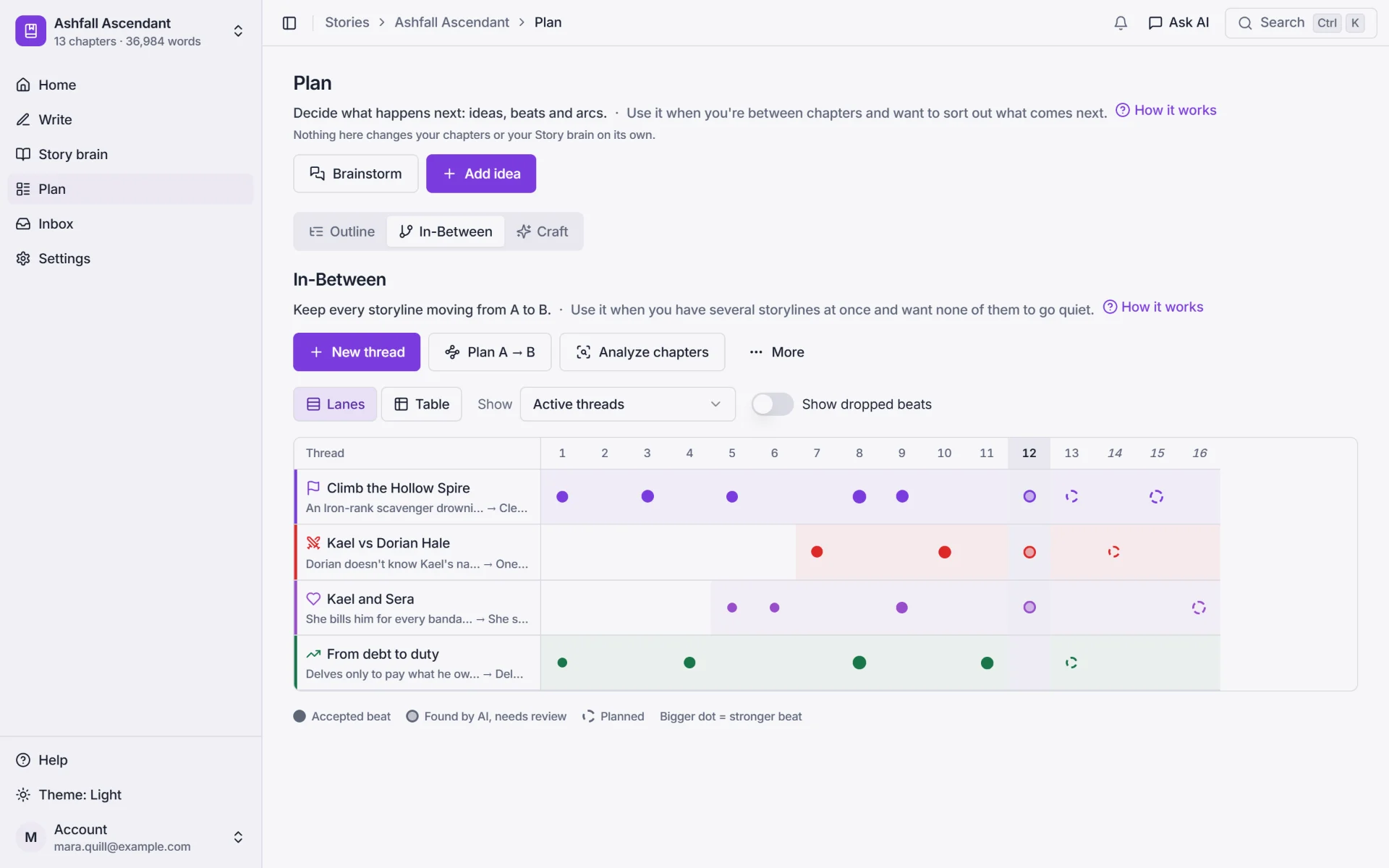
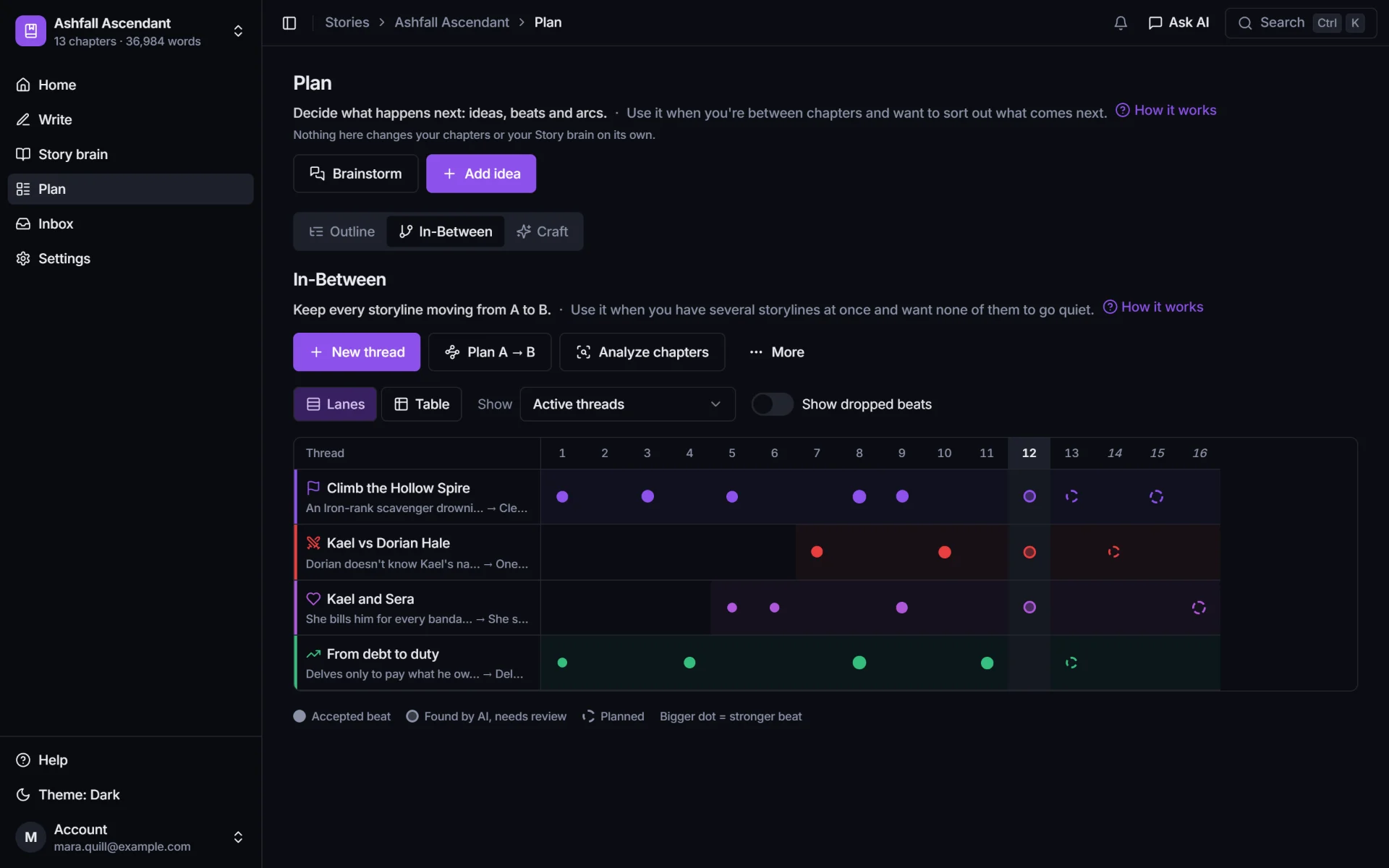
    • Every thread lane by lane, with a dot for each chapter that moved it.
    • Plan the beats that get a thread from where it is to where it ends.
    • A nudge in your Inbox when a thread goes quiet.
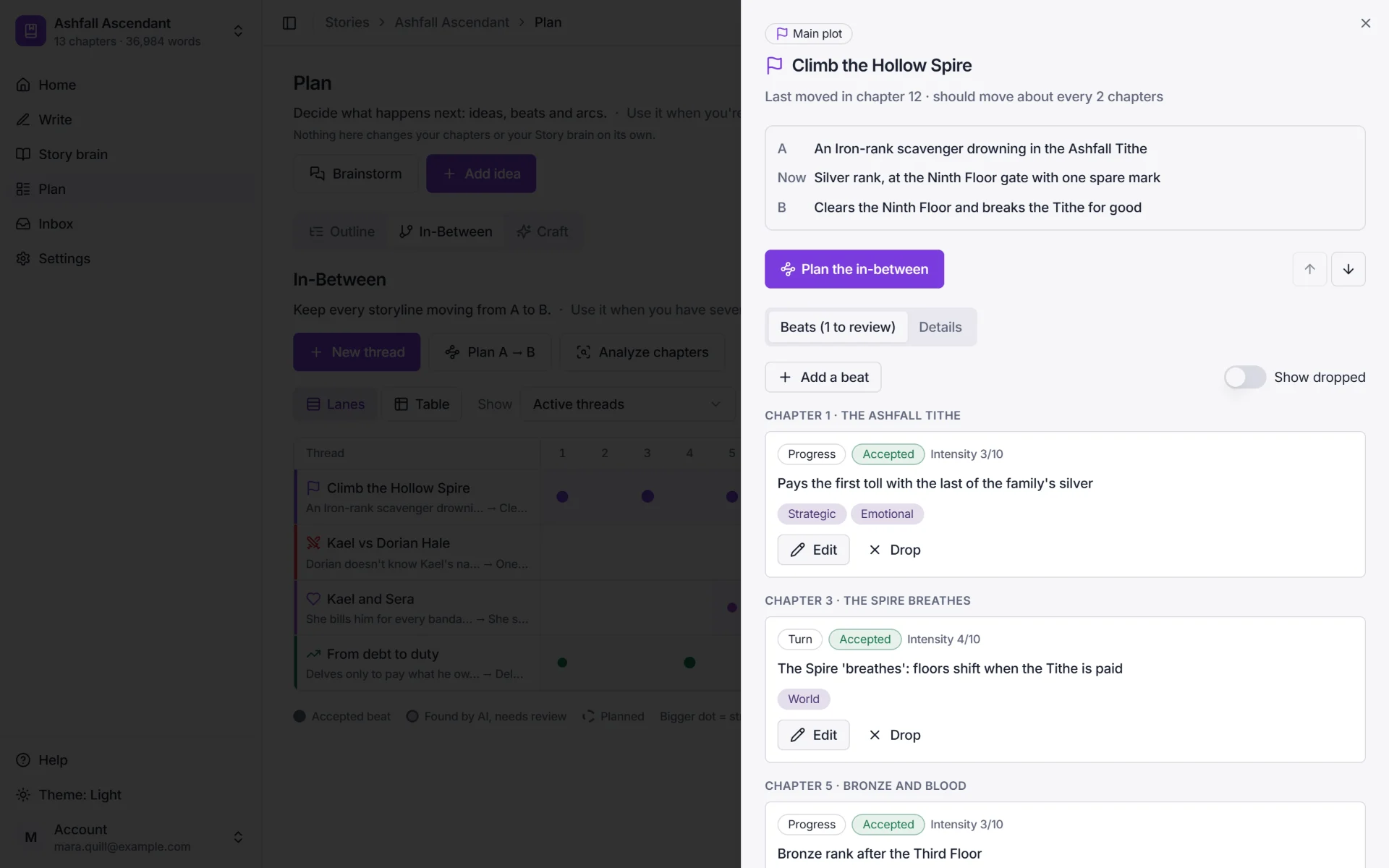
    The In-Between swimlanes: four threads (Climb the Hollow Spire, Kael vs Dorian Hale, Kael and Sera, From debt to duty) across chapters 1 to 16, with a dot for each chapter that moved them and dashed rings for planned beats.
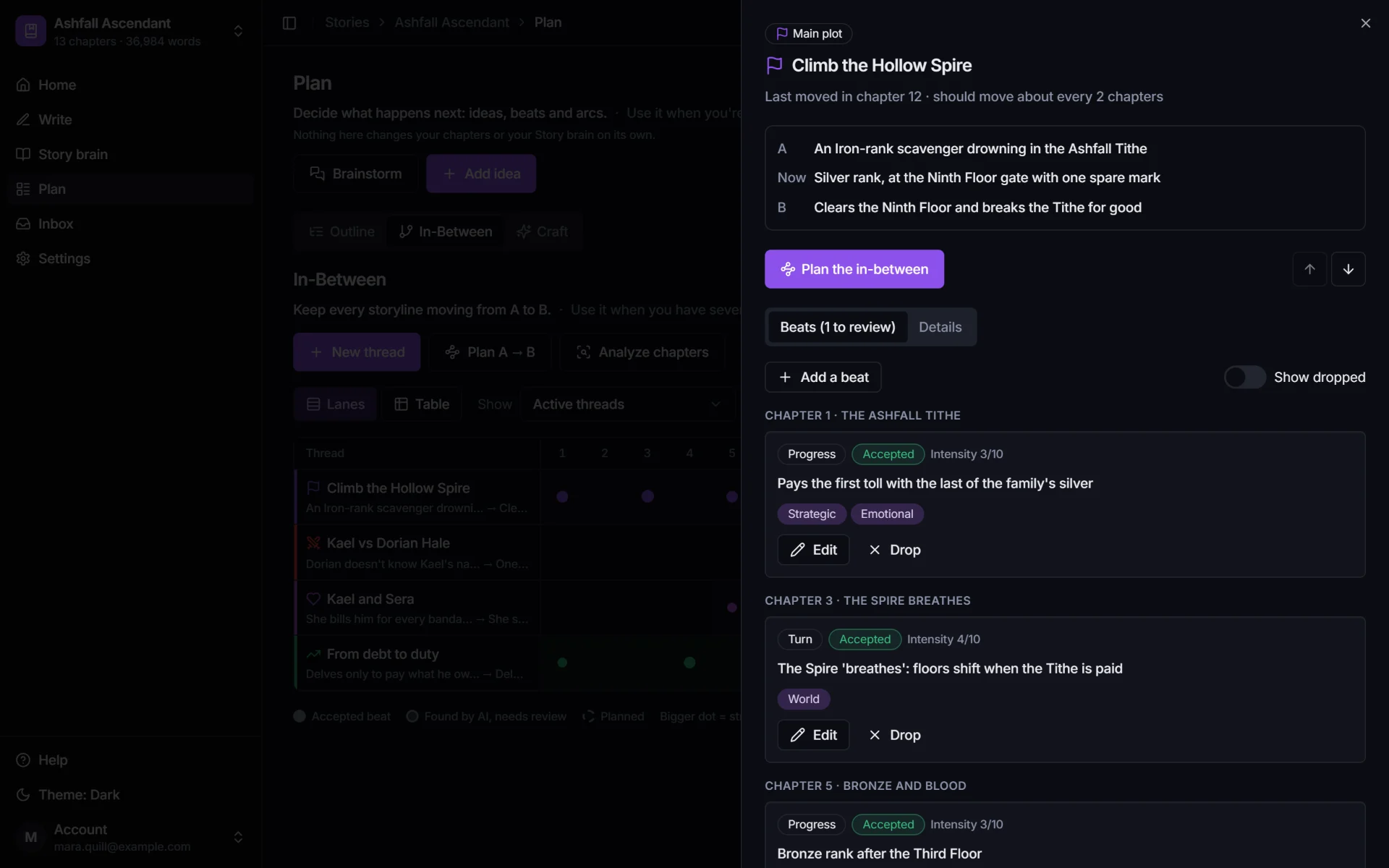
    One thread, Climb the Hollow Spire: A, an Iron-rank scavenger drowning in the Ashfall Tithe; now, Silver rank at the Ninth Floor gate; B, clears the Ninth Floor and breaks the Tithe. It last moved in chapter 12 and should move about every 2 chapters.

    Crunchy or smooth

    Full status screens every chapter, or barely a number in sight.

    LitRPG comes in both flavors, and both break in their own way. PlotWrite keeps the same timeline of facts for either.
    • Crunchy

      Readers check the math, so the math has to hold.

      • Base stats, bonuses and unspent points, each with the chapter it changed.
      • A sheet for every character at any chapter, with what changed since the last one.
      • The canon check flags a number that goes the wrong way.
    • Smooth

      Few numbers on the page, but ranks, skills and titles still have to stay put.

      • Ranks, classes, skills and titles as facts, no spreadsheet needed.
      • Who knows what, who owes whom, and which promise you haven't paid off.
      • The same check for a skill renamed or a title that vanished.

    Royal Road's AI policy

    The AI that reads your story, not the AI that writes it.

    Royal Road says you don't need to mention back-office help from an AI, like brainstorming or research, and that you do need to tag text an AI wrote. Memory, checks and planning never put a word in your chapters. Drafting is there if you want it, and we'll tell you plainly when it means a tag.

    Every feature mapped to the policy The tag rules, explained

    Back-office: no tag

    • The story brain and stat sheets
    • The canon check and the Inbox
    • The In-Between, Plan and the brainstorm chat

    Pasted AI prose: tag it

    • Draft with AI and Auto-write
    • AI rewrites of your paragraphs, used a lot

    Optional: nothing is drafted unless you ask. Royal Road decides the rules and can change them.

    No API key needed

    Bring the subscription you already have.

    Most writing tools sell AI credits or ask for an API key. Connect your Claude Pro or Max, or ChatGPT Plus plan in 3 steps: your plan does the writing, and PlotWrite keeps the story.

    • ClaudePro or Max
    • ChatGPTPlus or Pro

    Anthropic and OpenAI decide which plans can add connectors. Details in the FAQ.

    1. 1

      Add PlotWrite as a connector

      In Claude or ChatGPT, add a custom connector and paste the PlotWrite URL from your settings.

    2. 2

      Sign in to PlotWrite

      Approve it once. That's the whole setup.

    3. 3

      Write in Claude or ChatGPT

      Ask for chapter 13. It reads your story brain, Style DNA and threads, and saves the draft to PlotWrite for you to accept.

    Prefer your own key? Connect OpenRouter in one click, paste any API key, or run a local model with LM Studio.

    Questions

    LitRPG writers ask

    Can PlotWrite track LitRPG stats from my chapters automatically?
    Yes. PlotWrite reads your chapters on your AI and proposes levels, stats, skills and other facts, each with the chapter and the line it came from. You approve them in the Inbox, and from then on you can see any character's sheet as it stood at any chapter.
    Does it work with my own stat system?
    Yes. Stats are stored under your own names, so STR and AGI, nine custom attributes, or a System with no numbers at all all work. Levels, ranks, classes, skills and titles get the same chapter-by-chapter history.
    I'm already 200 chapters in. Do I have to type everything in?
    No. Paste or upload the chapters you've posted (.txt or .md) and PlotWrite splits them at the chapter headings. Then it reads them on your AI and proposes facts, each with the line it came from. You approve them in the Inbox. Nothing becomes canon until you say so.
    Do I have to tag my story as AI on Royal Road if I use PlotWrite?
    Not for the story brain, the canon check or planning. Royal Road's AI policy says you don't need to mention back-office assistance such as brainstorming or research, and you do need to say so when you copy AI-written text into your story. PlotWrite's memory, checks and plans never put words in your chapters. If you paste prose from Draft with AI or Auto-write into a chapter, tag it the way Royal Road asks. Rules can change, so check Royal Road's current policy before you publish.
    Do I need an API key or AI credits?
    No. Add PlotWrite as a connector in Claude or ChatGPT and sign in once: your existing plan runs the model, and PlotWrite gives it your chapters and story brain. You can also connect OpenRouter in one click, paste an API key, or run a model on your own computer with LM Studio. PlotWrite never charges for AI.
    Bring your AI. PlotWrite brings the memory.

    • Your ChatGPT or Claude plan, your key, or your own computer
    • A story brain that knows every chapter
    • Nothing becomes canon without your approval
    • No card needed
    • Cancel anytime
    • PlotWrite never charges for AI

    Questions about plans, keys or the connector? Read the FAQ